Table of Contents
Transparency mode uses a headphone's external microphones to capture nearby sound and play it through the earphones along with your music or call. It helps you hear announcements, conversations, traffic cues, and your own voice without removing the headphones. Active noise cancellation (ANC) does the opposite: it processes microphone input to reduce selected outside noise.
Manufacturers use different names for the same general feature, including Ambient Sound, HearThrough, Aware, and Ambient Aware.
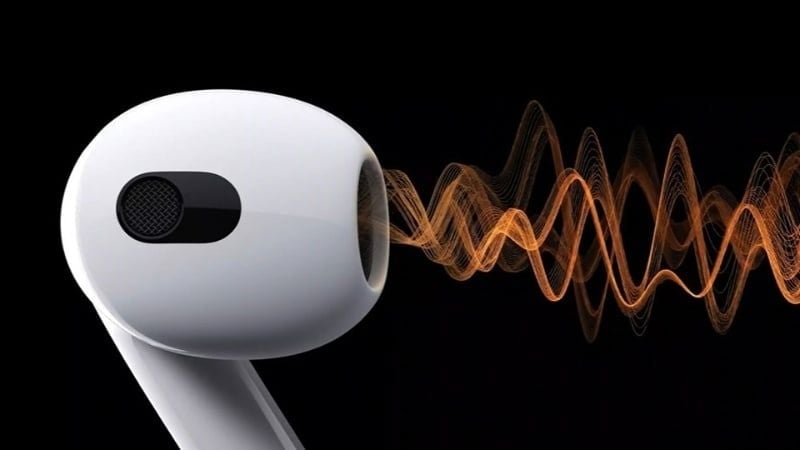
How transparency mode works
Headphones with transparency mode normally use one or more outward-facing microphones. A digital signal processor converts the microphone input, applies filtering and level adjustments, and sends the result through the headphone drivers. Your device's audio and the processed outside sound reach your ears at the same time.
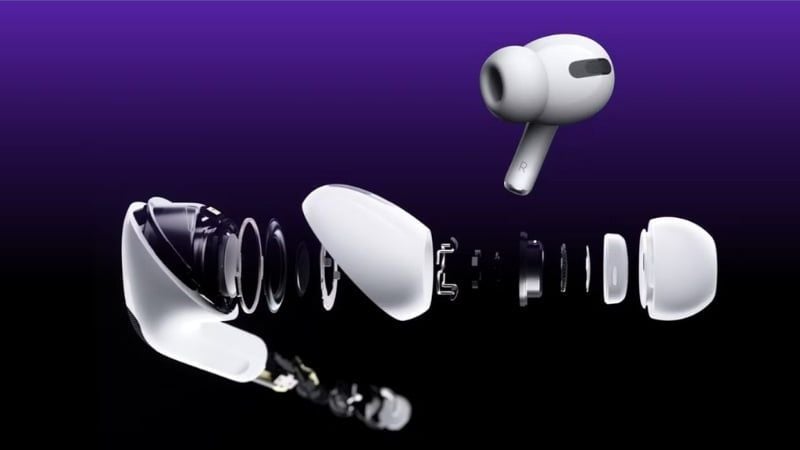
A good implementation sounds immediate and natural. Poorer implementations can introduce hiss, amplify wind, make voices sound metallic, or create a small delay. Some products emphasize speech frequencies or automatically limit very loud sounds, while simpler models pass through a less processed microphone feed.
Transparency mode versus active noise cancellation
| Feature | Transparency mode | Active noise cancellation |
|---|---|---|
| Main goal | Increase awareness of nearby sound | Reduce unwanted outside sound |
| Microphone processing | Reproduces selected ambient sound through the drivers | Creates an opposing signal to reduce parts of the ambient noise |
| Useful situations | Conversations, announcements, walking, office use | Flights, trains, steady machinery noise, focused work |
| What you hear | Music plus processed surroundings | Music with less low-frequency background noise |
| Battery use | Usually higher than passive/off mode | Usually higher than passive/off mode |
Neither feature creates perfect silence or perfect awareness. ANC is generally most effective against steady, low-frequency sounds such as engine or ventilation noise; abrupt voices, alarms, and high-frequency sounds may still be audible. Transparency quality depends on microphone placement, wind handling, processing, fit, and software tuning.
When transparency mode is useful
- Commuting: hear platform announcements or a nearby conversation without repeatedly removing earbuds.
- Walking or running: retain more awareness of vehicles, bicycles, and other people.
- Office work: respond when a colleague speaks while keeping audio playing at a moderate level.
- Calls and gaming: hear your own voice more naturally and reduce the tendency to speak too loudly.
- Home use: listen for a doorbell, timer, child, or other household sound.
Transparency mode is not a safety guarantee
Microphones and software can miss, delay, or distort a warning sound. Wind, loud music, a loose fit, depleted batteries, and sudden noise can make the feature less effective. Pause playback or remove the headphones whenever full attention is required. Do not rely on consumer transparency mode as hearing protection, and follow local rules about headphone use while cycling, driving, or working around machinery.
What to test before buying
- Voice naturalness: speak while wearing the headphones and check whether your own voice sounds blocked or artificially amplified.
- Latency: footsteps, typing, and objects placed on a table should not sound noticeably delayed.
- Wind handling: microphone noise should remain tolerable outdoors.
- Direction and distance: you should be able to judge roughly where a voice or vehicle is coming from.
- Adjustable levels: an app or button should let you choose how much ambient sound is admitted.
- Quick switching: moving between ANC, transparency, and off should be possible without opening an app every time.
- Fit and comfort: pressure, seal, and ear-cup design matter during long sessions regardless of processing quality.
Specifications rarely describe transparency quality well, so an in-person test is more useful than microphone count alone. If you are comparing products, our guides to wireless earbuds and noise-cancelling headphones provide examples of how brands implement ambient modes.

Does it affect battery life or sound quality?
Transparency mode normally uses more power than leaving electronic processing off because the microphones and signal processor remain active. The exact difference varies by model, volume, connection, and battery condition.
It does not alter the source music file, but the listening experience changes because real-world sound is mixed with the playback. Bass and detail may seem less prominent in a noisy environment. Some headphones automatically lower music volume or emphasize voices when conversation is detected.
For an example of two differently branded ambient modes, see the comparison of AirPods Pro Transparency and Jabra HearThrough. The important distinction is simple: use transparency mode when awareness matters, ANC when isolation matters, and remove the headphones when neither mode provides enough safety or clarity.
Related Articles
 How to Use Active Noise Cancellation Properly7 minutes read
 How to Turn on Active Noise Cancellation on Airpod Pros5 minutes read
 What Is Active Noise Cancellation (ANC) Technology?9 minutes read
 How to Turn on Noise Cancellation of Airpods Pro Headphones5 minutes read
 iPhone 13: Complete Guide3 minutes read
 Honor Launches New True Wireless Headphones with 'Hybrid' Active4 minutes read
Reader Comments 0
Sign in with email or Google to join the discussion.