What is malware? How can you identify and prevent it?

What exactly is malware and why is it so dangerous for computer users? Let's find out in the article below!

In today's digital world, malware has become a major concern for technology users. So what is malware? Understanding the concept, causes, and harmful effects will help users proactively protect their personal data from malicious software attacks. This article will provide a detailed look at malware.

So, what exactly is malware and why is it so dangerous for computer users? Let's find out in the article below!

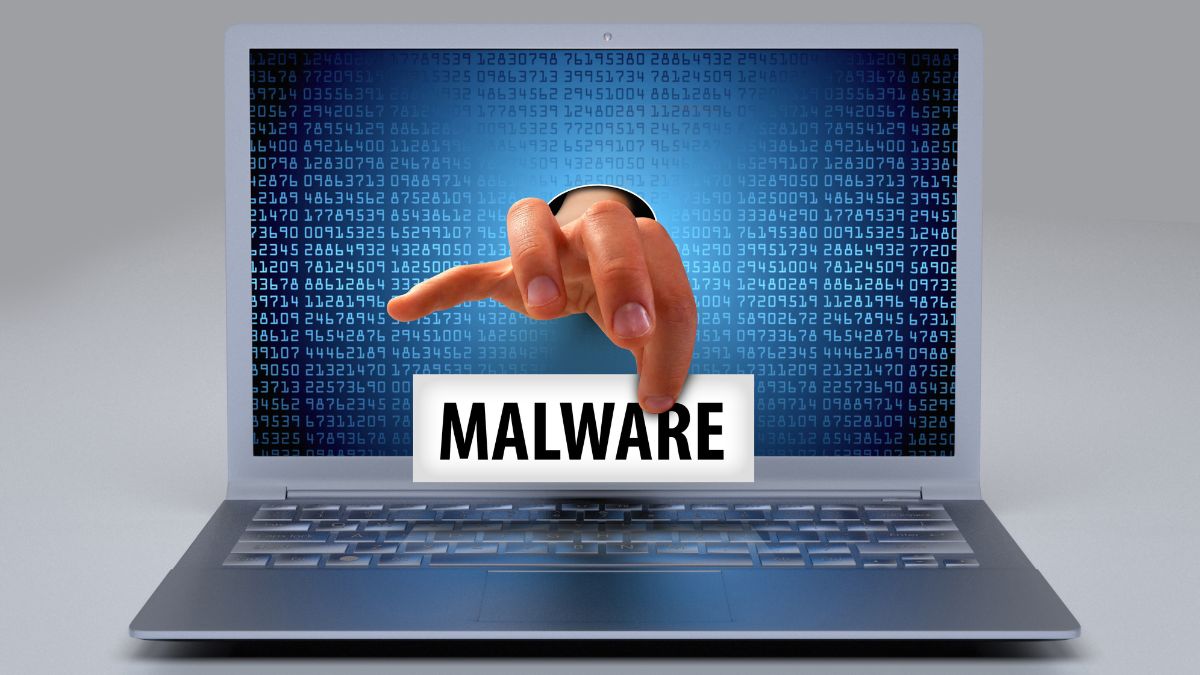
Picture 1 of What is malware? How can you identify and prevent it?

What is malware?

Malware,  a portmantein of 'malicious software,' is a type of software designed to harm computers, servers, computer networks, or systems. Malware not only damages systems but can also steal, encrypt, or delete data, monitor user activity without consent, and even alter or disrupt core system functions.

There are many different types of malware, including viruses, worms, Trojans, ransomware, spyware, adware, and many others. Each type operates in its own way and serves its own purpose, ranging from simple things like displaying unwanted advertisements to damaging systems or stealing financial information. The danger of malware lies in its ability to spread rapidly and be difficult to detect, making system protection complex and requiring high levels of attention from users and cybersecurity professionals.

Picture 2 of What is malware? How can you identify and prevent it?

How to identify malware?

To identify malware, users need to pay attention to several specific warning signs.

  1. First, unusually slow computer or mobile device performance could be a sign of malware running in the background, consuming system resources.
  2. Secondly, the constant appearance of pop-up ads, especially suspicious or irrelevant ads, can also be a sign of adware, a type of malware.
  3. Additionally, sudden changes to the browser's homepage or default search engine should also be considered.

Picture 3 of What is malware? How can you identify and prevent it?

  1. Another important factor is the appearance of programs or applications from unknown sources. If you discover applications that you don't remember installing, that could be a sign of malware.
  2. The fact that your computer restarts or shuts down unexpectedly should also be considered a warning sign.
  3. Additionally, if you notice that your files are missing or altered for no apparent reason, this could also indicate the presence of malware.
  4. Finally, another important indicator is an unexplained increase in network traffic. Malware, especially trojans and spyware, can send personal data from your computer to an attacker's server. Therefore, monitoring network traffic can help identify the presence of malware.

Picture 4 of What is malware? How can you identify and prevent it?

 Reasons why computers are susceptible to malware.

After understanding what malware is, you also need to understand why your device is vulnerable to attacks. Here are some common causes:

  1. Installing from unsafe sources: Downloading and installing applications and software that have not been verified for reliability.
  1. Careless browsing: Visiting websites that have been infected with malware or lack security.
  1. Using infected peripherals: Plugging in and using storage devices such as USB drives or portable hard drives that already contain malware.
  1. Unsecure network connections: Joining public Wi-Fi networks or networks that lack security.
  1. System security vulnerabilities: Malware can easily infiltrate computers when they run operating systems or applications with unpatched security vulnerabilities due to a lack of updates.

How malware works

To better understand what malware is, you need to know how it works. Here are some common ways malware operates:

Malware operates in three stages: infection, execution, and propagation. First, it infiltrates the system through methods such as malicious emails, downloading untrusted software, or exploiting security vulnerabilities. 

Once inside, it is activated and performs harmful actions such as encrypting data (Ransomware), stealing information (Spyware), or disrupting the system. Eventually, many types of malware will automatically spread to other devices on the network to cause widespread infection. 

Types of Malware

Identifying each type helps users understand the harm caused by malware and choose appropriate protection tools. Below are some of the most common types of malware currently in use.

Virus

Among the various types of malware, viruses are the oldest and most common. They attach themselves to legitimate files and then spread to other devices when users open those files. 

Viruses can destroy data, slow down the system, or prevent the computer from booting. To minimize the damage caused by malware viruses, you should install reliable antivirus software and regularly update your operating system.

Spyware

Spyware is a type of malware whose main function is to silently monitor all of a user's online activity without their consent. This type of malware often records browsing history, passwords, and even credit card information.

Although this type of malware doesn't directly damage data, it poses a serious threat to privacy. One way to prevent spyware-type malware is to avoid downloading software from unknown sources and to check access permissions before installation.

Worm

Worms are a type of malware capable of self-replicating without a host file. They spread rapidly through networks, email, or removable drives, causing bandwidth congestion and slowing down device performance.

Worm malware typically overloads systems and disrupts network infrastructure. To minimize the risk of attack, users should always keep their firewalls enabled and regularly update their security programs.

Trojan

Trojans primarily operate by impersonating legitimate applications to trick users into installing them. Once activated, Trojans open a backdoor, allowing hackers to access the device. 

This is one of the most dangerous types of malware because it often goes undetected. Users should learn how to avoid Trojan malware by not clicking on suspicious links and scanning files before downloading them.

Rootkit

Rootkits are malware designed to conceal the presence of other malicious software. They can penetrate deep into the system, making detection extremely difficult. The harm caused by this type of malware is that it allows attackers to gain full control of the device. The only way to completely remove it is to reinstall the operating system or use specialized tools.

Ransomware

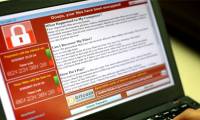
Ransomware is characterized by encrypting user data and demanding a ransom for decryption. It is one of the most dangerous and expensive types of malware currently available.

Many businesses have lost millions of dollars due to the damage caused by ransomware. Users should back up their data regularly and avoid opening files from unknown emails – this is the most effective way to prevent ransomware.

Adware

Adware displays ads constantly, slows down your computer, and sometimes collects browsing data. The harm of this type of malware is that it makes the user experience unpleasant. Installing ad-blocking extensions and regularly scanning your computer are simple ways to prevent this type of malware.

Consequences of Malware Infection

After understanding what malware is, you'll see that its consequences are extremely serious, affecting not only individuals but also businesses. Below are the most common harmful effects of malware:

  1. Personal data theft: Malware can collect account information, passwords, or banking data.
  1. System disruption: Some types of malware cause system errors, delete files, or cause the computer to stop working.
  1. Reduced system performance: Malware running in the background overloads the CPU and RAM, leading to lag and system freezes.
  1. Impact on businesses: Businesses may suffer customer data leaks, damage to reputation, and economic losses.

 Effective ways to prevent malware

First and foremost, updating your operating system and all related software on your computer is a fundamental and extremely important step. Regular updates include patches for security vulnerabilities that hackers could exploit to infiltrate your system.

Use a powerful and reliable antivirus solution, and update it regularly to ensure it can detect and protect against the latest malware. Additionally, configure a firewall to control traffic to and from your computer.

Taking safety precautions while browsing the web is also crucial. This includes avoiding clicking on suspicious links in emails or on websites, not downloading software from unofficial or questionable sources, and always checking reviews and the origin of applications before installing them.

Additionally, using a virtual private network (VPN) when connecting to public Wi-Fi networks can help protect your data from attackers trying to intercept information through insecure connections. Strong and unique passwords for each account, along with the use of two-factor authentication, will provide an extra layer of protection.

Regular and proper data backup practices are also crucial. You should have periodic backups, both on cloud services and on external storage devices, to protect your data in the event of a worst-case scenario.

Ultimately, educating yourself and other users about cybersecurity threats and how to identify them is an integral part of a malware prevention strategy. This includes recognizing common scam tactics, such as phishing, and understanding how to protect your personal information online.

Effective Malware Prevention Tools

After understanding what malware is, the next important step is to equip your device with appropriate protection tools. Below are some common tools to prevent the harmful effects of malware:

  1. Avast Free Antivirus: Prevents malware from automatically disabling programs.
  2. Kaspersky Internet Security: Build a firewall against spam and online phishing.
  3. Bkav: Building a personal firewall with multiple scanning modes.
  4. Bitdefender: Multi-layered protection and absolute security for your personal passwords.

Identifying and preventing malware is not only a personal responsibility but also a crucial part of global cybersecurity. This article has explored what malware is, how to recognize its signs, and how to prevent it. However, the threat of malware is constantly changing and evolving, so updating your knowledge and using modern security measures is essential to stay safe from cyber threats.

Frequently Asked Questions

Can antivirus software block malware?

Yes, but the effectiveness depends on the type and sophistication of the malware. Modern antivirus programs can detect most types of malware. However, users should still combine multiple preventative measures to ensure optimal device protection.

Does malware attack via phone or computer?

Malware attacks not only computers but also targets mobile phones. Mobile malware can steal personal information, insert advertisements, or gain remote control capabilities, leading to the loss of important data or the leakage of bank account information.

You've just finished reading the article "What is malware? How can you identify and prevent it?" edited by the TipsMake team. You can save what-is-malware-how-can-you-identify-and-prevent-it.pdf to your computer here to read later or print it out. We hope this article has provided you with many useful tech tips and tricks. You can search for similar articles on tips and guides. Thank you for reading and for following us regularly.

« PREV Effective ways to fix the problem of a laptop not having Bluetooth.
NEXT » 13 Simple and Effective Ways to Fix a Frozen Computer