What Exactly Is Jacking Juice?

Juice jacking is a term used to refer to a form of cyber attack through public USB charging ports such as at airports, hotels, cafes or shopping centers.
Attackers will take advantage when phone users connect to this charging port to install malware or steal data from the device.
When a phone is infected with malware, bad guys can use the victim's bank account, e-wallet, credit card, etc. to pay for expensive items without their knowledge.
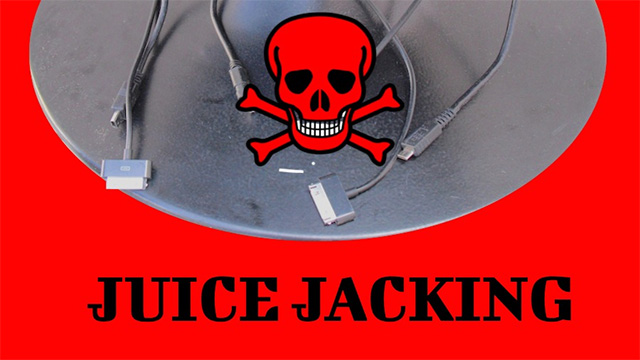
How to Avoid Juice Jacking?
Experts recommend that users should limit the use of public phone charging stations. Users should make it a habit to charge their phones at home and in the office when you are not using them to keep your devices from running out of battery. Users should also bring their own backup charger or charger and power outlet.
In case you forget to bring the above items, users should activate Lockdown mode on their Android phone before using a public charging station to protect the device.
On Android version 15, Google has upgraded Lockdown mode to protect users from Juice Jacking attacks. When this mode is enabled, data transmission through the charging port will be blocked, allowing users to comfortably charge their phone in public without worrying about data theft.
To turn on Lockdown mode on Android, press the power button and volume up button at the same time -> click on the Lockdown option.
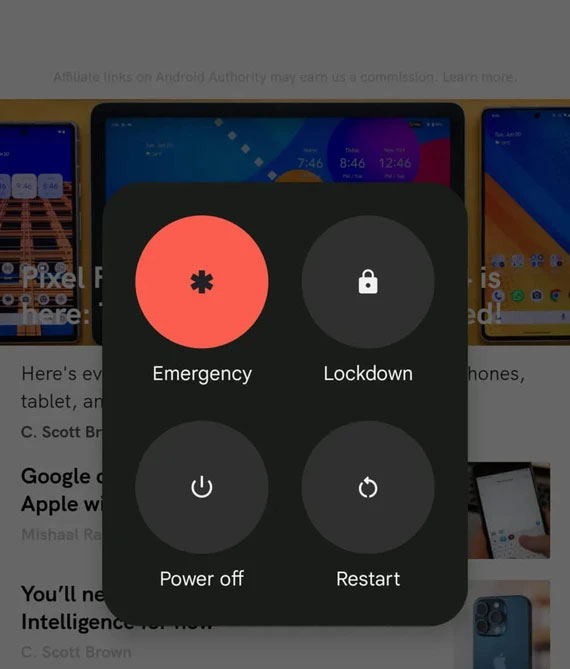
In addition, when the Android phone is in Lockdown mode, all notifications and fingerprint unlocking features will also be disabled.
For iPhone, users should turn off the Accessories option for at least one hour since you last unlocked the phone before starting charging by accessing Settings - Face ID & Passcode ( FaceID and password), scroll down and turn off the Accessories option.
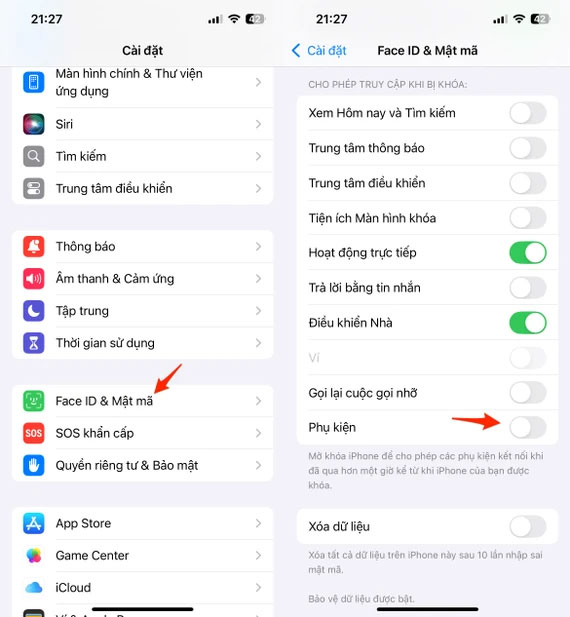
The USB-C or Lightning port will not be able to be used for data transfer when the iPhone is locked after one hour.






Reader Comments 0
Sign in with email or Google to join the discussion.