Table of Contents
This guide compares 5 leading Best Malware Removal Software 2020, focusing on useful features, compatibility, ease of use, and overall value.
1. Kaspersky Internet Security
Homepage link: https://www. kaspersky. com/internet-security
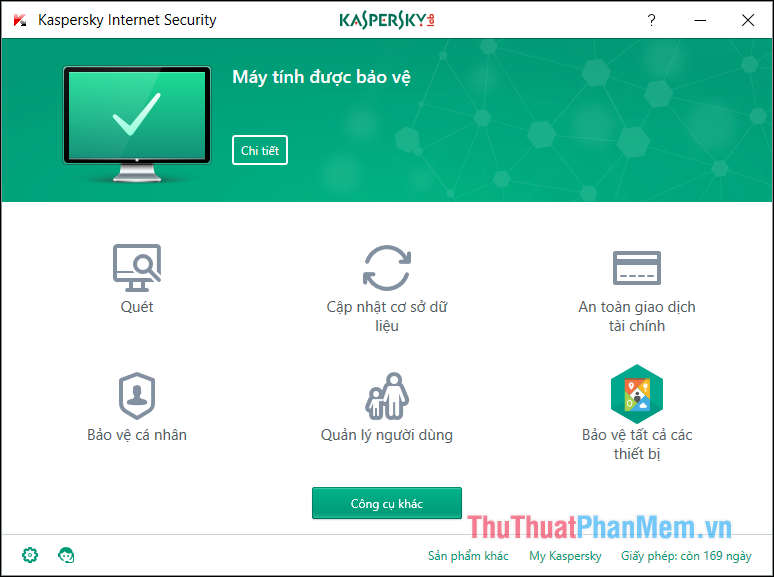
Kaspersky Internet Security is one of Kaspersky's famous anti-virus products with timely detection capabilities to alert users to online dangers. The software provides multiple layers of protection, scans for security holes, prevents phishing websites, and ensures your online activities are safe. Kaspersky Internet Security now has a version of Kaspersky Internet Security 2018 with added anti-virus features, detecting malicious data that is harmful to the computer. In addition, Kaspersky Internet Security integrates with cloud computing algorithms to support and detect invasive virus utilities. This makes the software capable of detecting and destroying viruses very quickly, especially newly born viruses to ensure your computer is completely protected.
2. Bitdefender Antivirus
Homepage link: https://www. bitdefender. com/
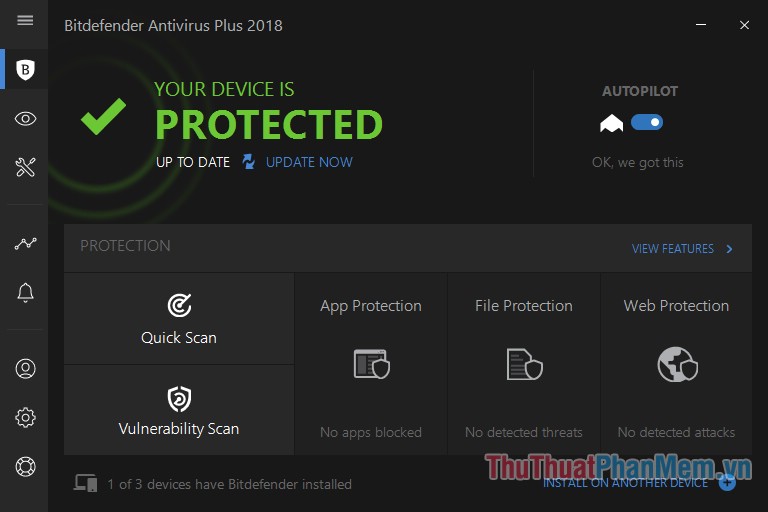
Bitdefender Antivirus is a well-known paid antivirus software and is highly appreciated by foreign websites. BitDefender Antivirus helps you be more proactive in fighting viruses, spyware, phishing attacks and identity theft without slowing down the speed of your computer. Especially, this software integrates advanced technologies to help you protect the system better, help you feel more secure when performing activities on your computer. BitDefender Antivirus is an effective antivirus software made up of AntiVirus, AntiPhising and modules Auto Pilpot, Network Map, Privace and Safego. The tool protects your computer absolutely from the intrusion of viruses, Spyware, Trojans, Worms and other malware when accessing the internet.
3. Avast Antivirus
Homepage link: https://www. avast. com
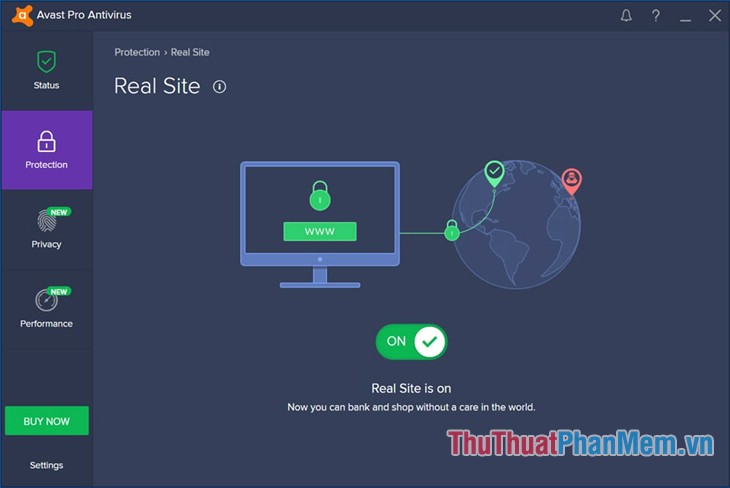
Avast Antivirus is an antivirus software developed by Avast Software, one of the best antivirus software in the world. Avast Antivirus provides users with many features to help protect the computer comprehensively. Main features of Avast Antivirus: Use real websites to encrypt your data and protect data from fake websites. Wi-Fi tracker: automatically detects weaknesses in your home Wi-Fi and follows strangers online. Smart virus shield: detects and blocks viruses, malware, spyware, ransomware and scams.
4. Malwarebytes
Homepage link: https://www. malwarebytes. com/
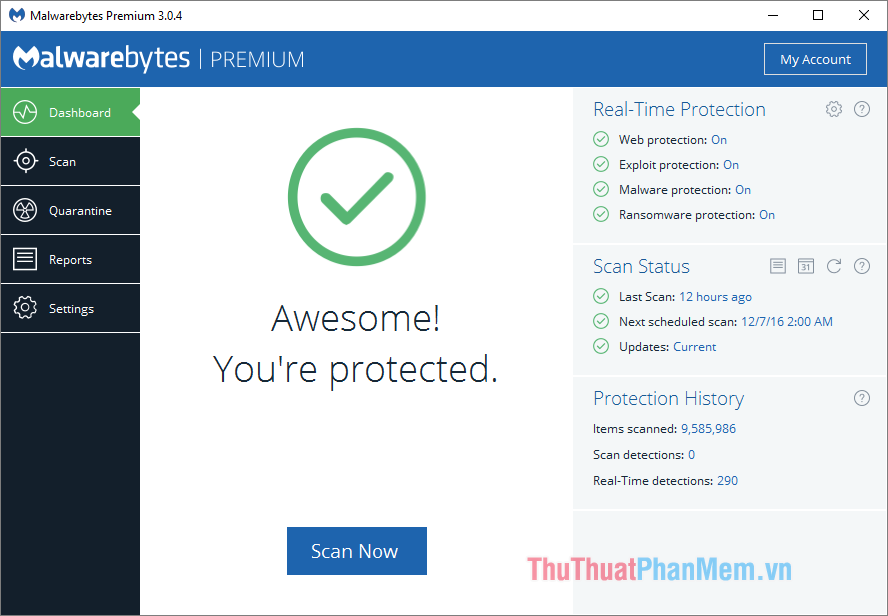
Malwarebytes Anti Malware is an anti-malware application that is widely used and installed in parallel with an antivirus application. Malwarebytes can remove malware, spyware that antivirus programs may have missed, remove rootkits and repair files caused by malicious components. The strong point of Malwarebytes Anti Malware is that it scans very quickly, updates malware samples regularly and has a free version for users. With the paid version, Malwarebytes Anti Malware has a feature to monitor all activities that may harm your computer. Continuous protection helps you keep the system safe. Moreover, the data is updated daily to detect and prevent the latest malware threats.
5. Malware Hunter
Homepage link: https://www. glarysoft. com/malware-hunter/
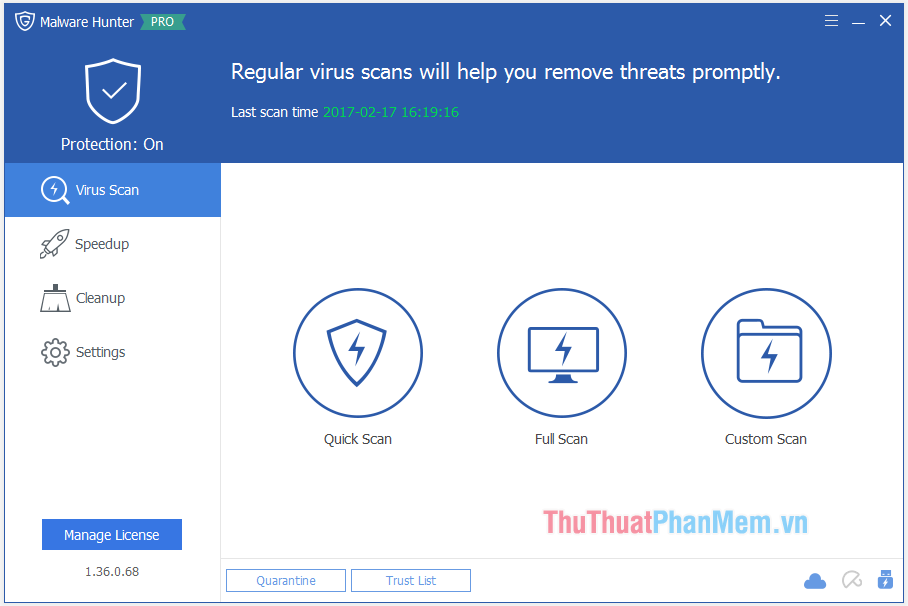
Similar to Malwarebytes, Malware Hunter is also a specialized software to treat malicious malware that antivirus applications may not detect. The software detects malicious files on the computer and removes malicious content, runs a scan program to order important areas of the system or specific files. While Malware Hunter does not track your computer in real time, it has three scan modes: quick scan, full scan and custom scan, used to analyze certain locations or files that you suspect are infected. With fast scanning speed in super scan mode, Malware Hunter detects and removes malware and potential dangers, ensuring safe operation on the machine. The software interface is quite simple but also very modern and easy to use. Malware Hunter has both free and paid versions, so you can choose a version that suits you.
Thank you for watching the article!
FAQ
How should I choose among Best Malware Removal Software 2020?
Compare compatibility, essential features, ease of use, security, support, and total cost rather than choosing only by popularity.
Are free options suitable for everyday use?
Free tools can be sufficient for basic needs, but advanced features, commercial use, or priority support may require a paid plan.
What should I check before installing or using one?
Verify the official source, system requirements, recent updates, privacy practices, and support for your device and file types.
Related Articles
 Download the Malware Removal Tool and Clean up Malware Hunter PRO4 minutes read
 Instructions to Remove Malware on the Computer4 minutes read
 Viruses: Learn About Pumas Extortion Software9 minutes read
 What to Do to Handle 'No Internet After Malware Removal' Error?5 minutes read
 Learn and Use the Windows Malicious Software Removal Tool7 minutes read
 How to Fix Facebook Catch Virus Scan, Tell the Computer to Be7 minutes read
Reader Comments 0
Sign in with email or Google to join the discussion.