Table of Contents
This guide organizes the entries in "Tips to Sell Your Old Mac for the Best Price" and explains what each option, idea, or example offers. It also highlights practical details that matter when comparing the choices.
Keep box and accessories
The psychology of buying used goods is that they always want the product to look as new and 'original' as possible. Therefore, keeping the full box and accessories is extremely important - it makes your Mac look newer and more cherished by the previous owner. Plus, it makes packing easier.
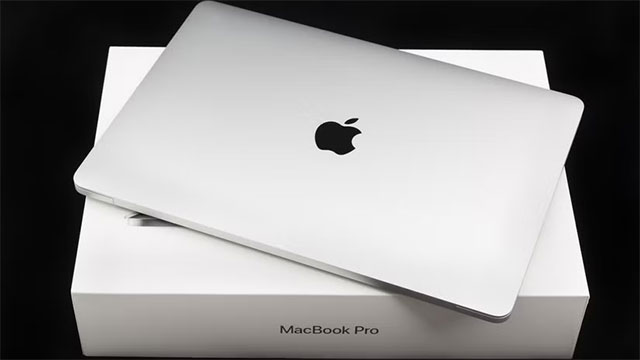
The extras in the box also add value:
- Original chargers and cables are always preferred over replacements.
- Stickers are extremely valuable, especially now that Apple no longer includes them with new Macs.
- Even keep the warranty card and manual
Clean thoroughly
Clean your Mac thoroughly before selling it:
- Use a microfiber cloth to clean your MacBook/iMac screen
- Cleaning the case: Apple recommends using a 70% isopropyl or 75% ethyl alcohol wipe if needed, but a damp (not wet) lint-free cloth is sufficient.
- Blow out dust from the connection ports
With MacBook keyboards, you can simply wipe them off with a damp cloth, but don't try to rub the shiny marks on the keys – they're not caused by matte oil, but by the matte coating wearing away, which can't be fixed.
Practical Tip : Many people think that their MacBook speaker holes are clogged with dust – in fact, many of the 'holes' are just decorative! In general, you should leave them as they are.
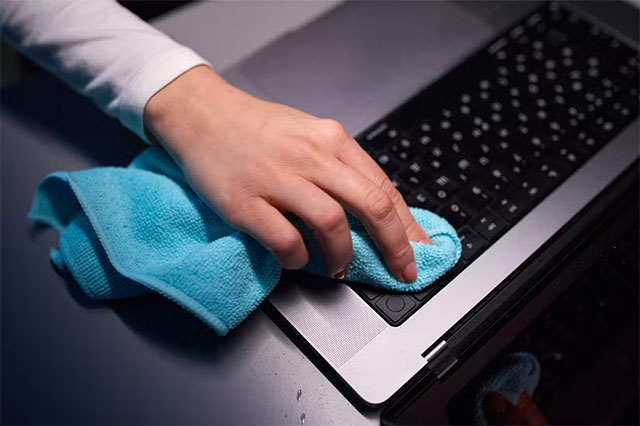
Also, don't forget to clean the charging cable – it can easily turn black over time.
Check for damage
Being honest about the condition of your device will help you sell it faster and for a better price:
- Check carefully for scratches, dents or other defects.
- Of course, a "genuine" machine will sell for a higher price.
In addition to checking the appearance, test the hardware with the Apple Diagnostics tool. For Macs using Apple Silicon chips: Restart + hold the power button → When you see the Startup Options menu, release the button and hold Command + D.
- Detailed instructions from Apple
Prepare software
Before selling, you'll need to reset your device. Update to the latest version of macOS: Go to System Settings > General > Software Update.
Delete all data:
- Apple Silicon Mac + macOS Monterey or later: Go to System Settings > General > Transfer or Reset > Erase All Content and Settings , and follow the instructions.
- Old Mac: Sign out of Apple ID + follow Apple's instructions. If you forget this step, the buyer cannot use the machine!
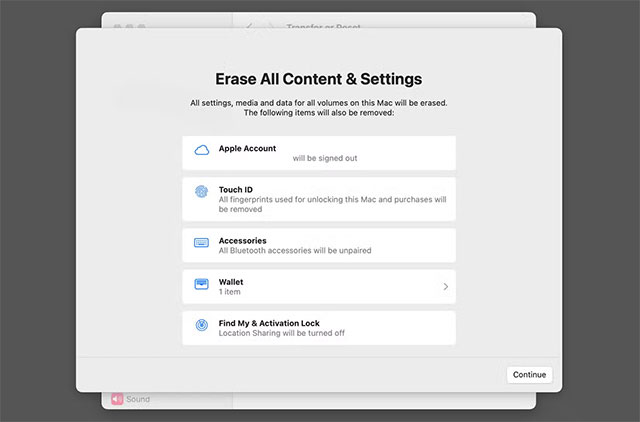
Important Note : For Macs issued by your company/school (with MDM - Mobile Device Management installed), you must ask the administrator to remove it before selling!
Confirm all encryption has been removed
After resetting the device, clearly advertise that you have removed the Apple ID + activation lock (MDM). This will not increase the price of the device, but it will help the buyer to avoid future problems.
Check AppleCare+
If your AppleCare+ warranty is still valid:
- One-time (not monthly) payments are usually transferable to the buyer
- You can add this value when pricing.
- Confirm transferability at Apple Support
Additionally, to get the best price for your old Mac, you should also do the following:
- Check out Apple's trade-in programs:
- See refurbished Mac prices on the Apple Store
- Surf the internet, Facebook Marketplace to see how much other people are offering
- Set the selling price higher than the purchase price, lower than the refurbishment price – this is the "sweetest" price range!
Good luck selling your old machine for the best price!
FAQ
What should you know about keep box and accessories?
The psychology of buying used goods is that they always want the product to look as new and 'original' as possible. Therefore, keeping the full box and accessories is extremely important - it makes your Mac look newer and more cherished by the previous owner. Plus, it makes packing easier.
What should you know about clean thoroughly?
Clean your Mac thoroughly before selling it:
What should you know about check for damage?
Being honest about the condition of your device will help you sell it faster and for a better price:
What should you know about prepare software?
Before selling, you'll need to reset your device. Update to the latest version of macOS: Go to System Settings > General > Software Update.
Related Articles
 6 Tips for Selling Used Cars for the Best Price15 minutes read
 6 Things to Do to Sell Android Phones Are Priced8 minutes read
 Sony Will Sell Used PS5s for Half the Price of PS5 Pro: What You Need to Know5 minutes read
 Tips to Buy Smart TV at the Best Price6 minutes read
 Instagram: Complete Guide3 minutes read
 Why Does the Price of the Same Laptop Have a Difference?6 minutes read
Reader Comments 0
Sign in with email or Google to join the discussion.