Table of Contents
You cannot reliably determine who wrote a passage from its style alone. Repeated phrases, polished grammar and generic conclusions may prompt a closer look, but human writers use them too. AI-generated text can also be specific, accurate and carefully edited.
For teachers and editors, the useful distinction is between a reason to investigate and evidence that supports a conclusion. Check the work, its sources and the author's process before making an accusation.
Writing clues that deserve a closer look
- Repetition without progress: several paragraphs restate the question or conclusion without adding evidence or explanation.
- Vague claims: the text refers to research, experts or benefits without identifying a source or showing a relevant example.
- Unsupported detail: citations, quotations, dates or technical descriptions do not match the sources they supposedly come from.
- Inconsistent reasoning: the answer contradicts itself, misses the assignment or cannot connect its examples to its conclusion.
- A marked change in style: vocabulary or structure differs from comparable previous work. This warrants a conversation, not an automatic finding of misconduct.
These are quality and consistency checks. None establishes AI authorship. A phrase such as “in conclusion,” an unfamiliar word or a formal tone is not a reliable test. Editing help, translation, additional practice and a different assignment can all change a person's writing.
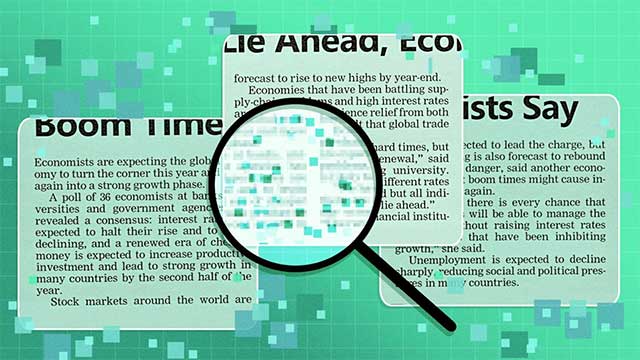
What AI detectors can and cannot tell you
AI detectors estimate patterns associated with generated writing. They can flag human work and miss AI-assisted work. A displayed percentage should not be read as the probability that a particular author cheated; consult the tool's explanation of what its score measures.
Turnitin's guidance explicitly says its AI writing assessment should not be the sole basis for adverse action against a student. A 2023 study by Stanford researchers also found that the detectors they tested frequently misclassified writing by non-native English writers. That study does not measure every current product, but it illustrates why false positives and fairness matter.
If you evaluate AI detection browser extensions, check their supported languages, input requirements and privacy policies. Do not upload confidential manuscripts or identifiable student work to an unapproved service.
A practical review process for teachers and editors
- Check the applicable rules. Establish whether brainstorming, translation, grammar assistance or generated prose is allowed and what disclosure is required. AI assistance and a policy violation are not automatically the same thing.
- Verify the content. Open cited sources. Check whether the source exists, supports the claim and contains any attributed quotation. Assess the reasoning against the assignment or editorial brief.
- Review relevant process evidence. Where appropriate, consider outlines, drafts, revision history and source notes. Missing drafts alone do not prove AI use, and a revision history is not a complete authorship record.
- Ask neutral, specific questions. For example: “How did you choose this source?” or “Can you explain the step between these two conclusions?” Give the author a reasonable opportunity to explain and account for language or accessibility needs.
- Document the actual concern. Separate unsupported claims, citation errors and unmet requirements from any unresolved authorship question. Apply the established review or appeal process before taking action.
For future assignments, a short outline, annotated source list or explanation of one revision can make the process more visible. Use relevant writing samples rather than requiring private personal disclosures. Set expectations for student AI tools before submission.
Tests that do not establish authorship
Asking a chatbot to rewrite a passage is not a detection method: a light rewrite can happen with either human or AI text. Asking whether it wrote an unfamiliar passage also does not provide a reliable authorship record. Comparing a student's answer with one response to the same prompt is inconclusive because both human answers and model outputs can vary.
When evidence remains uncertain, say so. You can still require accurate sources, clear reasoning and a useful answer without claiming to know how every sentence was produced.
Related Articles
 OpenAI Considers Adding a Watermark to ChatGPT-generated Text: What You Need to Know5 minutes read
 AI Content Checker: 4 Reasons Your Article Markup Is AI-Generated6 minutes read
 6 Ways to Quickly and Accurately Identify Fake AI Images6 minutes read
 6 Signs the Video You're Watching Is AI-Generated11 minutes read
 How to Fix the Problem of a Laptop Not Recognizing a USB Device When Plugged In5 minutes read
 6 Ways to Fix Computer Not Recognizing Wired Mouse, USB6 minutes read
Reader Comments 0
Sign in with email or Google to join the discussion.