Table of Contents
This guide provides a practical overview of Most Professional Portable Creation Software, including its main features, benefits, limitations, and important considerations.

1. Cameyo

Cameyo is a virtual machine application that allows us to test software and then package it as a portable file. When we install the software on Cameyo, the application scans and encapsulates the software into a single compressed file. In addition, Cameyo also supports taking pictures after installation so we can use that image to introduce portable compressed software (portable).
Please download Cameyo at the following link: https://cameyo. com/
2. VMware ThinApp
If you often use virtual machines at work then we know the famous virtual machine creation tool VMware Workstation. To install "virtual" software and pack them as portable, we have VMware ThinApp . With VMware ThinApp , the software will support you to install other software fully as we installed on Windows and then VMware ThinApp will analyze the data packages after installation such as Registry, cache. and package. all software into Portable version.
Download VMware ThinApp here: https://www. vmware. com/products/thinapp. html
3. Multi Packer
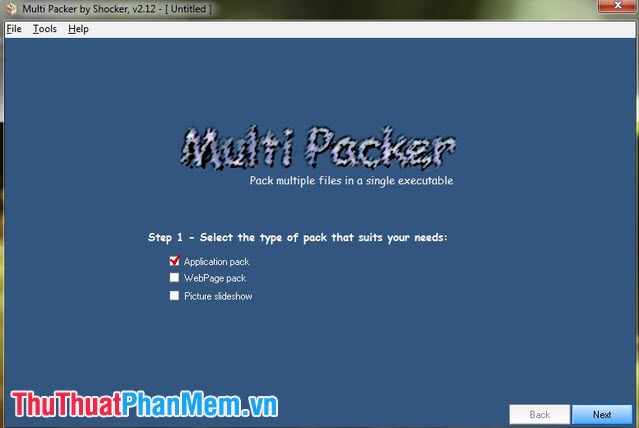
Multi packer is an open source application that allows us to create portable versions from different software. Unlike other portable file creation software, Multi Packer In addition to packing software, Multi Packer also supports us to pack saved websites and different types of files such as images, videos.
Please refer to the Multi Packer software at the following homepage: https://www. shockingsoft. com/MultiPacker. html
With the 3 portable file creation software in the article, we can easily pack any software into portable format and share it easily to other devices. And you, which software do you like best in the 3 software in the article? Please leave your comments and comments about the portable file creation software for TipsMake. com in the comment section at the end of the article!
FAQ
What should I know about Most Professional Portable Creation Software?
Focus on the key features, requirements, limitations, and practical use cases explained in this guide.
How do I get the best results with Most Professional Portable Creation Software?
Follow the recommended steps, use current software or information, confirm compatibility, and review settings before major changes.
Are there any risks or limitations?
Potential limitations depend on compatibility, data quality, cost, privacy, support, and how the product or method is used.
Related Articles
 The Best Portable Software for Your Computer9 minutes read
 Top 5 Simple and Professional Logo Creation Software5 minutes read
 7 Best Portable Ssds7 minutes read
 The Most Beautiful and Professional Free Logo Creation Software3 minutes read
 Professional Logo Design Software: Logo Creation Software6 minutes read
 13 Portable Antivirus and Scanner Software Worth Using the9 minutes read
Reader Comments 0
Sign in with email or Google to join the discussion.