Table of Contents
Monster Slayer is a Roblox RPG from An Indie Studio. Its redemption codes can provide crystals, Crushing Dust, temporary boosters, or weapon skins. The list below is for the Roblox game—not the mobile title Monster Slayer: Idle RPG, which uses different codes.
Code status can change without notice. The working list below was cross-checked against a tracker that reported testing the codes on August 7, 2026. Enter each code exactly as shown, including spaces and capitalization.
Working Monster Slayer codes
| Code | Reported reward | Status |
|---|---|---|
Free Booster | Three boosters of each available type | Working |
1M Visits | 3,000 Crystals and 1,500 Crushing Dust | Working |
1k CCU | 5,000 Crystals and 2,500 Crushing Dust | Working |
100k Visits | 1,500 Crushing Dust | Working |
100k Visits Limited | Borealis Sword skin | Working |
Starter | 2,000 Crystals and 1,000 Crushing Dust | Working |
The older 1M Visits Limited code is reported expired. 200 Discord appeared in earlier lists but is not in the recent verified set, so it has been removed from the working table rather than presented as active.
You can open Monster Slayer on Roblox. Never enter your Roblox password on a third-party “code generator” or install an extension that promises free rewards.
How to redeem a Monster Slayer code
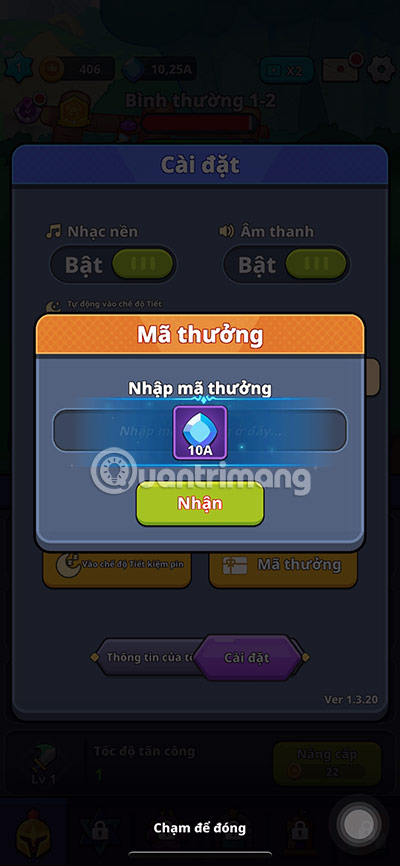
- Launch Monster Slayer through Roblox and wait for the game to finish loading.
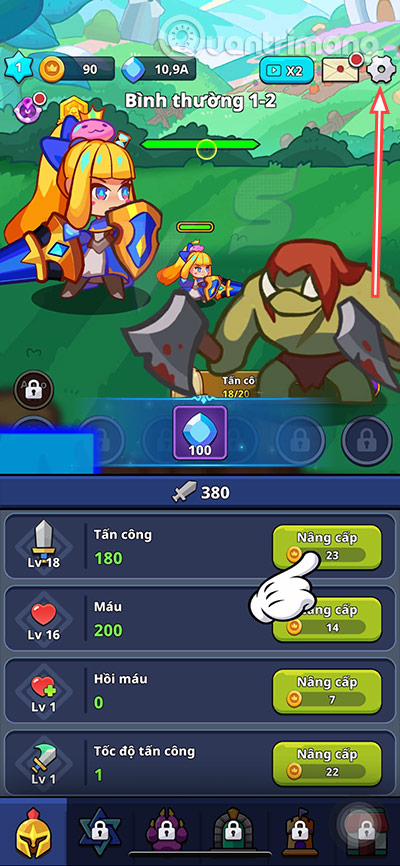
- Select the gear icon in the upper-right corner.
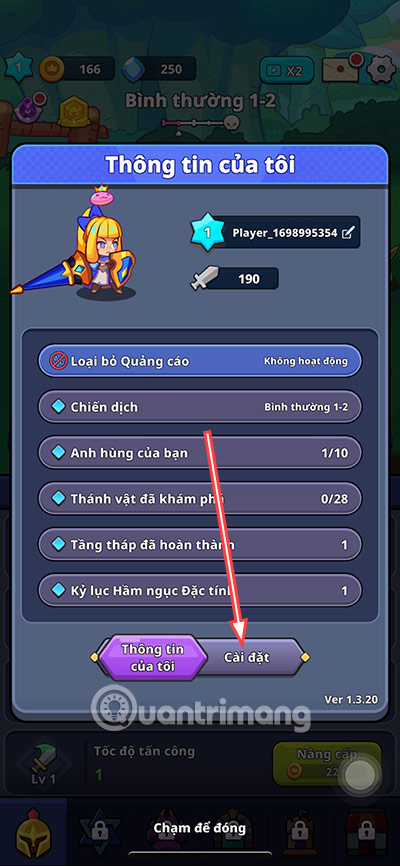
- In the My Information panel, open Settings.
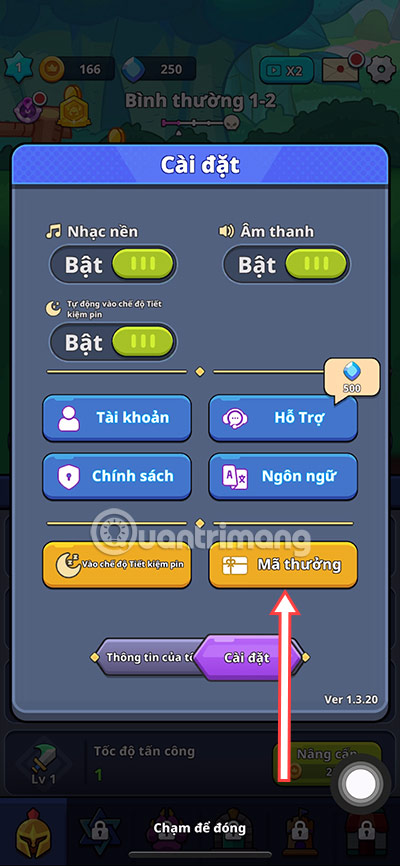
- Select Reward Code.
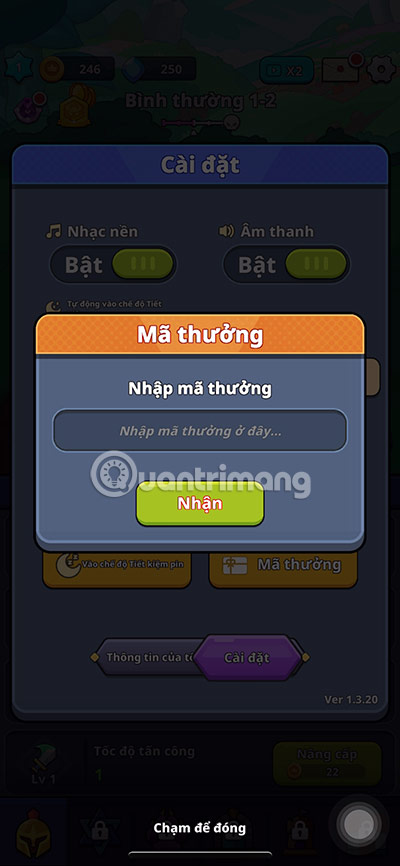
- Paste one code, remove any accidental space before or after it, and select Receive.
- Repeat for the remaining codes. Each code normally works once per Roblox account.
Why a code may not work
- It was typed incorrectly: copy the full code and preserve spaces and capitalization. The first character in
1k CCUis the number one. - It has expired: milestone and limited-event codes can be disabled without an announcement.
- It was already redeemed: try a code only once on the same account.
- The server is outdated: leave and join a newer server after a game update, then try again.
- You are in a different game: confirm that the Roblox experience is Monster Slayer by An Indie Studio.
If none of these checks helps, the developer may have disabled the code. Avoid repeatedly submitting it or trusting websites that ask for account credentials.
Where to look for new codes
New codes are often tied to game updates, visit milestones, or community announcements. Check the Roblox experience page and official community links shown there. A code copied from a video or old list may already be inactive, so confirm the publication date and test it in the game.
For another current Roblox code guide, see TipsMake's 99 Nights in the Forest codes. If you have trouble signing in or notice unfamiliar activity, follow the Roblox account recovery guide before redeeming anything.
Related Articles
 Code Demon Slayer RPG 2: Complete Guide3 minutes read
 The Latest Murder Mystery 2 Codes and How to Enter Them7 minutes read
 Summary of the Latest Tailed Demon Slayer Code and How to Enter4 minutes read
 The Latest Roblox Codes for April and How to Enter Roblox Promo Codes 20265 minutes read
 Latest MoonNight Oni Slayer Forgotten Code and How5 minutes read
 List of Latest Jailbreak Codes and How to Enter4 minutes read
Reader Comments 0
Sign in with email or Google to join the discussion.