Table of Contents
This guide covers the first laptop has a 128 gb SSD drive with practical context and easy-to-follow details. Use it to understand the subject and apply the information confidently.
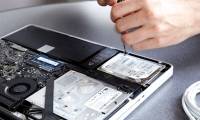
Toshiba has just launched the Portege R500-S5007V laptop, which incorporates the world's first 128 GB solid-state drive (SSD). The US market received this computer first. The R500-S5007V has a 12. 1-inch display and 19. 5mm thick but weighs only 1. 09 kg. With this weight and thinness, the Portege R500-S5007V is also the world's lightest and thinnest laptop with a 128 Gb SSD drive and 7mm DVD SuperMulti player. In addition, the Portege R500-S5007V is also the first in the world to be able to switch the indoor / outdoor lighting contrast of LED lighting apps for the display. It uses an Intel Core 2 Duo ULV U7700 processor for 1. 33 GHz speed and runs on the platform of Windows Vista Business operating system.
It supports 2 GB RAM, GMA950 graphics, Wi-Fi, Ethernet, Bluetooth 2. 0 connectivity. The device integrates a multi-disc DVD player and is priced at 2, 999 USD.
FAQ
What should I check before following these steps?
Confirm device and software compatibility, save important data, and make sure you have the required permissions, files, and account access.
Why might the process not work?
Common causes include outdated software, missing permissions, incompatible hardware, an unstable connection, or completing a step in the wrong order.
Can I undo the changes if necessary?
That depends on the tool or setting. Use built-in restore options when available, keep a backup, and record the original configuration first.
Related Articles
 How to Turn an Old Laptop's SSD into a USB Drive9 minutes read
 Laptop Blu-ray Drive Is Only Used in 20103 minutes read
 How to Replace Hard Drive for Laptop?4 minutes read
 Upgrade Laptop Hard Drive to SSD19 minutes read
 How to Buy a Laptop - the End14 minutes read
 Computer Hard Drive Is Fast, Why?6 minutes read
Reader Comments 0
Sign in with email or Google to join the discussion.