Table of Contents
This guide covers asus eeepc 900, eeepc 901, new eeepc 1000 with practical context and easy-to-follow details. Use it to understand the subject and apply the information confidently.
Mr. Leroy Liu, Director of Asus Vietnam introduced the outstanding features of EeePC 901 ( Photo: PQ )
Regarding the interface, the difference between the EeePC 901 and the EeePC 900 is 4 off buttons, in which 1 button is used to quickly turn on / off the screen, 1 button to quickly switch the resolution of the screen and 2 custom buttons user. The EeePC 1000 not only has a 10-inch screen, but SSD drives can be upgraded to 64GB. However, the weight of this eyebrow is 1. 4kg, exceeding the limit of 1kg of the machines called "super-portable" by Asus. The EeePC 701 and EeePC 900, 901 both weigh less than 1kg. The three new products all run the new Asus Linux system, the webcam is upgraded (from 0. 3MB in the EeePC 701) to 1. 3MB. The EeePC 901 and EeePC 1000 both support standard Bluetooth and Wi-Fi while the EeePC 701 and EeePC 900 do not support Bluetooth and only support standard Wi-Fi. Asus representatives also added that at the Computer Electronics World Expo from July 15-19, 2008 in Ho Chi Minh City, the company will introduce accessories that support WiMax connectivity of the EeePC series. The unpaid price of the models that Asus is about to market in Vietnam are: EeePC 900 and EeePC 901 for $ 499 and $ 599, the EeePC 1000 costs $ 699. All three new EeePC models will be sold in Vietnam market from mid-July 2008.
FAQ
What should I check before following these steps?
Confirm device and software compatibility, save important data, and make sure you have the required permissions, files, and account access.
Why might the process not work?
Common causes include outdated software, missing permissions, incompatible hardware, an unstable connection, or completing a step in the wrong order.
Can I undo the changes if necessary?
That depends on the tool or setting. Use built-in restore options when available, keep a backup, and record the original configuration first.
Related Articles
 From Today ASUS Started Selling Mini Laptops in Vietnam5 minutes read
 Asus Comes with Netbooks Using MeeGo Operating System3 minutes read
 These Netbooks Cost Around VND 5 Million Just Launched in Vietnam4 minutes read
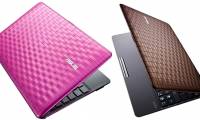 Wavy Design of EeePC Karim Rashid 1008P4 minutes read
 Laptop Mini EeePC 1000H Costs 539 USD3 minutes read
 EeePC Is Discounted by 100 USD3 minutes read
Reader Comments 0
Sign in with email or Google to join the discussion.