Article on the subject of "command secedit export"
-

Secedit command: export in Windows
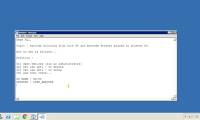
the secedit: export command allows you to export the security settings stored in the configured database with security templates.
-
Secedit command: export in Windows
the secedit: export command allows you to export the security settings stored in the configured database with security templates.
-
Secedit command in Windows
the secedit command helps configure and analyze system security by comparing your current configuration with the specified security patterns.
-
Secedit: import command in Windows
secedit: import command allows you to enter the security settings that were previously exported from the configured database with security templates, and are currently stored in the inf file.
-
Secedit: analyze command in Windows
the secedit: analyze command allows you to analyze the current system settings based on the basic settings stored in the database.
-
Secedit command: generaterollback in Windows
secedit: generaterollback command allows you to create rollback patterns for the specified configuration template.
-
Secedit: configure command in Windows
secedit: configure command allows you to configure the current system settings using the security settings stored in the database.
-
Secedit: validate command in Windows
secedit: validate command to authenticate security settings stored in security templates (.inf files).
-
The reg export command in Windows
the reg export command copies the specified subkeys, entries and values of the local computer to export to other servers
-
How to share chat on Copilot
copilot uses your microsoft account to provide personalized support and access to many features. here's how to export your chats on copilot.
-
Offer PDF Export Kit - a PDF converter to other formats for $ 49, which is free
pdf export kit is a tool to convert pdf to other formats such as html, word, excel, regular documents and xml without requiring additional installation of acrobat or reader.
-
Del command in Windows
the del command deletes one or more files. this command is the same as the eraser command.
-
Why can't Clipchamp export video?
clipchamp's inability to export videos can be due to several reasons, such as insufficient storage space on your computer, errors originating from clipchamp itself, or system software issues, etc.
-
How to use the Net Use command in Windows
the `net use` command is a command prompt command used to connect to, remove, and configure connections to shared resources, such as mapped drives and network printers.
-
How to set up and use the Quick Export feature in Photoshop
quick export is an extremely useful feature in photoshop that if you know how to take advantage of, it can greatly assist your work.
-
How to export emails from Mail to Note on Mac
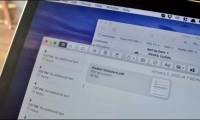
the mail app can be exported to the note app as an image to review whenever needed on a mac.
-
How to export printing images in Photoshop
photo editing on photoshop has many options to export to a print file, or a demo image file by email.
-
How to Export Safari Bookmarks from iPhone
apple has made it possible to export safari bookmarks from iphone as archives for importing into other browsers.
-
Steps to export Microsoft Access data to Word documents
access provides most of the features you would expect from a relational database management system. you can create tables, forms, queries, relationships, reports, macros, modules, etc. but sometimes, you may want to export data from microsoft access to word.
-
The easiest and most detailed way to export Claude's dialogue to PDF.
detailed instructions on how to export claude conversations to pdf in 2026. a 7-step process for professional ai data storage.
-
How to export photos, save photos in Photoshop
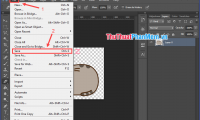
after finishing editing an image in photoshop, of course we need to save or export the image. it may seem like an easy operation, but in reality, how to export images to have high quality, or small capacity, not everyone knows.
 Home
Home Tech info
 Technology
 Science
 Life
Life Application
 Electric
 Program
 Mobile
 System