Table of Contents
Start with the exact error code and message shown by Foxit PDF Editor. Activation failures commonly involve an installation limit, a key for a different version or edition, an expired entitlement, or a network request that did not complete. Reinstalling or buying another license should not be your first assumption.
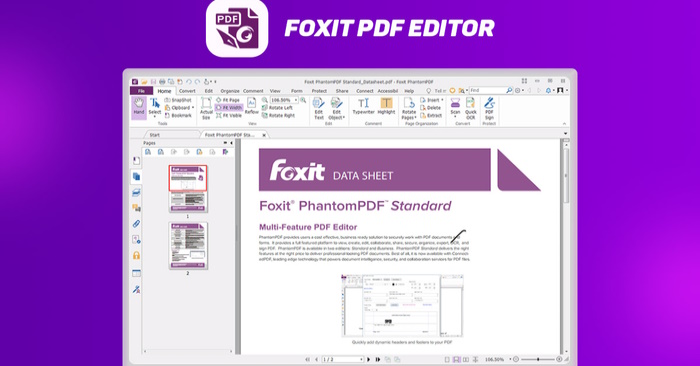
Check these details before retrying
- Confirm the installed product, operating system, version, and language edition. Foxit PDF Reader and Foxit PDF Editor are different products.
- Check the account or registration key against your purchase record or organization’s license assignment.
- Record the error code and full message, including when it appears: sign-in, activation, renewal, or deactivation.
- Check connectivity. On a managed network, ask IT about proxy, VPN, or licensing restrictions rather than disabling security controls.
Activation and connection error reference
The table retains commonly documented codes; wording and available remedies can differ between versions and license types. Use the accompanying message to narrow the issue.
| Code | Meaning and next step |
|---|---|
| OK | Activation succeeded. |
| ERR202 | The permitted number of activated computers has been reached. Deactivate a previous installation through Help > Deactivate, where available, or ask Foxit or your administrator to release the old activation. Uninstalling is not the same operation. |
| ERR001 | The registration key has an invalid format. Check the exact key from your purchase record. |
| ERR002 | A required user name is missing. |
| ERR003 | The email address is invalid. Check its spelling and format. |
| ERR004 / ERR005 | The MAC address is invalid or could not be accepted. Escalate repeated failures rather than changing hardware identifiers. |
| ERR006 | Registration information is incomplete. Fill in the required fields. |
| ERR007 | A required field is blank, or the connection configuration may be interfering. Check both; ask IT about an approved network path on a managed device. |
| ERR008 / ERR009 | The customer ID is missing or invalid. Verify the ID associated with the license. |
| ERR010 | The user name exceeds the documented 500-character limit. |
| ERR101 | The registration key is invalid. Verify the key and product before retrying. |
| ERR102 / ERR103 | The key does not match the installed version. Check upgrade entitlement and install the licensed version if necessary. |
| ERR104 / ERR105 | The language value is invalid, or the key does not cover the installed language edition. |
| ERR106 | The product code is invalid for the installed product. Confirm the product and supported operating system covered by the key. |
| ERR107 | The key’s distributor identifier does not match the installed edition. Obtain the correct installer through Foxit or your authorized supplier. |
| ERR108 | The free-upgrade entitlement has expired. Check whether you can use the version already covered by your license. |
| ERR109 | The activation code has expired. Verify license status with Foxit or the license owner. |
| ERR111 | A device MAC address or IP restriction applies. Use an authorized device or network and consult the administrator. |
| ERR 112 | The Admin Console license key file has expired. Ask the license administrator to check it. |
| ERR201 | The license key file could not be retrieved. Check connectivity and retry; contact support if it persists. |
| ERR203 | The PDF Editor license key file has expired. Verify the entitlement and correct version before purchasing anything. |
| ERR206 | Deactivation could not retrieve the old machine’s MAC address. Contact Foxit support with the details requested through its secure support channel. |
| ERR207 | Deactivation could not retrieve activation-code information. Foxit documents reactivating and then deactivating as a possible remedy; contact support if that is unavailable or fails. |
| ERR208 / ERR209 | The application is outside an authorized IP range. Connect through the organization’s approved network. |
| ERR301 | No activation was found for the account. Confirm you are using the account that owns the entitlement. |
| ERR302 | The subscription key has expired. Check subscription status and any renewal arrangements. |
| ERR303 | The subscription key is not present on this machine, so the requested update, deactivation, or renewal cannot proceed. |
| ERR304 | The subscription key has been deactivated on this machine. Verify whether reactivation is appropriate. |
| 413 | The request is too large. This is a request/transport error, not proof that the license is invalid. |
| 414 | The request URL is too long. Record the message and contact support if it repeats. |
| 415 | The request’s media type is unsupported. |
| 449 | The service requires an additional action before retrying. Follow the accompanying message or support guidance. |
| 500 | Internal server error. Retry later and report persistent failures. |
| 501 | The server does not support the requested operation. |
| 502 | Gateway or upstream-response error. |
| 503 | The service is temporarily unavailable. |
| 504 | An upstream request timed out. |
| 505 | The HTTP version is unsupported. |
When the old computer is unavailable
For an activation-limit error, use the product’s deactivation command on the previous computer if it is accessible. If the computer has failed, been replaced, or already been wiped, contact Foxit or your organization’s license administrator. Repeated reinstallations on the new computer do not establish that an old activation has been released.
What to send to support
Provide the product version, operating system, error message, a screenshot, and a description of any recent hardware or license change. Share registration keys only through Foxit’s official secure support process when requested, not in a public forum or a screenshot you post openly. See Foxit’s activation error reference for version-specific follow-up links.
If you only need to view a PDF while resolving the license issue, the separate Foxit Reader installation guide may help. For occasional changes, compare PDF editing options by task; those options do not repair or replace an Editor entitlement.
Related Articles
 How to Merge PDFs with Foxit PDF Editor or Foxit Online
 How to Add and Organize Bookmarks in Foxit PDF Editor
 Summary of driver error codes on Windows and how to fix (Last part)
 How to Edit a PDF with Foxit PDF Editor (Reader vs Editor)
 How to fix Windows activation error 0x803F700F
 7 simple ways to fix Activation on iPhone phones
Reader Comments 0
Sign in with email or Google to join the discussion.