Table of Contents
Pinterest’s visual search can start with an image Pin when you don’t know the words for a color, material, or style. The visual tools Pinterest announced in May 2025 initially covered women’s fashion in the U.K., U.S., and Canada. The options you see can depend on the Pin and your app.
Start with a Pin and pick what you like
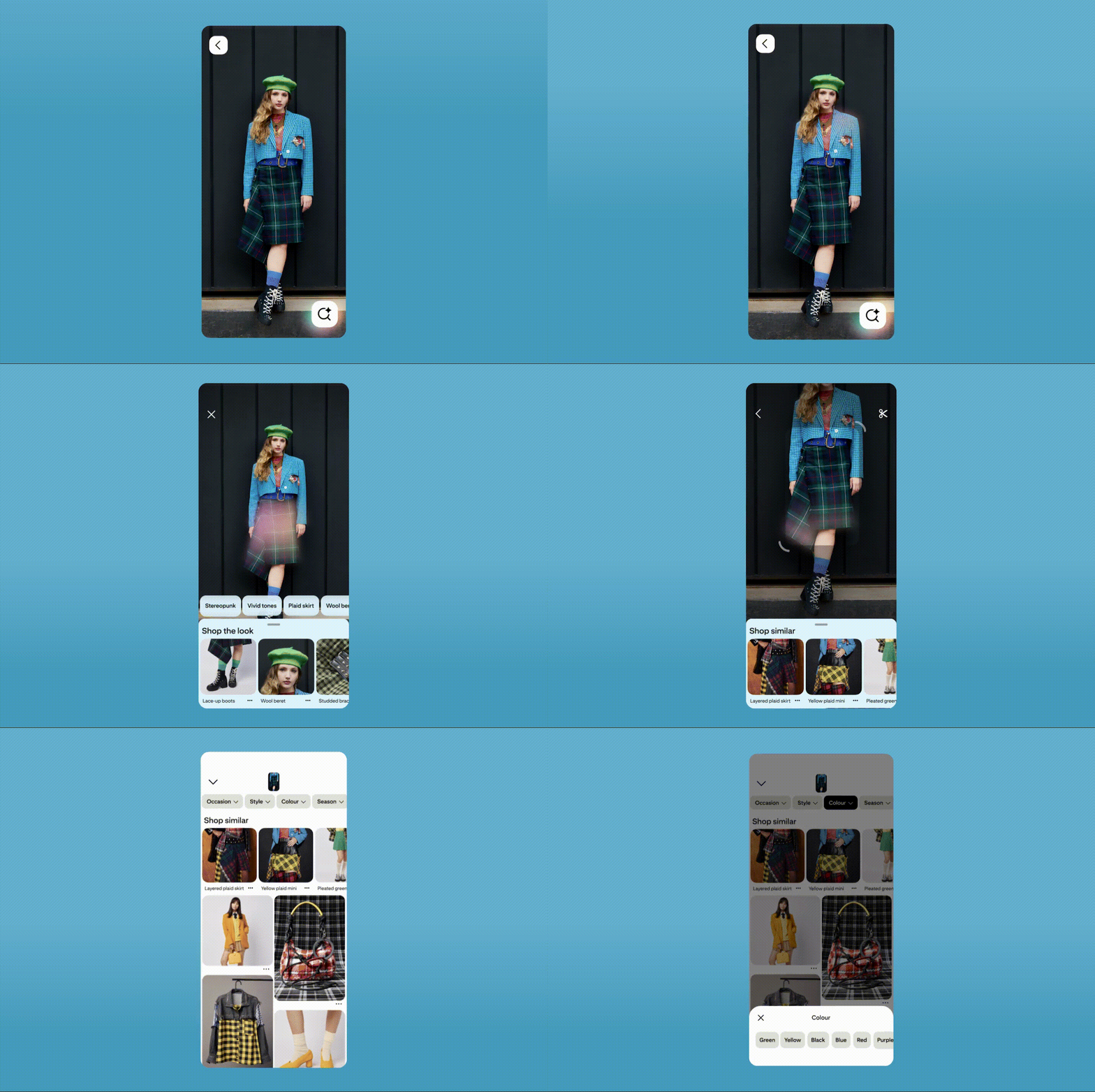
Open an image Pin and look for a visual search control. On eligible mobile Pins, you may also be able to press and hold a Pin in your feed to start the search. If Pinterest highlights a section of an outfit, select the feature you want to match, such as the shoes or fabric.
Refine the results with visual terms
Pinterest can suggest descriptions for an image, including its style, color, and product category. Use these to narrow results where the search toolbar is available. For example, start with a Pin showing a suede jacket, choose material to keep the suede look, then try a different color to expand the options. The suggested terms give you words to reuse in a regular search.
Check what a match actually offers
Visual search finds related images by combining image and text signals. If you want the exact item, open the result and check the product name, material, and retailer listing. A similar image may show a different product. See Pinterest’s original visual search announcement for the initial rollout details.





Reader Comments 0
Sign in with email or Google to join the discussion.