Table of Contents
ChatGPT can help turn a World Cup schedule into a personal viewing plan, explain an unfamiliar statistic, compare teams, or organize a match-day gathering. It should not be treated as the official scorekeeper: fixtures, lineups, injuries, transport, and venue rules can change, and an AI answer may be outdated or incorrect.
The prompts below work best when you replace every item in brackets and ask for sources and an “information checked at” timestamp. The 2026 tournament has concluded, but the same templates remain useful for reviewing those matches and following future international fixtures.
1. Convert the match schedule to your time zone
Do not ask only “When does the match start?” Include the teams, date or stage, location, and your time zone. Request the original venue time as a cross-check.
Find the [team or stage] World Cup match schedule and convert every kickoff to [city and time zone]. Show the venue date and time beside my local date and time. Cite an official tournament or federation source, state when you checked it, and flag any fixture that is not confirmed.Before making travel or work plans, compare the answer with the official tournament schedule. Time-zone conversion mistakes are easy to miss when a local date differs from the date at the venue.
2. Build a viewing calendar
This version turns a long fixture list into a manageable plan and identifies conflicts:
Create a viewing calendar for [team(s) or knockout rounds] in [time zone]. Include kickoff, expected finish time without and with extra time, and a reminder [number] minutes before kickoff. Point out overlapping matches. Format the result as a table and an iCalendar-style checklist, but do not invent unconfirmed fixtures.A knockout match can run beyond 90 minutes, so a plan should allow for stoppage time, extra time, penalties, and post-match travel rather than assuming a fixed two-hour block.
3. Make a sourced match preview
Ask the AI to separate observed information from prediction. This reduces the chance that an unsupported opinion is presented as a fact.
Prepare a concise preview of [team A] vs [team B]. Use current, cited sources for recent results, likely availability, and tournament statistics. Explain each statistic in plain English. Separate: (1) verified facts, (2) tactical interpretation, and (3) uncertain predictions. Do not invent a lineup, injury, quote, or probability.“Likely lineup” and “confirmed lineup” are not interchangeable. Official starting elevens normally appear close to kickoff; check the competition or team channels before relying on names in an AI-generated preview.
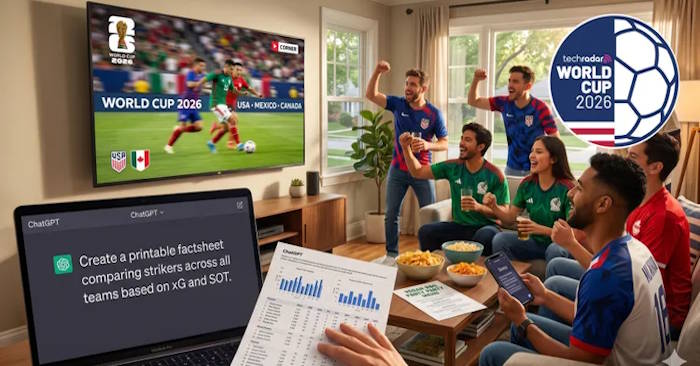
4. Create a printable statistics sheet
Expected goals (xG), shots on target (SOT), possession, progressive passes, and pressing figures can come from different data providers with different definitions. Ask ChatGPT to preserve the source and definition instead of merging incompatible numbers.
Create a one-page printable comparison for [team A] and [team B]. Include matches played, goals, goals conceded, xG, shots on target, set-piece goals, and top scorers only when a reliable source supplies them. Label the source and cutoff date for every group of statistics. Use “not available” rather than estimating missing data.The sheet is a conversation aid, not a reliable betting model. A small tournament sample and opponent strength can make simple averages misleading.
5. Explain the format or standings
Tournament qualification rules and tiebreakers can be difficult to apply manually. Give the exact group or bracket state and ask the AI to show its steps:
Using the current official rules and the following verified table [paste table], explain what [team] needs to advance. List the tiebreakers in order and show each possible scenario. Distinguish a mathematically guaranteed outcome from a likely one. If the pasted data is incomplete, tell me what is missing.Pasting a verified table is safer than asking the model to recall live standings from memory. Recheck the result after any match in the group ends.
6. Plan a watch party around real constraints
Include guest count, allergies, kitchen equipment, budget, preparation time, and local shopping area. “Vegetarian” alone does not cover vegan diets or food allergies.
Plan a World Cup watch-party menu for [number] adults and [number] children. Requirements: [vegetarian/vegan/allergies], budget [amount and currency], equipment [grill/oven/etc.], and no more than [time] of same-day preparation. Give quantities, a shopping list grouped by aisle, a preparation timeline, and separate utensils needed to avoid cross-contact. Do not claim a nearby shop has stock unless you can verify it from a current source.If an allergy is serious, confirm ingredients and cross-contact information from packaging and the manufacturer; do not rely on an AI summary.
7. Work out when to leave for a match or get home
AI can organize a route, but it may not have live traffic, service disruption, security-queue, or road-closure information. Build in a buffer and verify with local transport tools.
I will leave [precise starting area] for [home or venue] on [date]. Kickoff is [verified local time]. Compare driving and public transport, add [number] minutes for parking/security/walking, and recommend a latest departure plus a safer departure. Cite current transport sources and clearly label anything that is only an estimate.For stadium attendance, add the gate, permitted-bag rules, ticket instructions, and venue opening time from the organizer. A route to the stadium address may still leave a long walk to the correct entrance.
8. Make a realistic plan for a late kickoff
ChatGPT can help structure a routine, but it cannot guarantee that someone will feel refreshed or replace medical advice. Give it your normal schedule and ask for conservative options rather than stimulants or extreme sleep changes.
A match runs from about [start] to [possible end] in my time zone. I normally sleep from [time] to [time] and must [work/drive/care for someone] at [time]. Suggest the least disruptive viewing options, including watching live, watching only part, or watching a replay. Avoid medical claims and tell me when fatigue would make driving or safety-critical work a bad idea.If sleep loss creates a safety risk, choose a replay or highlights. For persistent sleep problems or a health condition, seek advice from a qualified professional rather than following a generic chatbot schedule.
Prompt for a calmer penalty shootout
A short grounding routine can make a tense finish more enjoyable:
Give me a 60-second, non-medical calming routine to use during extra time or penalties. Keep it practical: relax my shoulders, slow my breathing, put down my phone, and remind me that I cannot control the result. Avoid exaggerated health promises.How to check an AI-generated World Cup answer
- Ask for direct sources and the time each fact was checked.
- Prefer official competition, federation, team, venue, and transport information for decisions.
- Distinguish confirmed fixtures and lineups from projections.
- Check whether statistics from different providers use the same definition.
- Do not use generated probabilities as financial advice or evidence of a guaranteed result.
- Recheck live information immediately before departure or kickoff.
The most useful World Cup prompt does two things: it describes your exact situation and tells the AI how to handle uncertainty. A shorter answer with clearly sourced facts is more useful than a confident, detailed answer built on an outdated schedule.
Related Articles
 5 Linux Commands Every Sysadmin Needs to Know7 minutes read
 Command Prompt: Summary of the Common Run CMD Commands8 minutes read
 999+ AI Commands for Learning21 minutes read
 The Secret to Being Smarter Than the Smarter Person Than You5 minutes read
 Less Than Surfing Facebook, the Following 16 Daily Routines Will9 minutes read
 Tips on How to Learn Smarter5 minutes read
Reader Comments 0
Sign in with email or Google to join the discussion.