Table of Contents
The first over-the-air Galaxy S25 updates reported in the U.S. and South Korea were roughly 500–586 MB. The 24 GB figure in some launch coverage referred to a full firmware package. That file size did not represent what most owners needed to download in Settings.

Full firmware and phone updates are different downloads
A full package contains the system software for a specific model and market. An over-the-air update can download only the changes needed for the software already on a device. U.S. reporting on the first carrier-locked update put it at around 500 MB. Samsung’s rollout, the carrier and the firmware version can change what a particular phone receives.
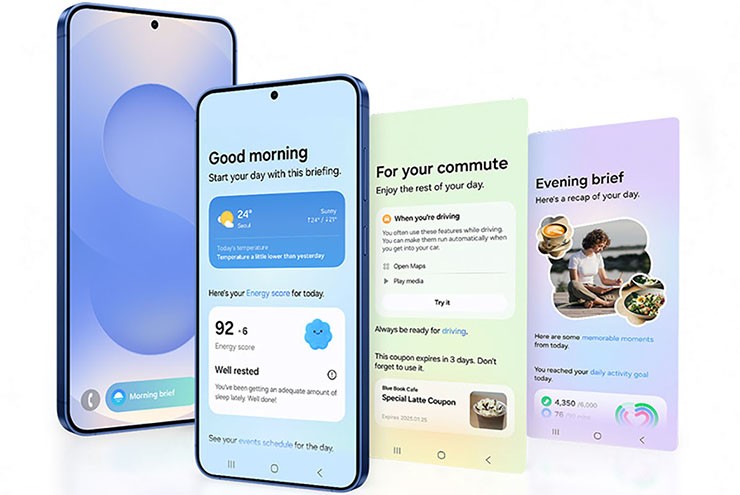
Check the actual download on your Galaxy S25
- Connect to Wi-Fi and open Settings > Software update.
- Tap Download and install or Check for updates, depending on your version.
- Review the version and download size shown on the phone. If space is tight, free up Android storage before installing.
Use Samsung’s update instructions for the built-in update process. If a download stalls on cellular, check whether Android mobile data is working if you are relying on a cellular connection.
Related Articles
 6 problems that drive Samsung phone users crazy
 Samsung released Android 4.4 update, does not support Galaxy S3
 Official information about Samsung Galaxy S8, S8 Plus: Price, date of sale, specifications and special features
 List of 13 Samsung phone models with One UI 3.1 updated
 Galaxy S20 and S20 +: Snapdragon 865 / Exynos 990, 8 / 12GB RAM, 100X zoom camera, 8K video recording
 Review Samsung Galaxy S20: First 5G phone in 2020
Reader Comments 0
Sign in with email or Google to join the discussion.