Table of Contents
In early 2019, PUBG Mobile players commonly asked for a zombie mode, better network performance, a clearer currency system, easier streaming, and 60 FPS support. This retrospective separates what actually arrived from the requests that remain dependent on device, region, or outside tools.
1. Zombie mode arrived as a limited event
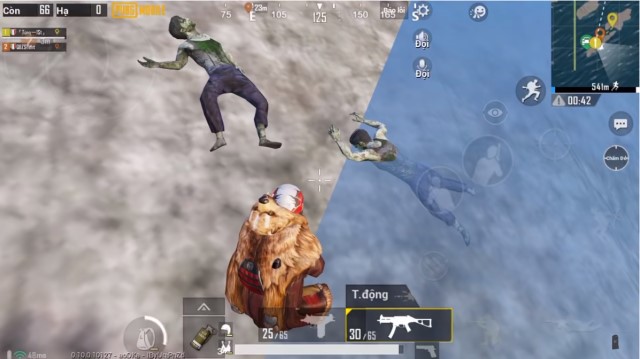
The Resident Evil 2 collaboration was more than a rumor. PUBG Mobile version 0.11.0 added Zombie: Survive Till Dawn, a limited-time mode with zombies and bosses from Resident Evil 2. It did not become a permanent replacement for classic battle royale, but it confirmed the crossover hinted at during the PUBG Mobile Star Challenge.
The official 0.11.0 patch notes are the most reliable record of that release. Later themed modes continued the pattern of rotating special gameplay rather than keeping every collaboration available indefinitely.
2. Network performance improved, but ping still depends on the connection
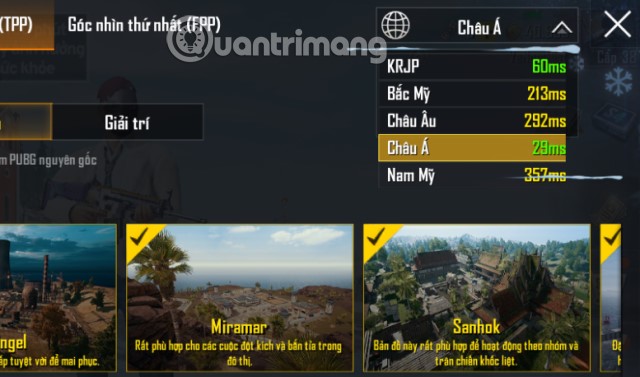
Server and client updates can reduce delay, yet no publisher-side change can eliminate every cause of high ping. Distance to the selected server, Wi-Fi congestion, mobile signal quality, background downloads, and routing by the internet provider all affect the match.
If latency suddenly rises, choose the nearest supported server, pause other downloads, restart the router when appropriate, and test a different network. Do not install “ping reducers” or modified game clients that ask for account credentials. If gameplay also stutters when ping is normal, the cause is more likely graphics load than the network; the TipsMake guide to reducing PUBG Mobile lag and stuttering explains the distinction.
3. The currency and reward system expanded rather than becoming simpler
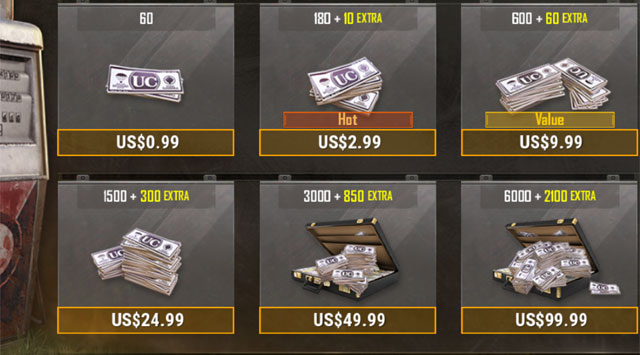
The 2019 article focused on BP, UC, crate coupons, and Silver. PUBG Mobile has since used additional event tokens, vouchers, and temporary exchange items. The essential distinction remains:
- UC is premium currency bought through official payment channels.
- BP and many tokens can be earned or exchanged under the rules shown in the game.
- Event currencies may expire or work only in one shop, so check the item description and end date.
Never trust a website claiming to generate free UC. Use the in-game shop or PUBG Mobile's official purchase and redemption pages, and verify the character ID before completing a transaction.
4. Streaming support developed around the game
The original wish was a single built-in tool that could broadcast gameplay to major platforms. PUBG Mobile instead developed an esports and creator ecosystem while players continued to rely on screen recording, phone-level broadcast controls, or streaming software.
Before streaming, hide notifications, avoid showing account or payment details, test microphone levels, and confirm that the device can record without causing frame drops. PUBG Mobile's creator programs support platforms such as YouTube, TikTok, Facebook, Instagram, and Twitch, but platform availability and program eligibility vary by region.
5. High-frame-rate modes exceeded the 60 FPS request
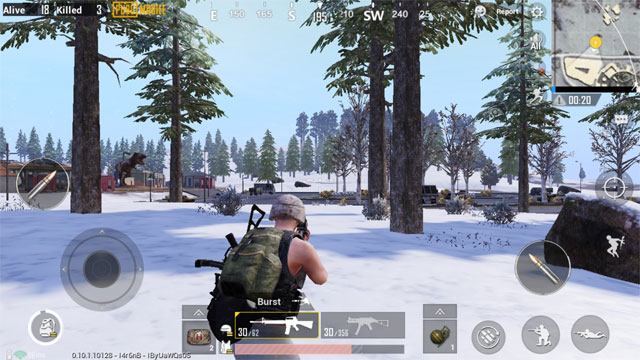
Sixty-FPS play became available on supported hardware, and later updates added 90 FPS and 120 FPS modes for selected devices. These options do not appear on every phone or at every graphics preset. PUBG Mobile's update notes explicitly limit the highest modes to compatible devices.
For smooth play, prioritize frame rate over visual detail: select a supported high-frame-rate option, lower graphics quality if temperature or frame pacing worsens, and stop playing while the phone is uncomfortably hot. Do not force unsupported modes with configuration editors or GFX tools, because modified files can cause instability and may violate game rules.
What the 2019 wishlist teaches
Three requests clearly progressed: the zombie crossover launched, streaming became part of the broader PUBG Mobile ecosystem, and supported frame rates rose beyond 60 FPS. Network quality improved incrementally but still depends on the player's route and device. The economy gained more events and exchange systems, so it requires more careful reading rather than a one-time simplification.
For new players, current mechanics matter more than old predictions. Start with Training Grounds, use only settings exposed by the game, and consult the current official update notes whenever a feature or frame-rate option is missing.
Related Articles
 Pubg Mobile 0.17.0 Update Information4 minutes read
 PUBG Mobile: the Best Gun Combos to Win the TOP 1 in the Game8 minutes read
 After December 31, the Pubg Mobile Vn Account Transferred from3 minutes read
 Loot Locations in PUBG Mobile6 minutes read
 How to Turning on Gyroscope Mode PUBG Mobile5 minutes read
 Comparison Between PUBG Mobile VNG and PUBG Mobile International6 minutes read
Reader Comments 0
Sign in with email or Google to join the discussion.