Table of Contents
Microsoft's Windows 11 gaming work covers three different areas: a controller-friendly Xbox interface, delivery of precompiled game shaders, and Automatic Super Resolution upscaling on supported hardware. These features have different requirements; none is a universal performance upgrade for every game or PC.
The company's December 2025 overview outlined its next steps. Subsequent announcements clarified the Xbox mode rollout and the Auto SR preview, so those earlier plans should be read alongside the newer availability information.
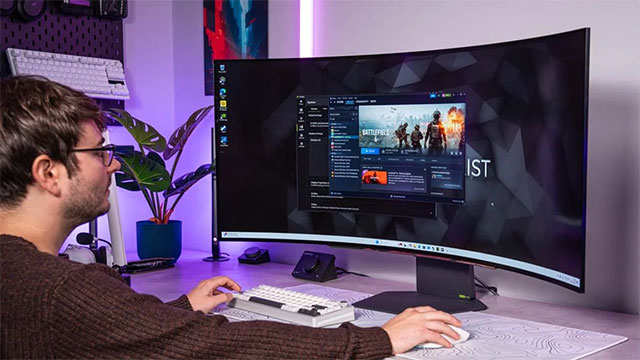
Xbox mode expands the full-screen gaming interface
At GDC in March 2026, Microsoft announced that Xbox mode would begin rolling out in April to Windows 11 desktops, laptops, and tablets in selected markets.
The controller-optimized interface lets players browse a library, launch games, use Game Bar, and switch apps, while retaining access to the Windows desktop. It extends the earlier full-screen experience associated with Windows handhelds.
Availability depends on the rollout and installed software. The full-screen Xbox setup walkthrough shows an earlier interface; check the labels on your updated device.
Advanced Shader Delivery targets first-run waits and stutter
Advanced Shader Delivery supplies precompiled shaders for supported games and devices. It aims to reduce the compilation work players otherwise encounter at installation or first launch.
Microsoft's GDC update described broader developer tools and a workflow for studios to provide shader packages through the Xbox Store. This requires support from the game and delivery system; it does not mean that every title on every storefront immediately receives the benefit.
Its effect is also different from increasing the GPU's sustained rendering performance. A faster first launch does not establish the same improvement in frame rate throughout a game.
Auto SR on ROG Xbox Ally X has specific requirements
Microsoft announced the ROG Xbox Ally X Auto SR preview for Xbox Insiders on April 30, 2026. The preview targets docked play with an external display.
Auto SR lets a supported game render at a lower resolution and uses AI upscaling to reconstruct a higher-resolution image. Check Microsoft's current Auto SR requirements for supported devices, graphics runtimes, drivers, and settings. Having Windows 11 or an NPU alone is not sufficient.
What players should check before trying the updates
- Update Windows, the Xbox app, Game Bar, and device drivers through supported sources.
- Confirm that the particular feature supports your hardware and game.
- Distinguish a public rollout from an Insider preview before enrolling a PC you depend on.
- Compare the same game scene and settings before and after a change, including image quality, frame pacing, power use, and temperature.
Microsoft also described work on background workloads, power management, graphics, drivers, and Windows on Arm compatibility. Those are development areas rather than a promise that every game will run faster. For existing slowdowns, start with practical Windows 11 performance checks and the game's own requirements.
Related Articles
 Microsoft’s Windows 11 gaming PC guidance: how to use the hardware examples
 How to Fix 'Can't Reach This Page' Error on Microsoft Edge
 Pokémon GO XP Requirements by Trainer Level
 Microsoft Patent Describes Human or AI Help for Stuck Gamers
 Tips for playing EvoWars.io for new players to reach level 35 quickly
 Microsoft VBS can degrade gaming performance in Windows 11, even on supported CPUs
Reader Comments 0
Sign in with email or Google to join the discussion.