Table of Contents
This guide covers 'market' online buy laptops with practical context and easy-to-follow details. Use it to understand the subject and apply the information confidently.
Buy retail RAM and upgrade it yourself Photo: Ralphlosey .
This is probably the easier option. A typical user rarely needs more than 2 GB of RAM, while Media players or gamers will need up to 4 GB of RAM. But the more RAM capacity, the more users benefit regardless of the target group. Therefore, it should not be bothered when the manufacturer offers 3 GB RAM configuration, there are even models equipped with 8 GB RAM with "unbeatable" price. The cost of upgrading the RAM directly when configuring the machine is usually higher than that the user "upgrades" themselves. Typically, with Apple products, when choosing a model with a larger RAM capacity, the product price increases "unreasonably. " You should note, the price of retail RAM is cheaper than buying with the machine, in addition, the removal to upgrade RAM is not difficult. Most laptop models are easy to remove and upgrade RAM without affecting warranty issues. It usually only takes up to 5 minutes to do this, and there are also guidebooks to help users proceed effectively. So, except for suppliers that offer free RAM upgrades, buy retail RAM from retailers and upgrade it yourself. OS operating system This is also an easy choice for users. Until now, when Windows 7 has not officially "released", Windows Vista is almost the only option. Although there are many complaints, but Vista is still the operating system has a nice interface and quite stable. You should choose the Home Premium version, because versions like Business and Ultimate include many apps you will hardly ever use, and Home Basic is too "sketchy". And if your laptop is equipped with 4 GB of RAM, you can choose the 64-bit operating system version instead of the usual 32-bit. Storage capacity 
HDD drive for laptop Photo: Laptoprepair101 .
Low-resolution screen when playing games images are not beautiful Photo: Pricegrabber .
Perhaps this is a rather difficult and easily "wrong" choice. If you choose the background LED screen, you will spend an additional $ 100, but the image is brighter and more energy efficient. In terms of resolution, the higher the screen resolution, the more workspace, but the smaller the text characters displayed. Therefore, for those who are not good at sight, use a low resolution screen. However, the screen has a low resolution, when playing games to produce unfortunate images, it is "bloated" very unsightly. Partly because the graphics card is not enough to handle images and supports higher resolutions. Graphics card If you want to use a laptop to play games, immediately remove the configuration option with the integrated Intel graphics card. Instead, choose a NVIDIA GeForce or ATI Radeon discrete card. And should consider carefully because once configured, you can not upgrade the graphics card for laptops. So if you have the need to play games and models that you 're looking at' without choosing NVIDIA GeForce or ATI Radeon graphics cards, switch to other models. If the manufacturer offers more than one option for graphics cards for both Radeons / GeForces, choose a card that is affordable. Just like RAM, the graphics card is as powerful as possible if you're a gamer. As mentioned above, AMD models are more powerful and cheaper than Intel, with more graphics card options. Many integrated card models are compatible with powerful AMD processors and are able to support your laptop running smoothly in most current games with moderate output settings. Radeon HD 3100/3200/3300 - and GeForces graphics card models are the right choice for gamers with "tight pockets". Network connections Wi-Fi, Bluetooth, and 3G wireless connections are interesting options. 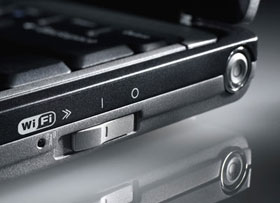
Should be equipped with standard Wi-Fi connection n Photo: Sohonettech .
With wireless networking, you should choose Intel Wi-Fi card for your Intel microprocessor-based laptop model. You should be equipped with standard Wi-Fi devices because they are both popular and not too expensive. While with laptops using AMD processors, additional investment with standard Wi-Fi devices is far away. Bluetooth connectivity should be upgraded for about $ 10 because there will be times when you need to use a Bluetooth mouse with your laptop. In addition, it is possible to connect laptops to mobile devices using Bluetooth as a mobile phone to share data. Internet connection via 3G network is only possible when the user registers the service with the mobile network provider. However, these features can be upgraded later with external signal acquisition devices via USB. To save costs, you can skip these options and purchase a USB Adapter device with the same features. Warranty period Most manufacturers support the warranty of the machine and accessories included for a period of one year. In addition, they also provide additional warranty extension services and better technical support with different fees. Again, this is an option to integrate individual interests.
FAQ
What should I check before following these steps?
Confirm device and software compatibility, save important data, and make sure you have the required permissions, files, and account access.
Why might the process not work?
Common causes include outdated software, missing permissions, incompatible hardware, an unstable connection, or completing a step in the wrong order.
Can I undo the changes if necessary?
That depends on the tool or setting. Use built-in restore options when available, keep a backup, and record the original configuration first.






Reader Comments 0
Sign in with email or Google to join the discussion.