Table of Contents
The Logitech Flip Folio makes sense if you want to prop up your iPad and type with the keyboard somewhere else. Apple’s Magic Keyboard for iPad Air makes more sense if you want a built-in trackpad and a single unit you can move like a laptop. Check your exact iPad model before choosing either case.
How the Flip Folio works
The case props up the iPad in portrait or landscape. The keyboard connects over Bluetooth, so you can set it on the desk while the tablet sits farther away. When you pack up, the keyboard attaches magnetically to the back of the case.

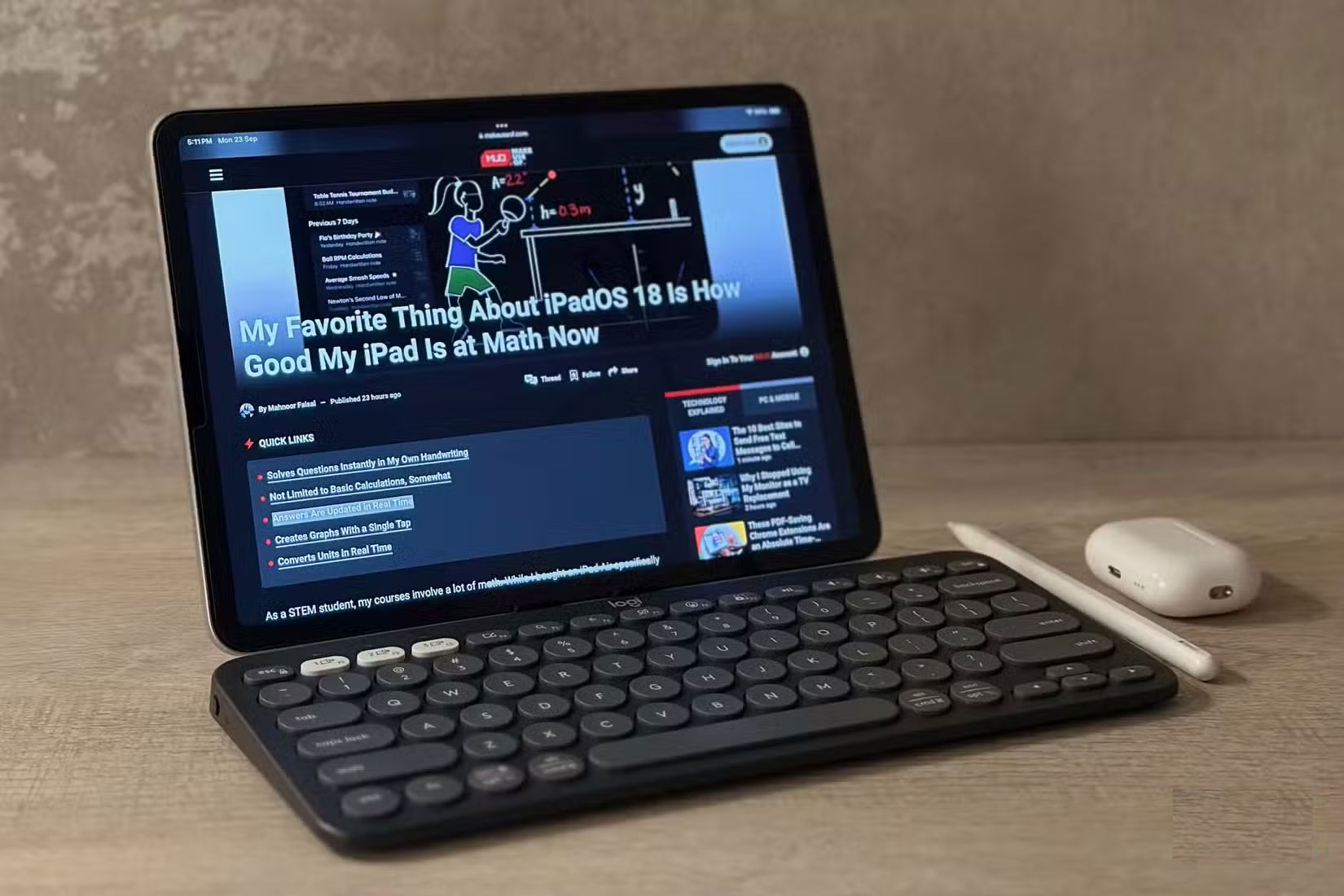
There’s no built-in trackpad. Use the touchscreen or pair a separate mouse if you need a pointer. The keyboard runs on replaceable coin cells. Its shortcut keys give quick access to actions such as search and taking a screenshot. If you prefer a different layout for modifier keys, see how to remap keys on iPad.
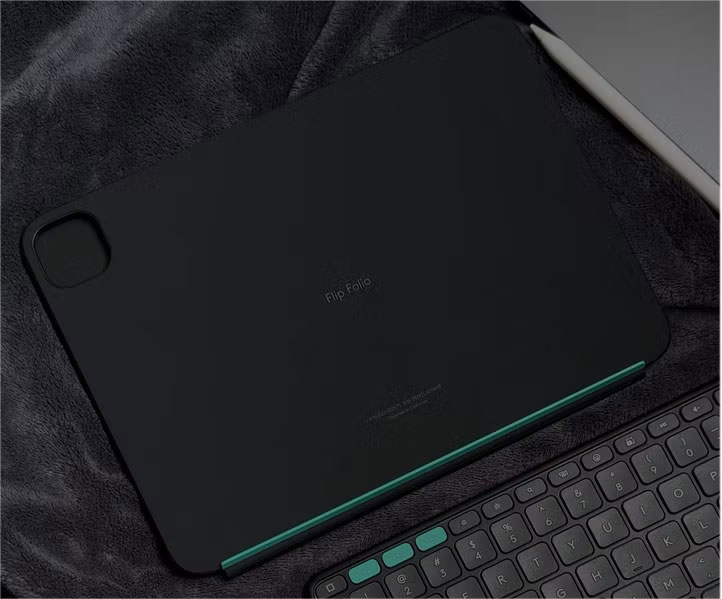
Logitech’s Easy-Switch keys let you switch the keyboard between up to three paired Bluetooth devices. The keyboard can pair with devices beyond the iPad, but the case itself fits only the listed tablet models.

Flip Folio and Magic Keyboard for iPad Air compared
| Feature | Logitech Flip Folio | Apple Magic Keyboard for iPad Air |
|---|---|---|
| Keyboard placement | Detachable Bluetooth keyboard | Integrated into the attached case |
| Pointer | Touchscreen or separate mouse | Built-in trackpad |
| Power and charging | Replaceable coin cells for keyboard | Smart Connector and USB-C passthrough charging for iPad |
| Multiple devices | Switch among up to three Bluetooth devices | Connects to a compatible attached iPad |
Find your iPad model in Settings > General > About, then compare it with the compatibility list for the specific case. Logitech lists the Flip Folio at $159.99–$179.99 in the U.S. Apple’s iPad keyboard page lists the current models and features. Pricing can vary by size, region, and retailer.
Related Articles
 How many red apples should you eat a day?
 HP showed the EliteBook Folio 1020 ultra-thin, shock-proof and shock-proof
 iPad Pro is about to be equipped with a keyboard and touchpad
 Useful keyboard shortcuts on Google Meet
 How to control the keyboard on the iPad's screen
 Jitsi Meet: features, privacy, and limits of the open-source Zoom alternative
Reader Comments 0
Sign in with email or Google to join the discussion.