Table of Contents
Automation tools like Zapier and n8n dominate discussions when it comes to workflow automation.
Activepieces is an open-source workflow automation platform with a visual builder for connecting triggers, actions, conditions, and data transformations. Its Community Edition can be self-hosted, while the hosted service and commercial features target users who do not want to operate the infrastructure themselves. It is worth evaluating alongside Zapier and n8n, but the best choice depends on required integrations, governance, debugging depth, and who will maintain the system.
Activepieces at a glance
| Area | What to check |
|---|---|
| Builder | Visual flows are approachable for common integrations; custom logic and unfamiliar APIs can still require technical work. |
| Integrations | Confirm that each required “piece” supports the exact trigger, action, authentication method, and fields you need. |
| Self-hosting | Community Edition gives infrastructure control, but your team owns upgrades, backups, availability, secrets, monitoring, and incident response. |
| Cloud service | Easier operations, with features and limits that can change by plan; verify current pricing and governance controls before committing. |
| Portability | Open-source code reduces one kind of lock-in, but workflows still depend on Activepieces schemas and third-party APIs. |
Use the Docker command as a local evaluation
The single-container setup in the original walkthrough is suitable for testing on one machine. Do not expose that development-style instance directly to the internet or assume it is a production architecture. Before production use, follow the official self-hosting overview and production setup guidance; define HTTPS, authentication, encryption keys, database and queue services, backups, log retention, updates, resource limits, and rollback procedures.
Run a small proof of concept
- Choose one reversible workflow with a clear owner, such as copying a test form response into a sandbox spreadsheet.
- Verify connection permissions and use dedicated test credentials with the minimum access required.
- Test duplicate events, missing fields, API rate limits, timeouts, expired credentials, retries, and partial failures.
- Add alerts or a dead-letter process so failed runs are visible and recoverable.
- Export or document the flow, its secrets dependencies, source systems, data retention, and manual fallback.
For background and alternatives, see TipsMake's explanation of how Zapier works and its comparison of n8n alternatives.
This makes it a serious alternative to the established giants in the automation field.
Activepieces are built for people who want to skip writing code entirely
Activepieces aims to help you build flows as quickly as possible
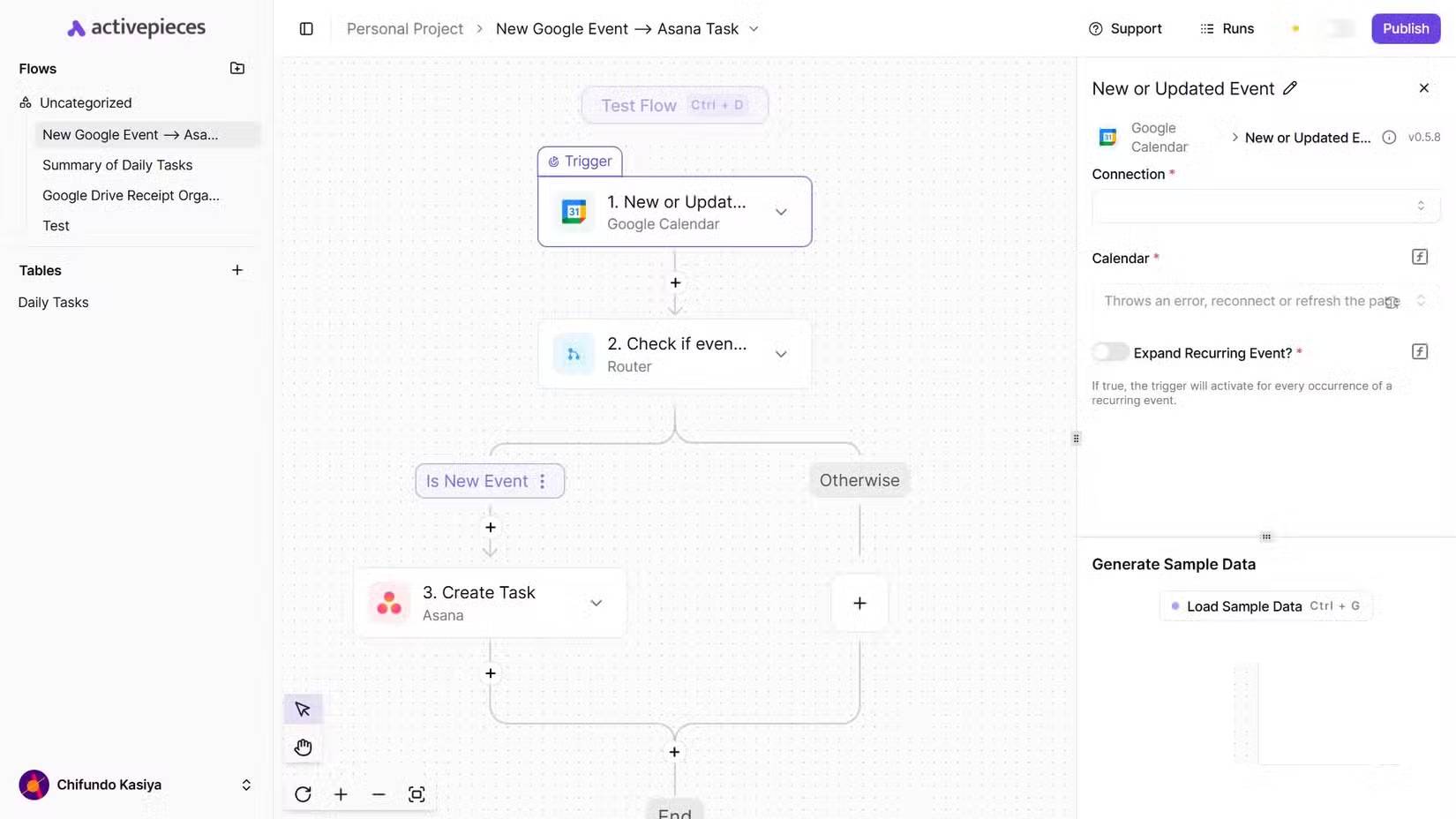
Similar to Zapier, Activepieces offers a drag-and-drop interface where you can build flows by linking triggers and actions. Flows are essentially sequences of automated actions triggered by events. However, unlike Zapier, Activepieces is completely open source, meaning you can inspect its code, contribute to its development, and even host it yourself.
Compared to n8n, another open-source automation tool, Activepieces seems more accessible to beginners. It has a more streamlined interface, prioritizing simplicity over complexity.
n8n is technically too complex in some cases. For example, connecting a Gmail account to a trigger or action proves difficult when setting up email management automation. It requires you to go into the Google Cloud Console and adjust several settings. That's something the average user would find hard to figure out on their own. In Activepieces, you can connect your Google account with just a few clicks.
Activepieces is powerful enough to handle complex flows but intuitive enough that non-technical you can start building flows within minutes. This combination of accessibility and openness is what attracts attention among the many automation tools available.
Install Activepieces locally using Docker
Docker is the easiest way to get started
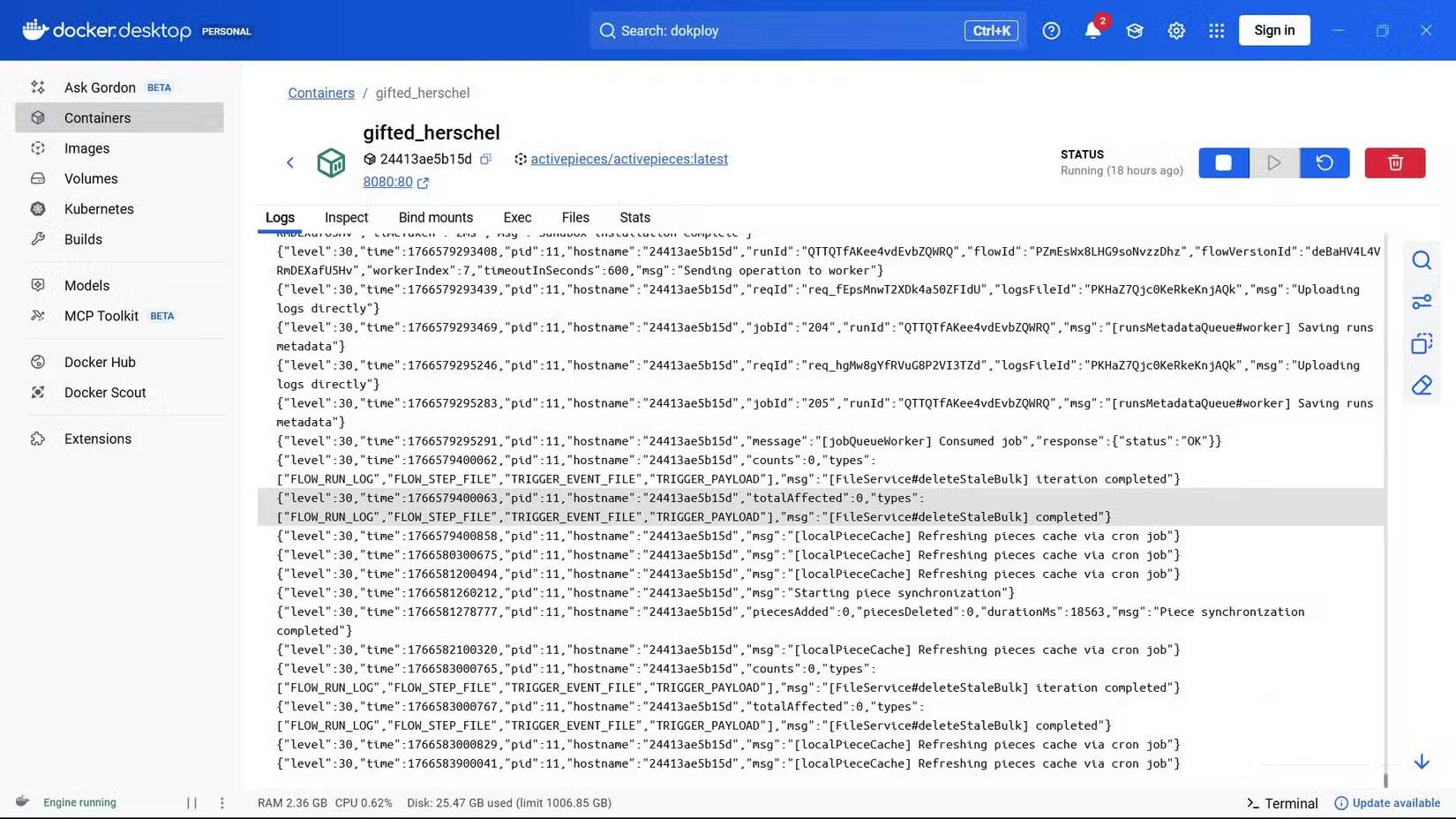
To test it yourself, install Activepieces using Docker. This ensures you can run Activepieces on your own computer, where you have full control over the data and environment. This method is best for personal testing because it runs a single instance on one machine.
Note: If you want to run multiple instances of Activepieces (for example, in a production environment), you need to use Docker Compose.
To install Activepieces in Docker, open Windows PowerShell (you can use other terminals like Command Prompt or Git Bash). Then, enter the command below to download and launch the latest version:
docker run -d -p 8080:80 -v ~/.activepieces:/root/.activepieces -e AP_REDIS_TYPE=MEMORY -e AP_DB_TYPE=SQLITE3 -e AP_FRONTEND_URL="http://localhost:8080" activepieces/activepieces:latestThere are several important environmental variables to understand here.
AP_REDIS_TYPE=MEMORYSet Activepieces with Redis, an open-source data structure server, to Memory mode. This means that Redis data will be stored in memory (also known as RAM or temporary memory) and will be discarded when the container restarts.AP_DB_TYPE=SQLITE3Set up SQLite as the database.AP_FRONTEND_URL="http://localhost:8080"This tells Activepieces that it should use the specified web address to access its interface.
Tip: If you want to know all the environment variables you can use, you can check the Environment Variables page on the Activepieces website.
Once the container is set up and running, open http://localhost:8080 in your browser and log in to Activepieces. From there, you can start creating your automated flow.
Setting up an automated flow in Activepieces is quick and easy
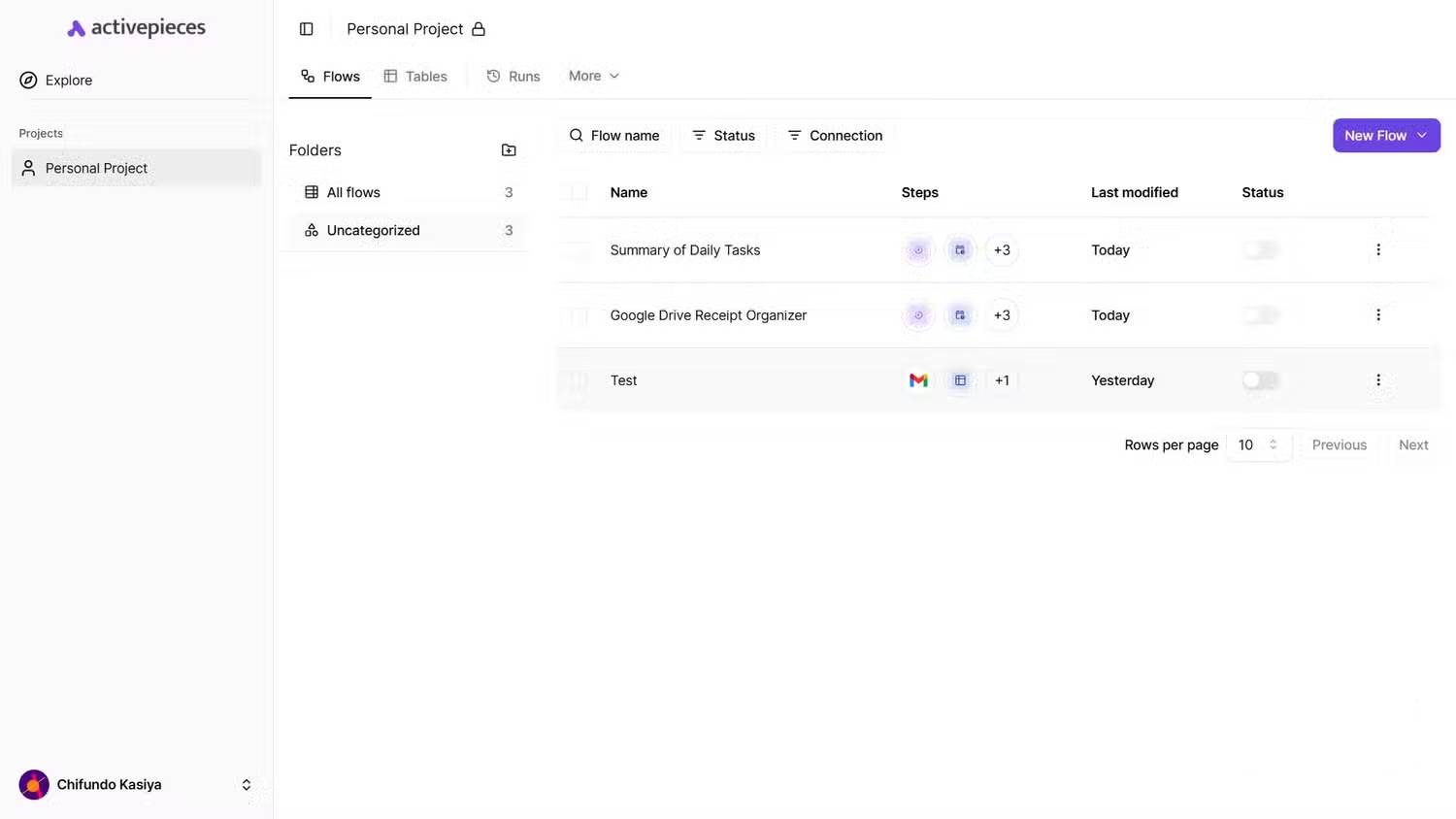
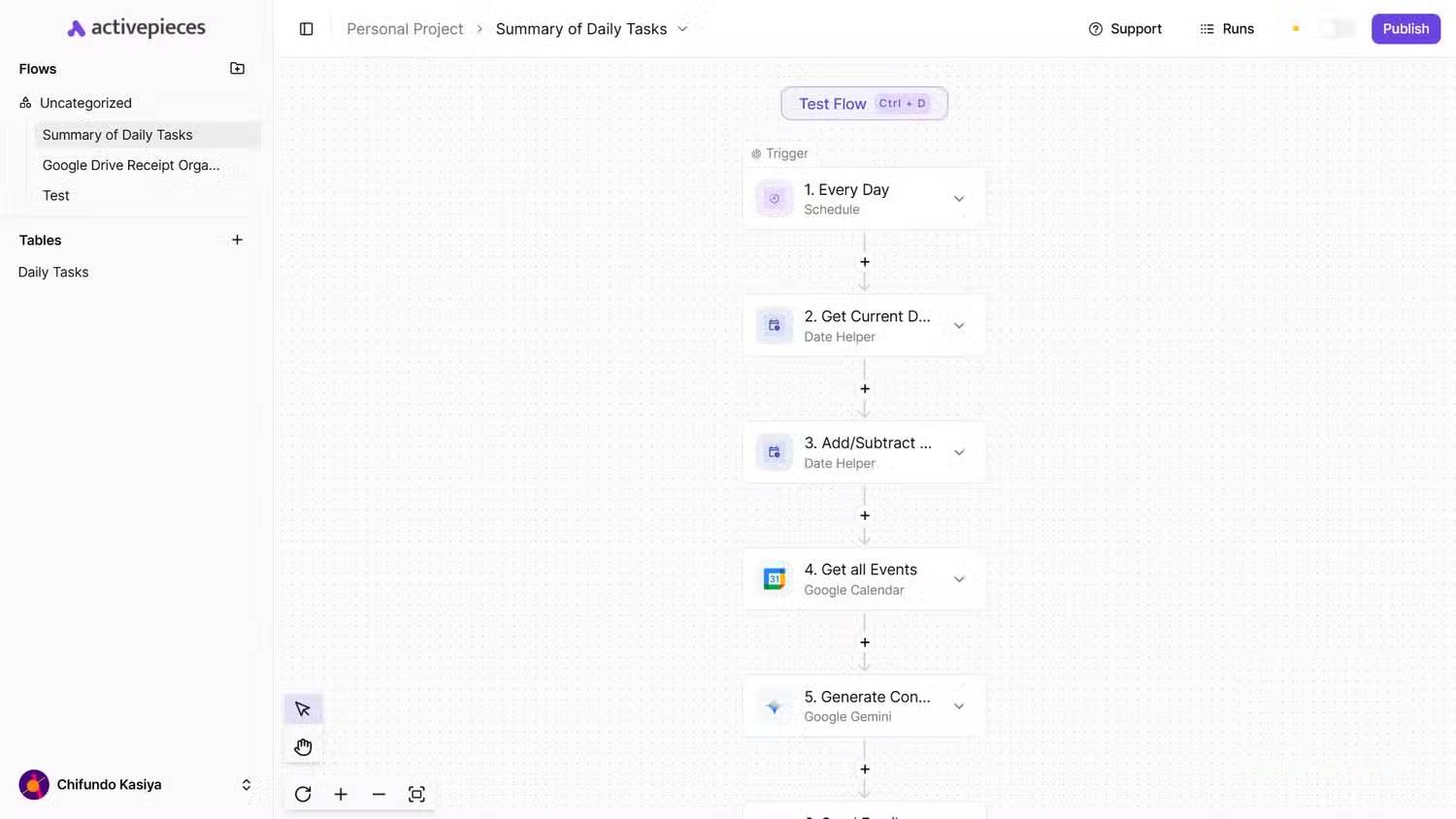
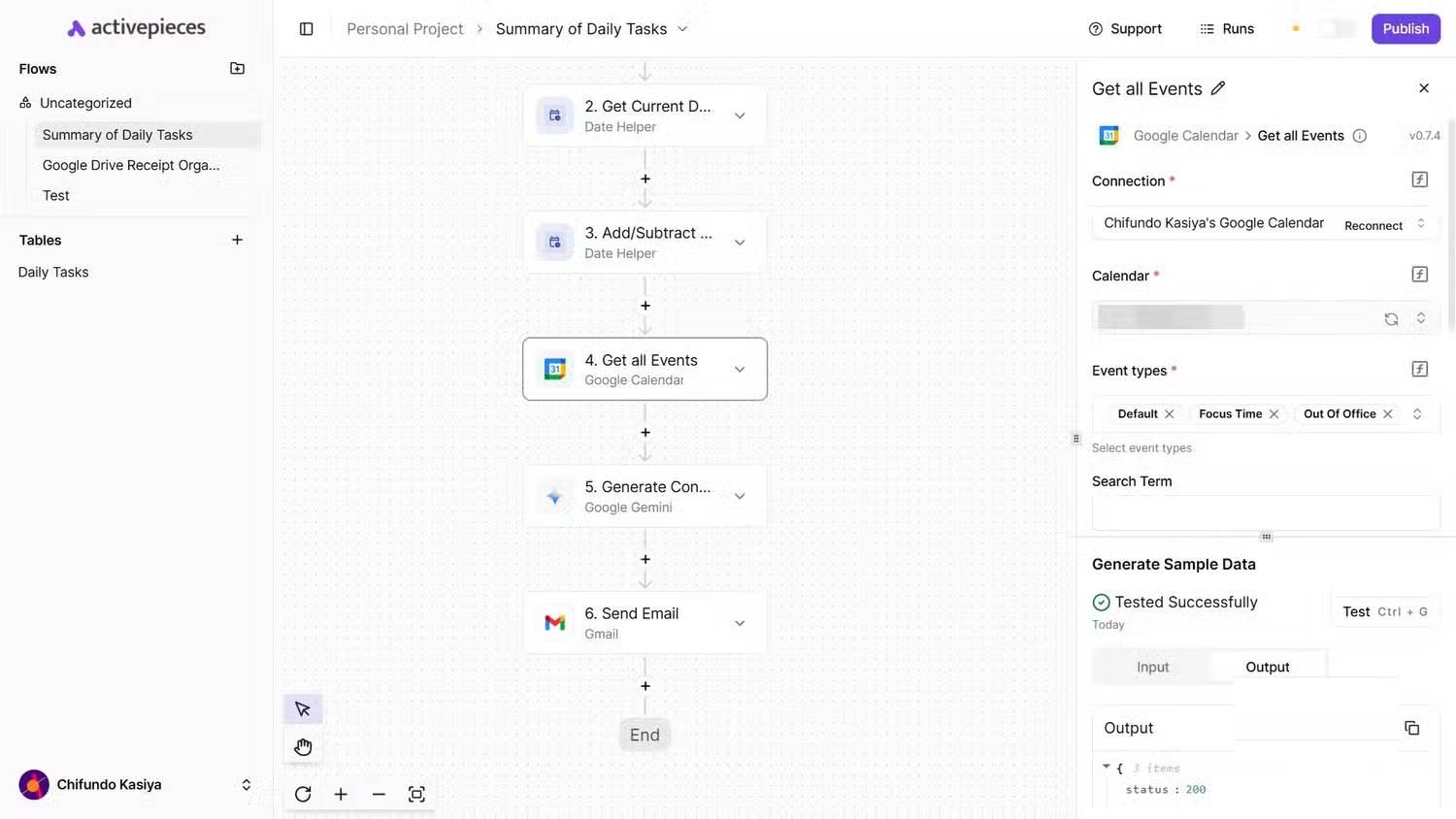
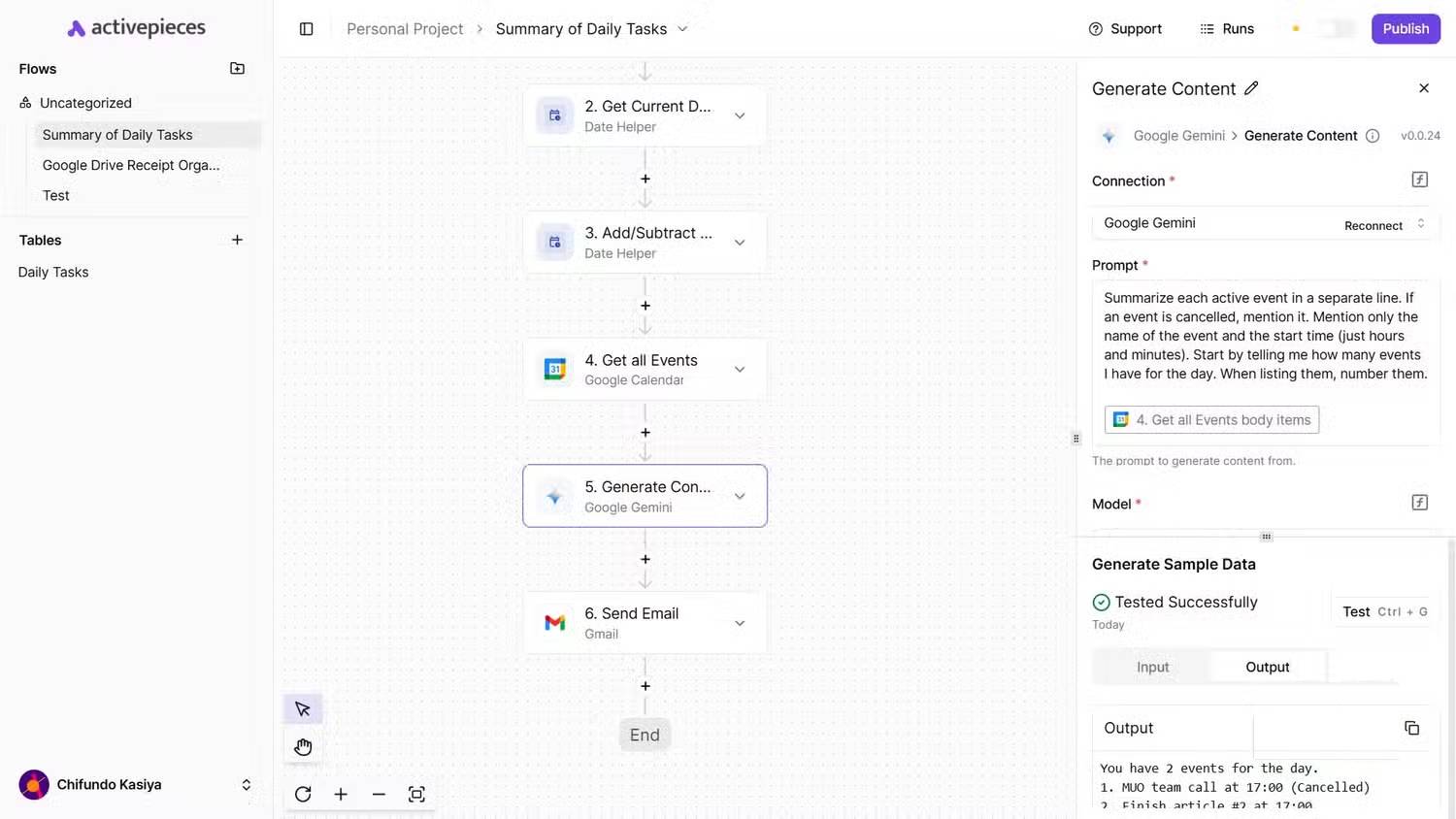
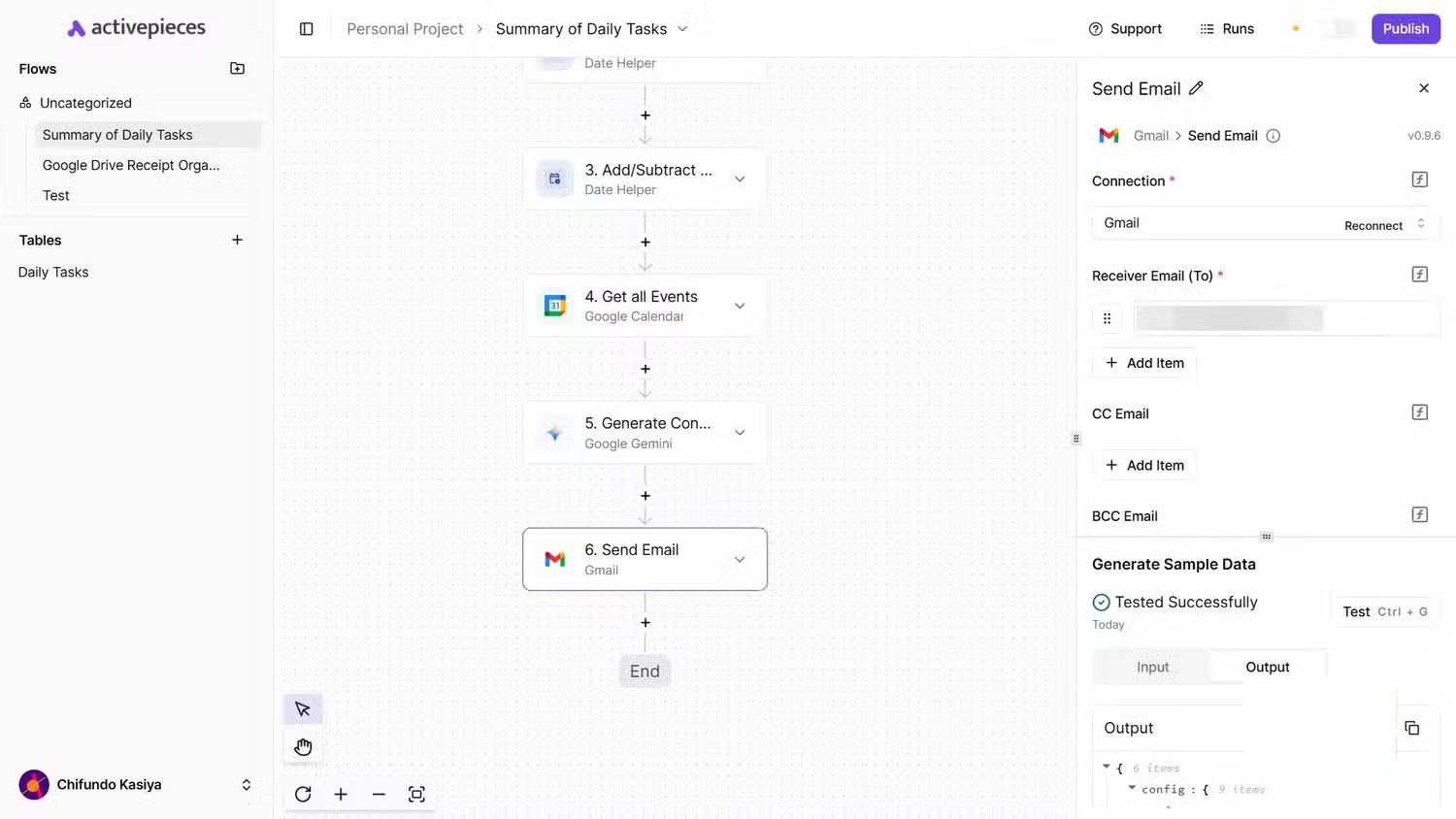
To test this, the author set up an automated process that retrieves all events from Google Calendar for the day. It then sends an email summarizing what the author is about to attend.
The automated flow begins with a Schedule trigger, launching an automated process each day at 6 AM. Next, the Get Current Date action takes today's date, and the Add/Subtract Time action adds 12 hours to it using the simple expression +12hour. Then, the Get all Events action retrieves all events from 6 AM to 6 PM — based on input from the two previous actions — in Google Calendar.
Note: Please check the automated flow after each step to verify the output. This ensures the process will run as expected.
Now, the interesting part is this — it's possible to add a Generate Content action to Gemini. The author wrote a prompt asking it to list the events returned by the Get all Events action, along with their start times. A more verbose approach would be to combine a series of actions that iterate through all the events and build a summary one by one. Using Gemini is much easier.
Note: You can generate Gemini API keys in Google AI Studio. The biggest reason to choose Gemini is the free daily AI credits.
Finally, use the Send Email action for Gmail and insert the content generated by Gemini into the body.
Activepieces stands out because it offers a clean and intuitive experience for an open-source and self-hosted solution. After testing, it can be confirmed that it is very practical for everyday use. The Docker setup ensures easy testing without limitations. Activepieces is recommended for anyone looking for a lightweight yet powerful automation platform. It has outstanding capabilities and is truly worth considering.
Related Articles
 What is Zapier?8 minutes read
 Open Design: Free Open-Source Claude Design Alternative11 minutes read
 4 Great Benefits of Using Open Source Software6 minutes read
 Learn About Organic Maps: an Open Source Alternative to Google Maps6 minutes read
 How to Open Source Python Projects for Beginners7 minutes read
 What Is Open Source Software?7 minutes read
Reader Comments 0
Sign in with email or Google to join the discussion.