Table of Contents
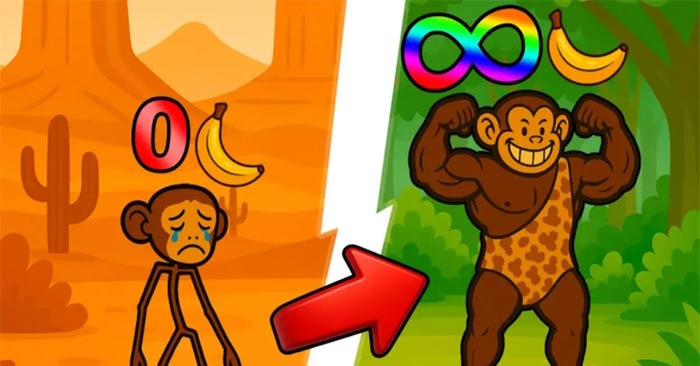
In Monkey Ascension, redeem codes under Shop → Codes. The official Roblox listing names launchboost as a limited launch code. It may expire even while it still appears in the description.
Codes to try
The rewards below were reported in code lists. Check the in-game response to see what is still available. Enter capitalization exactly as shown.
| Code | Reported reward |
|---|---|
launchboost | 100 Wins |
onekay | 50 Emeralds |
750likes | 1 XP Potion |
fiveoh | 5,000 XP |
threehunna | 3,000 Wins |
twobenjis | 1 Rage Potion |
DISCORDGANG | Monke Gang title |
How to redeem a Monkey Ascension code
- Launch Monkey Ascension by W-Key Studios on Roblox.
- Open the Shop using the icon on the left.
- Choose Codes, paste one code, and select Claim.
- Read the confirmation, then check the relevant balance, inventory, or title list.
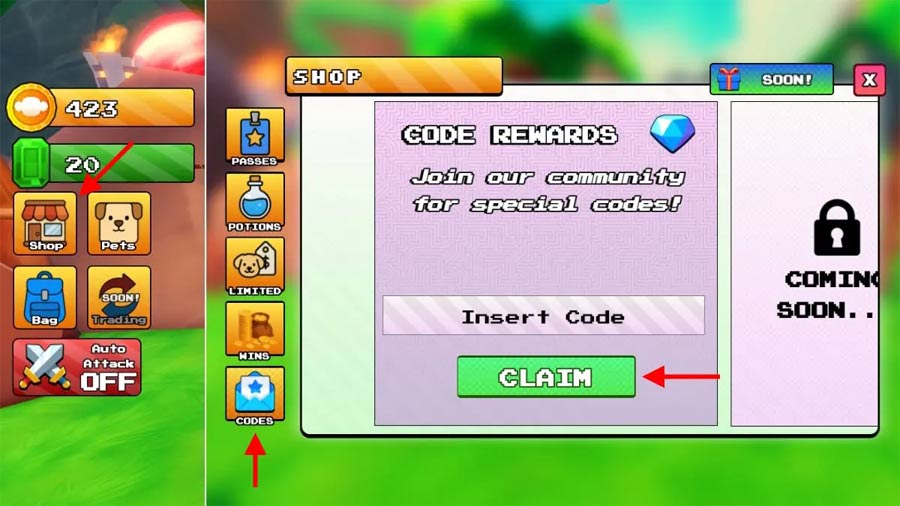
If a code fails, check for spaces around it or a capitalization error. A correct code can still have expired or already been redeemed on your account. For new codes, start with the developer links on the Roblox listing.
Related Articles
 Latest Monkey Tycoon Roblox Codes and How to Redeem Codes for Rewards
 Latest Muffin Start Code and how to redeem code
 Latest Capybara Go codes and how to redeem them.
 Reawakened Codes and How to Redeem Them
 Latest Strinova Code and how to redeem code
 Latest Tay Du Mini Code and how to redeem code for rewards
Reader Comments 0
Sign in with email or Google to join the discussion.