Table of Contents
Borderlands 4 SHiFT codes unlock the reward specified in each promotion, such as Golden Keys or cosmetics. Codes can be limited by game, platform, expiry date and previous redemption. Use the publisher's terms rather than assuming an old code list is still active.
An officially published code with a stated deadline
Gearbox's January 29, 2026 update notes publish this Borderlands 4 cosmetic code:
THFB3-R9XKK-CFBJW-T33BB-9R3CC
- Reward: “Gourd Your Loins” Vault Hunter Head and “Hex Appeal” Weapon Skin.
- Published redemption deadline: December 31, 2030.
- Requirements: Borderlands 4, a SHiFT account and an internet connection; one redemption per account. The announcement says players who already received the cosmetic will not receive it again.
This is a published offer, not a claim that redemption has been tested on your account. Check the linked announcement and the redemption result for eligibility. For additional promotions, use official Borderlands announcements, which specify the reward and any deadline.
Redeem a code in the game
- Open the main menu and choose SHiFT.
- Open Rewards.
- Enter the code carefully and follow the prompts.
- Read the success or error message before leaving the screen.
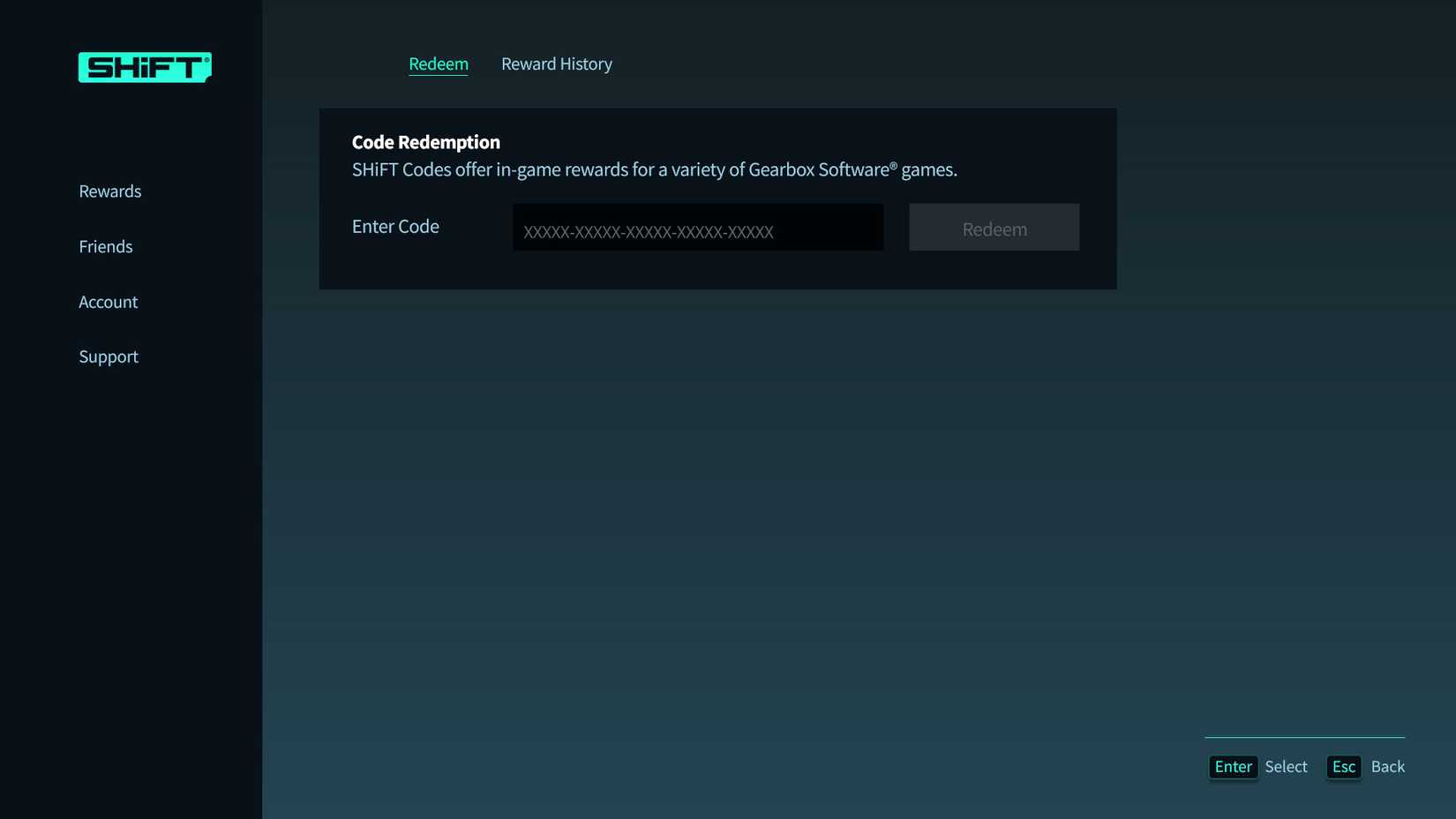
Redeem through the SHiFT website
Follow the website link in Gearbox's official redemption guide. Sign in, open Rewards and enter the code under Code Redemption. After checking it, select the supported game and platform you actually use, then confirm redemption.
If you play on more than one platform, check the platform choice carefully. A code offered for another Borderlands game does not automatically provide a Borderlands 4 reward.
If a code does not work
- Expired: compare the promotion's deadline, including its stated time zone where given.
- Invalid: copy the full code again and check for extra spaces or mistyped characters.
- Already redeemed: review the account's rewards rather than repeatedly submitting the same code.
- Wrong game or platform: check which options the redemption system offers.
Where to find the reward
Cosmetics are viewed through the game's Customization menu. Golden Keys are added directly to inventory; check the currency display. If you redeemed keys on the website while the game was open, fully restart the game before checking again.
Keys are used at Golden Chests, and each key is consumed when used. For other ways to improve your equipment without relying on promotions, see these Borderlands 4 beginner tips.
Related Articles
 Best PC Configuration for Borderlands 4
 Borderlands 4: How to Get the Break Free Pack
 Tips to play Borderlands 3 gamers need to know
 Download the Borderlands blockbuster: The Handsome Collection worth $ 41.99, which is free
 Borderlands 4: 11 Tips for Beginners
 Roblox Promo Codes for August 2026 and How to Redeem Them
Reader Comments 0
Sign in with email or Google to join the discussion.