Table of Contents
To install ETABS on Windows, use the installer provided through your licensed CSI account or authorized software source, confirm that your computer meets the requirements for that ETABS release, and then follow the setup wizard. The screens below show a legacy ETABS installer, so some labels may look different in newer releases.
Before you install ETABS
- Check the system requirements published for your specific ETABS version. Requirements vary, and the older Windows and hardware details shown in the original guide should not be treated as current.
- Make sure you have the required ETABS license or activation information.
- Sign in to Windows with an account that can install software, close other applications, and save any open work.
- If you are new to Windows installers, review these principles for installing software in Windows before continuing.
How to install ETABS
1. Start the installer
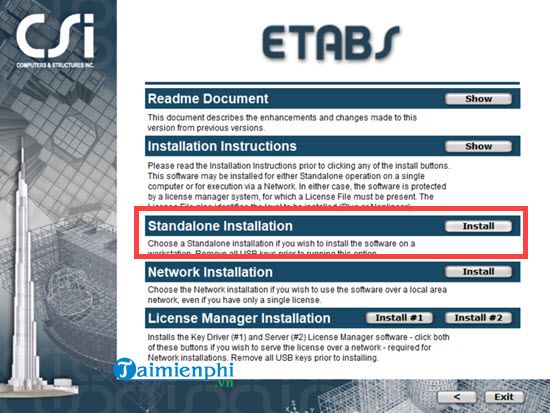
Open the ETABS installation package. If the installer asks which setup type to use, select Standalone Installation when ETABS will be installed and licensed for an individual computer. Organizations that use network licensing should follow their administrator's instructions instead.
2. Continue through the setup wizard
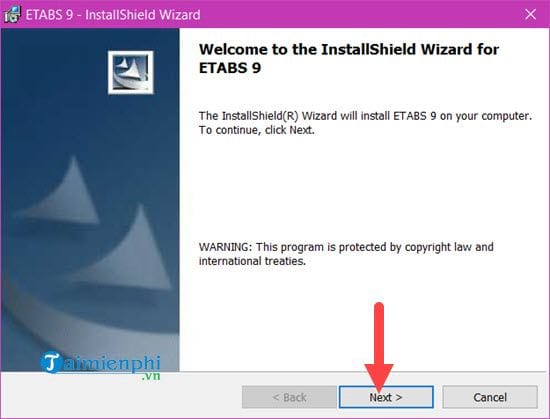
Review the welcome or information screen, then click Next to continue.
3. Review the license agreement
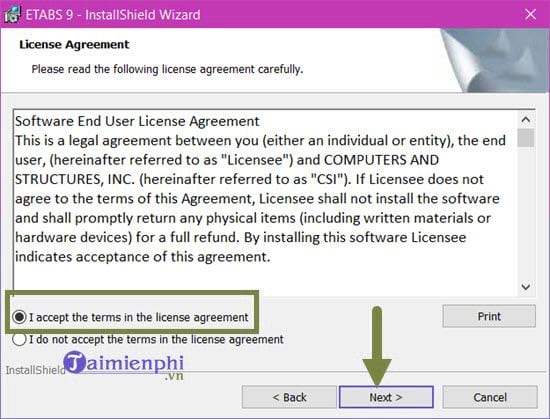
Read the software license terms. If you accept them, select I accept the terms in the license agreement and click Next. Do not continue if the license terms or software source are unclear.
4. Enter user information
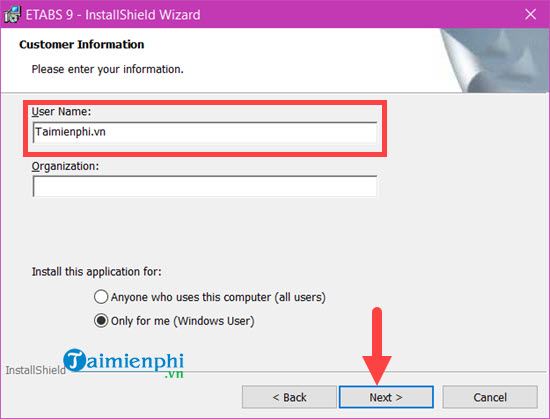
Enter the requested user name and choose whether the application should be available only to your Windows account or to other users of the computer. The available options depend on the installer version and your account permissions.
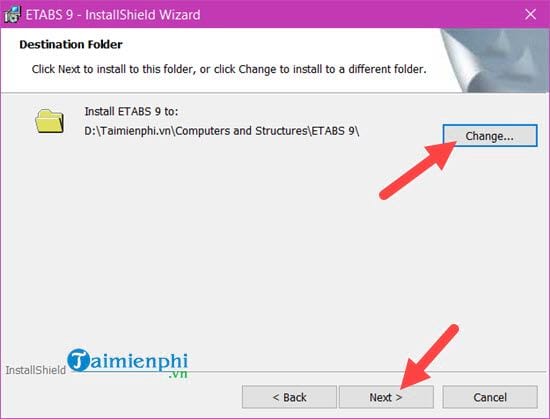
5. Choose the installation folder
Keep the default destination unless your organization uses a different approved location. If you change the folder, verify that the drive has enough free space and that your account can write to it.
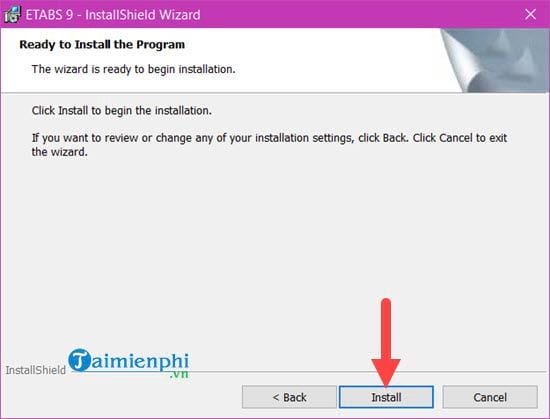
6. Install the program
Review the selected options and click Install. Approve the Windows administrator prompt if it appears and you recognize the installer.
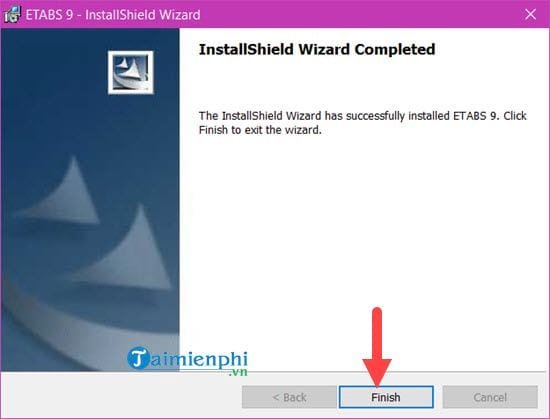
7. Finish setup
Wait for the files to be installed, then click Finish. Restart Windows if the installer requests it. Open ETABS afterward and complete any license activation steps provided with your edition.
If ETABS does not install or open
- Installer will not start: Confirm that the download completed, that the installer matches your Windows architecture, and that it came from an authorized source.
- Permission error: Use an administrator-approved account or ask your IT administrator to perform the installation.
- Conflict with an older installation: Back up project files before removing an earlier release. If removal is necessary, see how to uninstall a program in Windows.
- License or activation error: Check the license type and credentials supplied with ETABS. Network-license users may need help from their license administrator.
Because ETABS installers and licensing methods change between releases, use these screenshots as a guide to the basic sequence and follow the on-screen instructions for your exact version.
Related Articles
 How to Download Windows 10X and Install It Right on Windows6 minutes read
 How to Download and Install the Latest Lulubox on Your Phone3 minutes read
 Download Minecraft Map: How to Download and Install Map Minecraft5 minutes read
 Download Au Mix for PC, Install Au Mix on Your Computer3 minutes read
 How to Download and Install the Latest Android Auto APK4 minutes read
 How to Download Pho Anh Hai iOS, Android: Step-by-Step Guide5 minutes read
Reader Comments 0
Sign in with email or Google to join the discussion.