Table of Contents
Learn how to copy Images from AutoCAD to Word and Excel without Errors with clear steps, practical tips, and troubleshooting guidance for common issues.
Instructions on how to copy images from AutoCAD to Word and Excel
Step 1: Download BetterWMF to your computer.
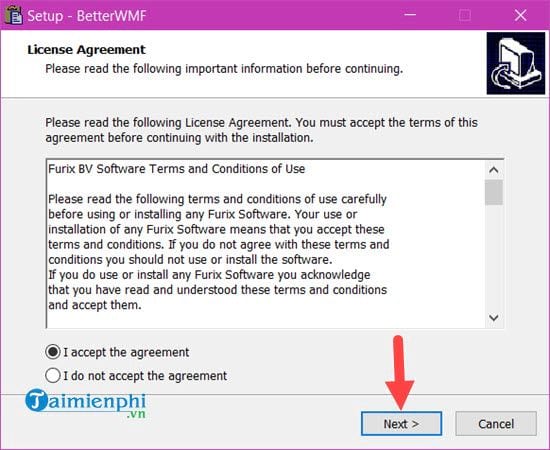
Step 2: Next, we proceed to install BetterWMF and agree to the terms and conditions contained within BetterWMF.
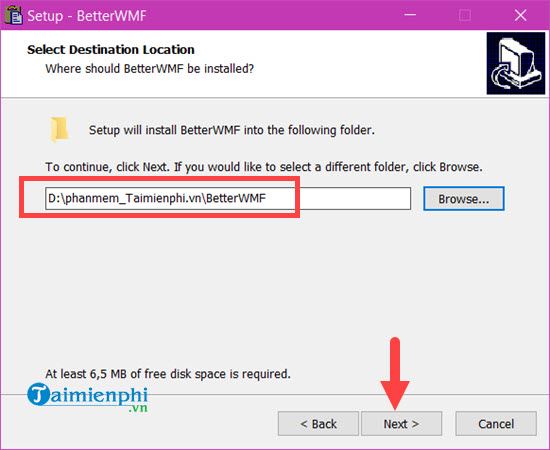
Step 3: Next, you choose the installation path for the BetterWMF software. If you're not too concerned about this, you can skip this step.
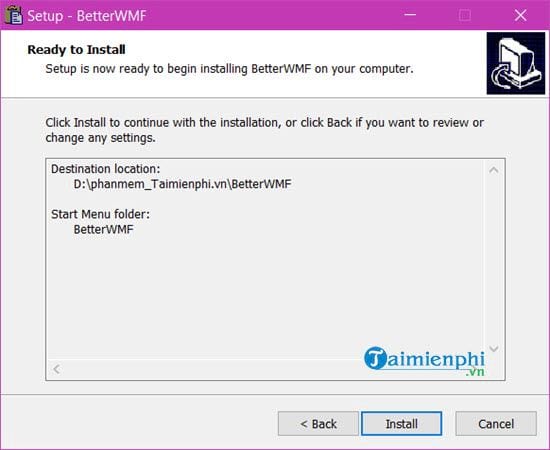
Finally, click Install to begin installing the software.
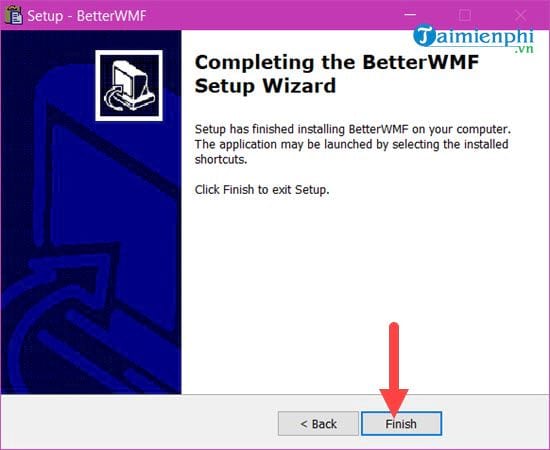
After the installation is complete, click Finish to open the software.
Step 4: Then open BetterWMF. Just make sure to check the "Make all black" option, then click OK and leave it at the bottom of the screen. We don't need to worry about it anymore.
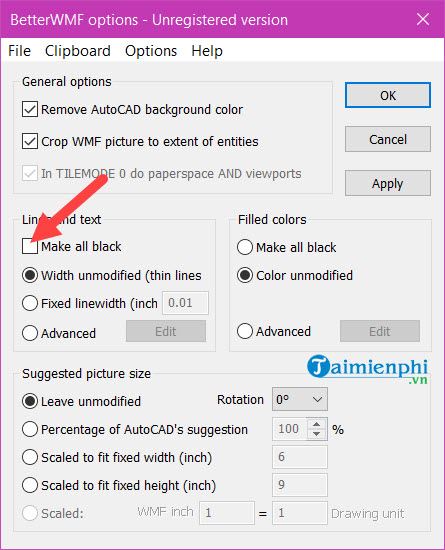
Step 5: Open any CAD file, select the object you want to select by clicking on it, and then press Ctrl + C.

Step 6: Look down; if you see "Command:_copyclip xxx found," it means the Copy command was successful.

Step 7: Finally, simply paste it into Word using the standard Ctrl + V command.
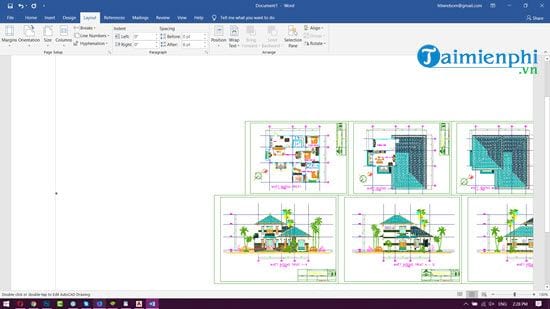
Step 8: Apply the same steps to Excel and you will get the result shown below.
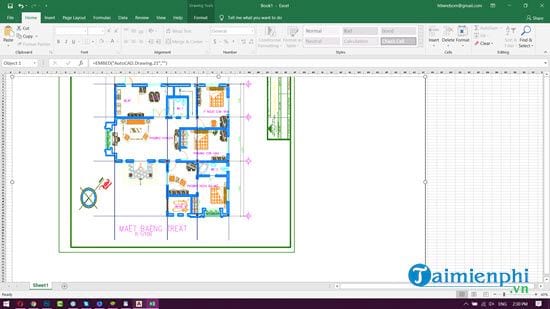
With BetterWMF, copying images from AutoCAD to Word or Excel becomes faster and simpler. This software helps maintain image quality, avoiding blurring or scale inaccuracies. If you frequently work with technical drawings, this is a useful tool for presenting content professionally in reports or spreadsheets.
FAQ
How can you Copy Images from AutoCAD to Word and Excel without Errors?
Learn how to copy Images from AutoCAD to Word and Excel without Errors with clear steps, practical tips, and troubleshooting guidance for common issues.
What should you know about instructions on how to copy images from AutoCAD to Word and Excel?
Step 1: Download BetterWMF to your computer. Step 2: Next, we proceed to install BetterWMF and agree to the terms and conditions contained within BetterWMF.
Do the steps or features vary by device or software version?
They can. Menu names, available settings, and compatibility may differ by device, region, account type, or software version, so check the options shown on your own screen.
Related Articles
 Fix Error of Copy Paste Command Not Working in Word, Excel (20078 minutes read
 How to Copy Data from Excel to Word?: Copy Excel Data to Word7 minutes read
 How to Copy Word Data to Excel Keeps Formatting: Word Tips4 minutes read
 Instructions on How to Copy Charts from Excel to Word6 minutes read
 How to Copy from ChatGPT to Word Without Formatting Errors5 minutes read
 How to Fix Autocad Lagging, Freezing, and Slow Running7 minutes read
Reader Comments 0
Sign in with email or Google to join the discussion.