Table of Contents
If you're having trouble finding podcasts that match your interests, you're not alone. That's why Microsoft launched Copilot Podcasts to help you create fully personalized...
If you're having trouble finding podcasts that match your interests, you're not alone. That's why Microsoft launched Copilot Podcasts to help you create fully personalized podcasts centered around your passions. The app is free for all users to try, however, paying users will have priority access and more requests each month.
For more context before choosing a tool, compare Claude and ChatGPT and review these practical AI tools for students.
Request Copilot to create a podcast.
Whenever you want to create a new podcast, request Copilot to create it with your chosen topic. You can select a general or specific topic. When you use this request, Copilot will notify you that your podcast is being created and will soon be ready for you to listen to.
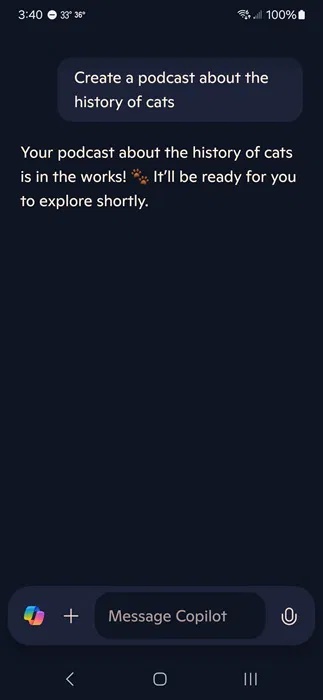
Make sure you have notifications turned on. This is how Copilot lets you know when your podcast is ready to listen.
As a free user, the podcast creation process takes anywhere from a few minutes to over 30 minutes. Occasionally, it doesn't work, but since this is a new feature, be prepared for some glitches.
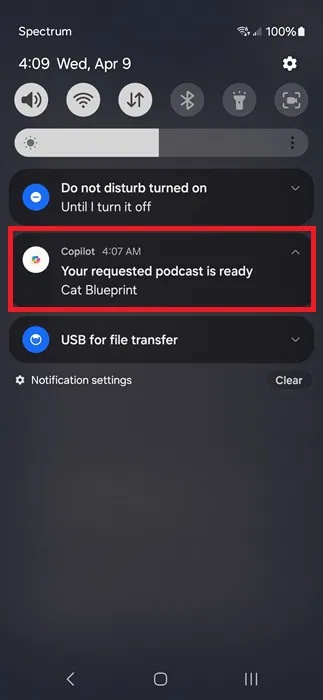
Each podcast is approximately 5 minutes long, although the length may vary slightly.
Include preferred sources
In the initial prompt, the author requested a podcast about the history of cats. While Copilot Podcasts works well with that prompt, it could be further personalized by selecting some preferred sources.
While this isn't mandatory, this is your podcast, and you have control over where Copilot sources its information. In the podcast creation prompt, include as many sources as you like. Instruct Copilot to use only those sources, or ask Copilot to prioritize those sources while still drawing from others.
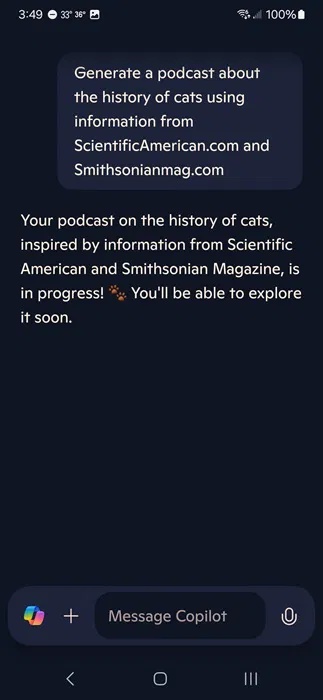
Additionally, you can also exclude sources. If you don't want to summarize a Wikipedia page, ask Copilot to exclude it or any other website.
Interact while listening to podcasts.
Unlike typical podcasts where you're just a passive listener, Copilot Podcasts are interactive. Have questions about what you just heard? Ask them right away, and Copilot will answer.
The podcast will continue playing while you interact with Copilot. You should pause it so you don't miss anything.
Create podcasts to support decision-making.
Many podcasts are designed to help you make important decisions, such as the best investment or the ideal vacation spot. The only problem is that podcasts are personalized to your needs.
Copilot Podcasts allows you to compare products and personalize topics based on various criteria. For example, you could request a podcast about the best winter vacation spots within a 500-mile radius of your location if your budget is $2,000. The more detailed you are, the better.
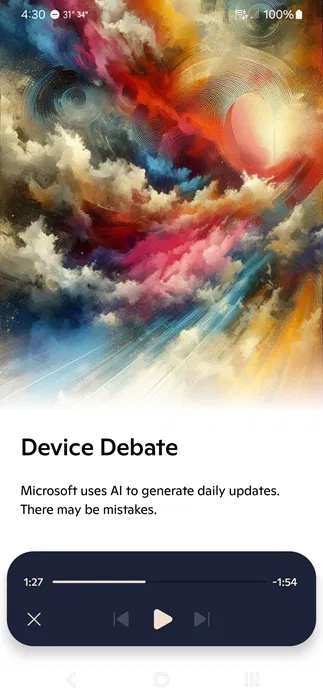
Use a similar technique to help you compare items for a major purchase, such as two cars or choosing between Android and iPhone. The author tried creating a podcast comparing iPhone and Android for a freelance writer who also enjoys photography. The author was surprised to hear a genuine debate about the versatility of Android for a more creative experience compared to the photographic capabilities of the iPhone.
Create educational podcasts
You don't necessarily have to make podcasts just for entertainment. Use Copilot as a learning companion. Request an educational podcast to use specific sources. If your learning material is available for free on certain websites, restrict Copilot to access only those websites.
Next, use podcasts as a learning tool. Remember to ask questions to help you better understand the topic.
Find inspiration from pre-made podcasts.
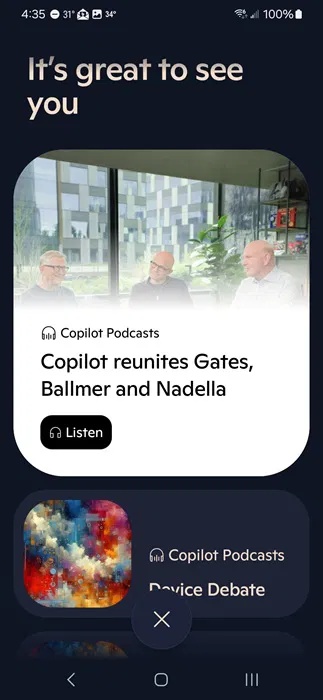
Currently, the library of pre-made podcasts is limited. However, they are good examples of Copilot podcasts. For instance, you only have one pre-made podcast selection per day. These podcasts don't count toward your limit, and you can listen to them anytime.
Click the Copilot icon to the left of the chat text box to access the Discover section. The most recent pre-made podcasts are listed at the top, with any podcasts you've created listed just below them.
If you still prefer traditional podcasts, check out how to create podcast playlists on Spotify. Or, if you've finished listening to Copilot's podcasts for the day, check out other features you can use with Copilot.
Related Articles
 What Is a Podcast: Learn About Podcasts9 minutes read
 How to Create Lesson Podcasts Using Brisk AI4 minutes read
 Rebel Audio: an All-in-one AI Podcast Creation Tool for Beginners6 minutes read
 How to Improving Spotify Podcast Recommendations5 minutes read
 How to Create Your Own Podcast: Step-by-Step Guide12 minutes read
 Steps to Create a Podcast on Spotify for Free, Simple and11 minutes read
Reader Comments 0
Sign in with email or Google to join the discussion.