Table of Contents
Dien Bien Phu – 56 Days and Nights, listed in English as Battle Of Dien Bien Phu, is a strategy game inspired by the 1954 campaign. This beginner walkthrough explains the opening battle shown in the screenshots: selecting artillery, setting targets, using decoys, and checking equipment between attempts.
Game updates can change the menus, maps, and available units. Treat the unit counts below as an example from the pictured version, rather than a requirement for every mission.
Install the correct game and start a campaign
Check the title and developer before downloading. The App Store listing identifies the developer as Huu Khac Phuc Nguyen, and the Pirex Games website also identifies the game. Review the store's compatibility information and any in-app purchases before installing.
Open the game, complete any setup it requests, and choose Play or the campaign option shown in your version.
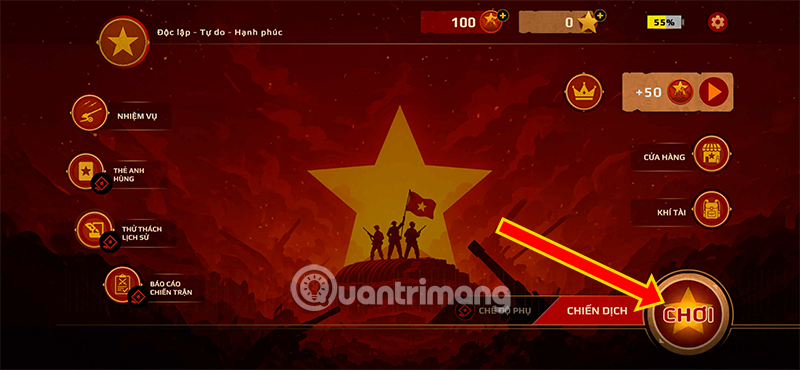
Read the mission before deploying units
The opening mission shown here is at Him Lam Hill. Check the objective and the units you have been given before changing their positions. Do not assume that equipment from a later screenshot is available at the start of your own campaign.
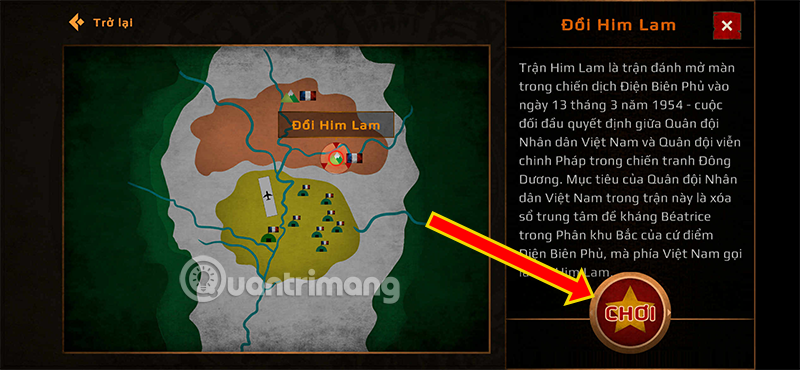
Set artillery targets one unit at a time
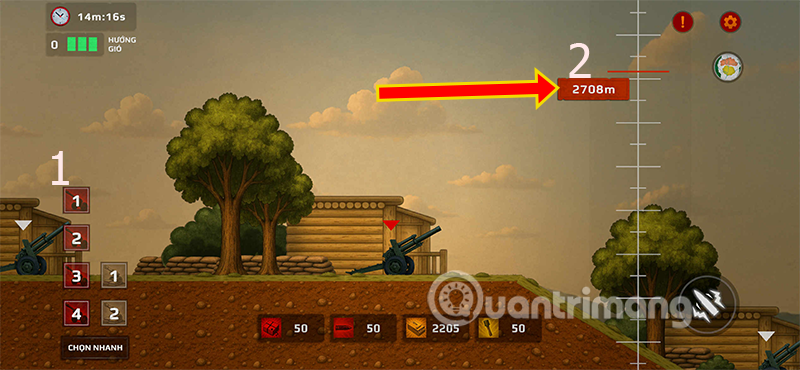
Identify the artillery list and its aiming controls. The example shows four attacking guns and two decoys. Select an attacking gun, then adjust its target marker using the on-screen controls.
The blue aiming marker is used to indicate the selected gun's target. Move it toward the enemy position you intend that unit to attack, then check that you have adjusted the correct gun.
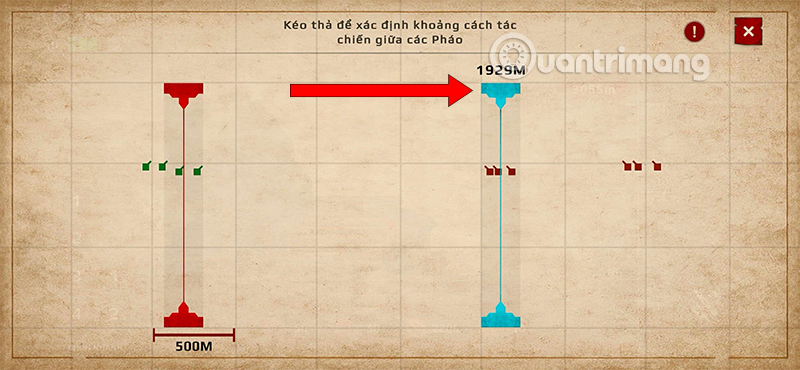
Repeat for the other attacking units. When several enemy positions threaten you, review each unit's assigned target rather than leaving every gun aimed at the same place unintentionally. The best allocation depends on the mission, not simply on matching four guns to four targets.
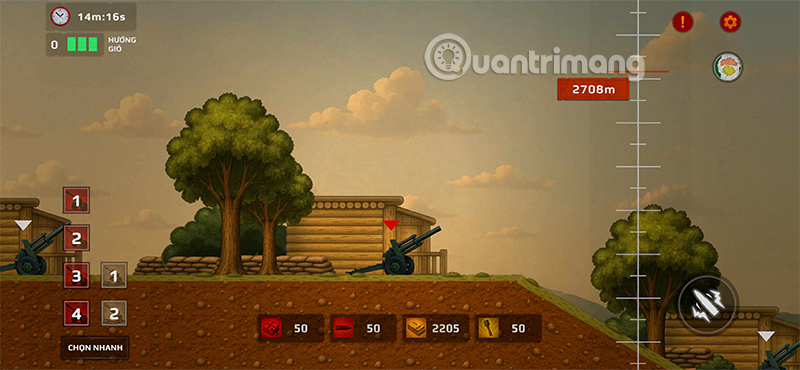
Use decoys without confusing them with attacking guns
Decoy units are intended to draw enemy attention away from the weapons doing the damage. Keep track of which units are decoys and which can attack. Watch the result of an attempt, then adjust the placement or targeting that failed instead of changing every setting at once.
If you lose, check whether the objective was missed, attacking units were destroyed, or resources ran out. Use the game's own tutorial and unit descriptions to confirm mechanics that differ from these screenshots.
Review equipment between battles
Open Equipment before the next attempt and check your available weapons, ammunition, and upgrade options. Read the item description and cost before purchasing. Do not assume that losing a battle requires a paid upgrade; first review targeting and the mission objective.
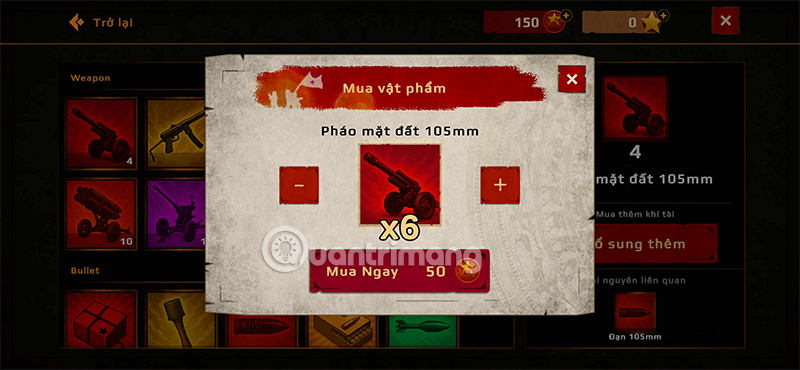
Spend limited resources on a specific problem you observed, such as an under-equipped unit, rather than buying every available item. The store listing notes in-app purchases, so distinguish in-game currency from a purchase that charges real money.
Understand the historical setting
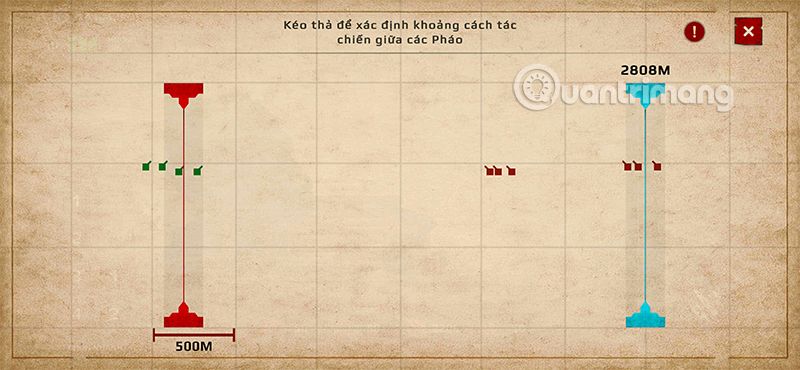
The title refers to the Dien Bien Phu campaign of 1954. The game uses that setting for interactive missions, but gameplay rules, unit balance, and progression are design choices. They should not be treated as a complete or exact account of the historical battle.
For a first successful attempt, concentrate on the immediate objective, assign targets carefully, and use what the result teaches you to improve the next deployment.
Related Articles
 Invite to download 7554 - Game commemorating the victory of Dien Bien Phu, is free
 How to Play 99 Nights in the Forest: Beginner Survival Guide
 Detailed tips for surviving 99 nights in 99 Nights in the Forest
 Tips for playing Five Nights at Freddy's: Security Breach
 Latest 99 Nights in the Forest Roblox Codes
 How to Survive the Bat in 99 Nights in the Forest
Reader Comments 0
Sign in with email or Google to join the discussion.