Table of Contents
In Palmon: Survival, open your profile, go to Settings > Gift Code, enter a valid code, and confirm. Then check your in-game mailbox for any reward message that needs to be claimed.
Codes are time-limited and may depend on the event or game version. An old list marked “working” is not proof that its codes remain available.
How to enter a Palmon: Survival code
1. Open your player profile
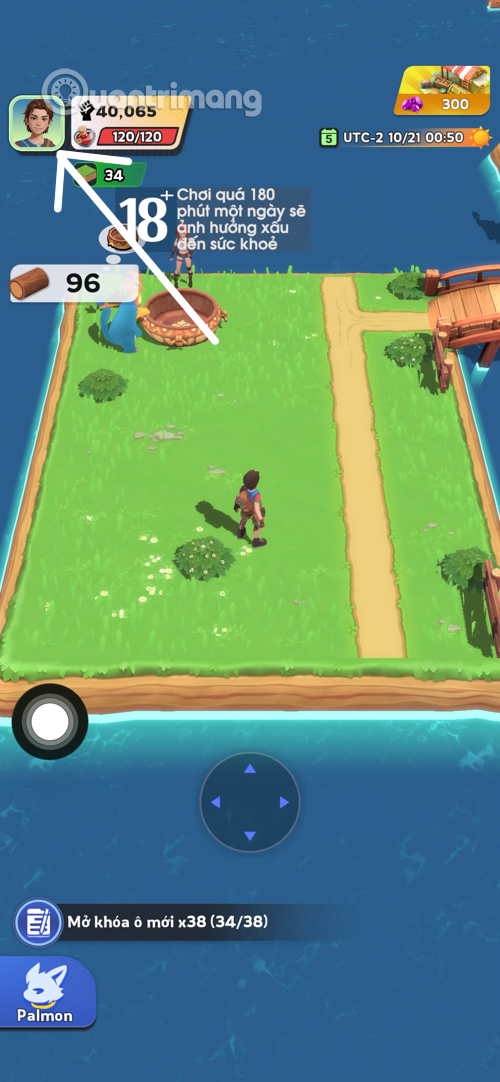
Launch the game and tap your avatar in the upper-left corner of the main screen.
2. Open Settings
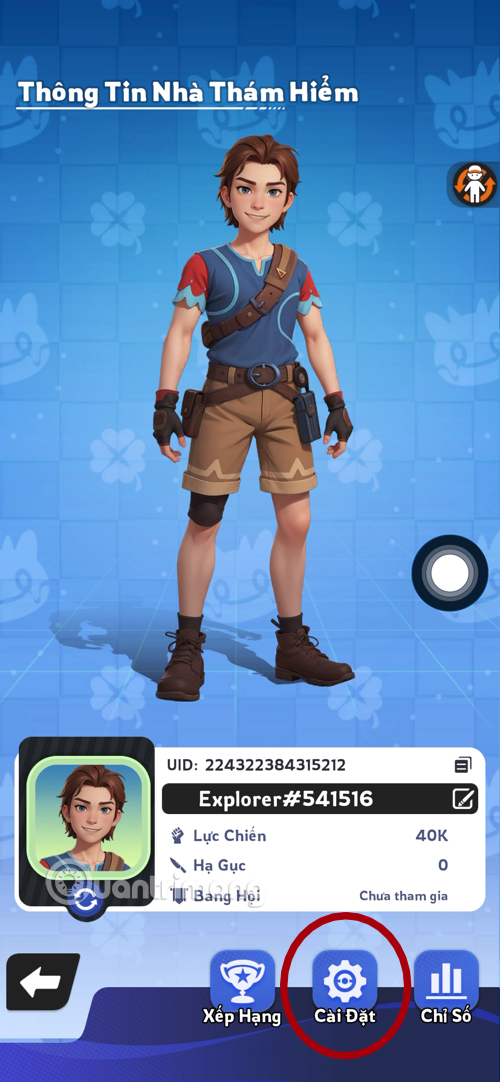
From your player or Explorer Information screen, choose the Settings icon. Menu placement can change slightly between releases.
3. Choose Gift Code
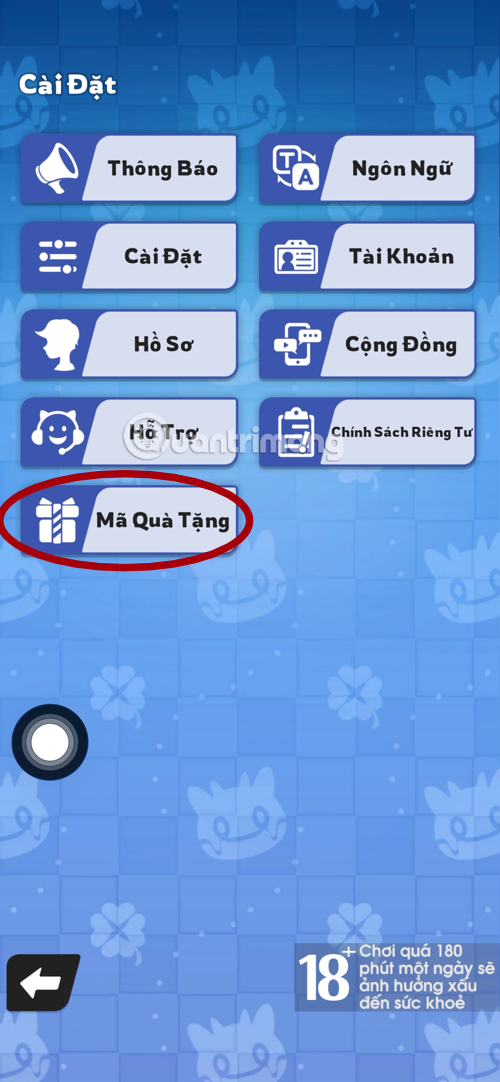
Select Gift Code to open the entry box. The official Palmon: Survival account has used the same Avatar → Settings → Gift Code route in code announcements.
4. Enter the code exactly and confirm
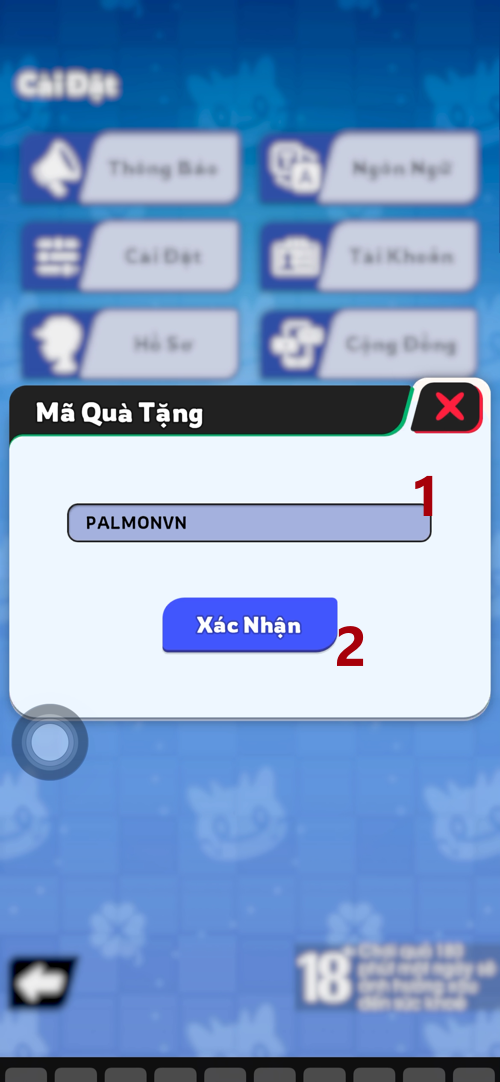
Paste the code without surrounding spaces. Preserve its letters, numbers, capitalization, and any symbols. For example, a percent sign in a code is part of the entry, not a note about the reward.
Tap Confirm and read the response before trying again.
5. Claim the reward if it arrives by mail
Return to the main screen and open the mailbox. Look for the system or reward message and claim the items. If a successful redemption does not immediately change your balance, check mail before assuming it failed.
Pocket Gamer's redemption guide includes the mailbox claim step. The game may deliver different promotions in different ways, so follow the message shown after redemption.
Historical codes from earlier promotions
These entries are retained for reference. Published code coverage lists them as expired; they should not be treated as active codes.
| Code | Historical reward description | Status |
|---|---|---|
EXTRA5% | 500 Pallite | Expired promotion |
DISCORD10K | Pallite and other event rewards | Expired promotion |
ECOSURVIVOR | Pallite, resource chests, and speedups | Expired promotion |
The official account advertised EXTRA5% as an in-game gift code and DISCORD10K as a limited promotion. SuperCheats' archive lists the three codes above among expired entries.
If a code does not work
- Invalid code: Check spelling, symbols, and accidental spaces. Confirm that it belongs to Palmon: Survival rather than another game.
- Expired: Compare the event's closing time and time zone. An old promotional post can remain visible after its code ends.
- Already used: Check your mailbox and previous rewards; codes are commonly limited per account.
- Eligibility or version issue: Read the announcement for regional, server, or account requirements and install an available game update.
- Connection problem: Wait for a stable connection and read the error before repeatedly submitting.
Where to check for new codes
Use the game's official announcements and the social or community links provided through its app listing or in-game notices. Verify account identity before trusting a reposted code. Do not assume a fan-maintained list is official or that an unconfirmed string is a real gift code.
A legitimate code should be entered through the game's supported redemption method. It should not require sharing your account password, paying an “unlock” fee, or installing an unrelated tool.






Reader Comments 0
Sign in with email or Google to join the discussion.