Table of Contents
Learn how to install the rules of survival game on PC. It also highlights practical details and common issues to consider.
After waiting, Netease finally released a survival shooter, the International Rules of Survival PC, for scanning game codes on the phone, with an English installation interface, making installation easier than with the version of Rules of Survival in Chinese.
Immediately after its debut, Rules of Survival attracted the attention of the gaming community worldwide due to the superhuman gameplay of Playerunknown's Battlegrounds (PUBG). The game brings a fascinating and exciting survival battle when you will have to fight 120 other people to become the only survivor.
In addition to the storyline that attracts gamers, Rules of Survival has also been marked by a sharp 3D graphics system in each scene and location in each scene. The following article will show you how to install International Rules of Survival on your computer.
If you don't like this kind of survival shooter, you can experience turn-based shooting no less attractive than Gunny Online or DDTank (Gunny Online).
- How to fix errors hanging game Rules of Survival
- How to reduce lag when playing Rules of Survival on a weak configuration machine
- Instructions for installing WTFast to reduce ping when playing online games, when the cable is broken
Instructions for Installing Rules of Survival on the Computer
- Download the Rules of Survival PC game
- Download the game Rules of Survival Android
- Download Rules of Survival iOS
To install the International Rules of Survival on your computer, you need to install the Rules of Survival game on your phone and then scan the QR code to install.
Step 1:
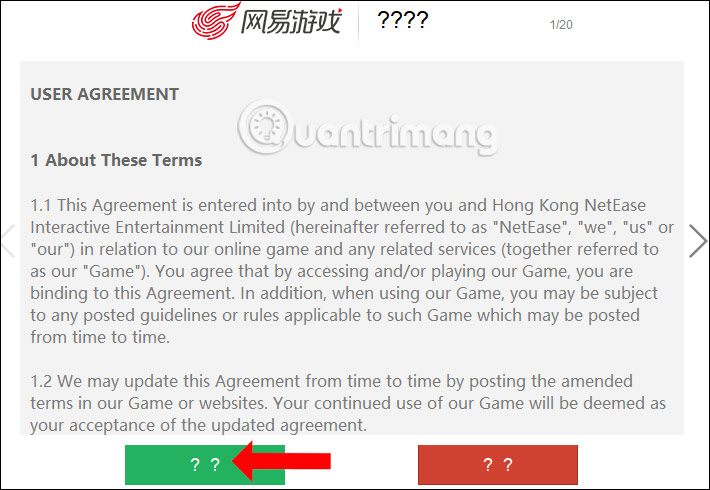
We download the game according to the link above and then select the Download of Survival file to install. At the first interface select the Accept button to agree to install the game.

Step 2:
Continue to click Next to go to the next step.
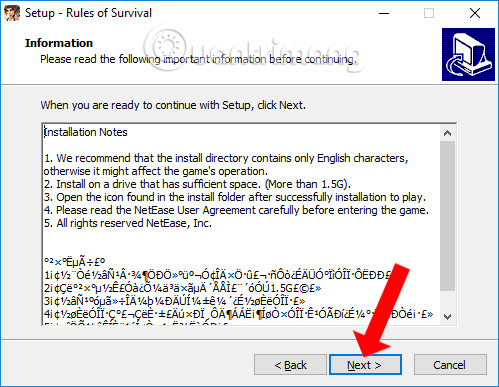
Step 3:
If the user needs to change the Rules of Survival installation directory, click the Browse button to change. Or do not press the Next button to move to the next step.
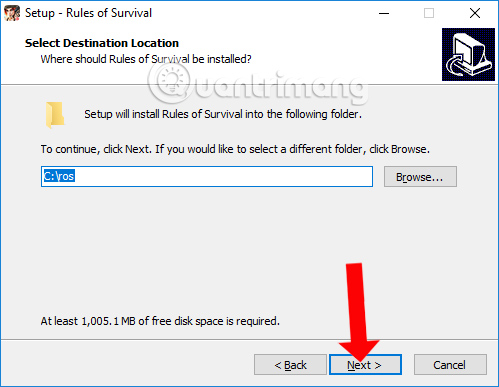
Step 4:
Check the Create a desktop shortcut box to create a game shortcut on the desktop. Then, click Next to move on to the next step.
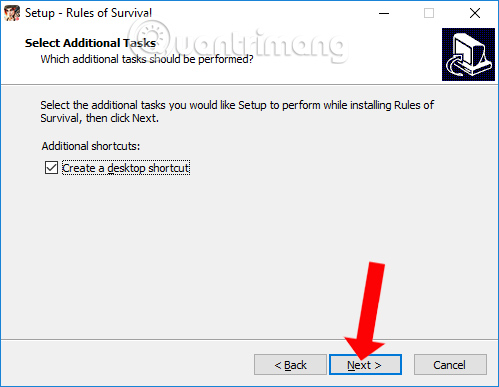
Step 5:
Finally click the Install button to proceed with the Rules of Survival installation.

The game has a relatively heavy capacity. For computers with low configurations, installing Rules of Survival will take several minutes.
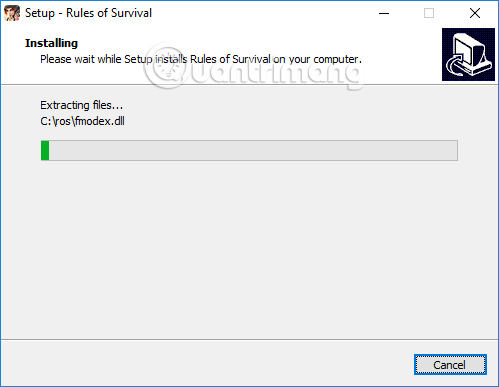
Step 6:
When the installation process is completed, click the Finish button to close this interface. If you want to start the game interface immediately, select the Launch Rules Of Survial box.

Step 7:
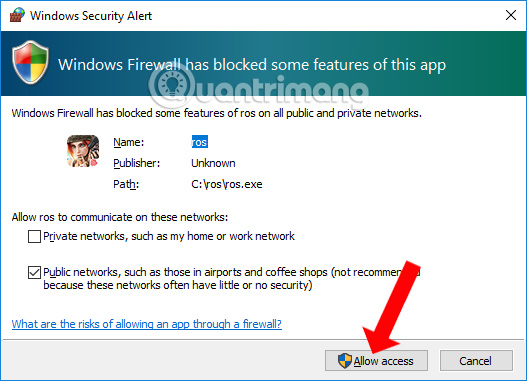
Start the game after installing. The Windows Security Alert interface will now appear asking the user to grant access to the Rules Of Survial game. Just clicking Allow Access is done.
Step 8:
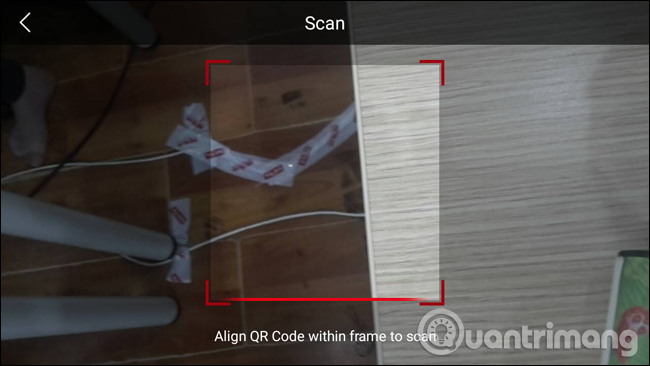
Wait for the download process to complete the Rules of Survival game. You will then see the QR code scanning screen interface as below.

Open the Rules of Survival game interface on your phone and click PC Login to scan the QR code.

The QR code scanning screen appears . You enter the code area on the Rules of Survival computer.
Step 9:
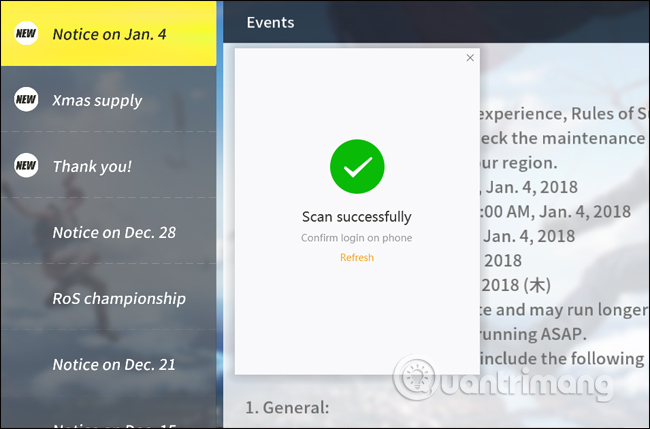
When scanning the QR code successfully, you will receive the Scan sucessfully notification on the computer screen as below.
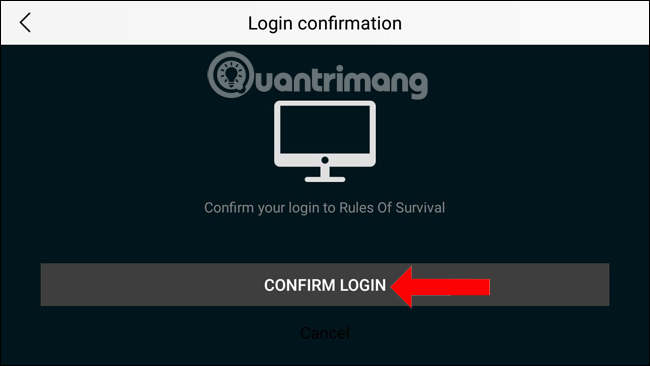
At the Rules of Survival interface on the phone, click Confirm Login to confirm the access is okay.
Step 10:
Returning to the Rules of Survival game on the computer the player will see the interface of the game permissions table, select the blue box to agree to finish.
Once all registration is successful, the player will return to Rules of Survival, press the Play button to play the game.

Step 11:
You will then enter the player registration interface on Rules of Survival. Here enter the player name in the box below the screen, then press Create to create.

Step 12:
After that, we choose the game mode on Rules of Survival . By default will be in Solo mode one player. Click Start to start playing the game.

With this international version, installing Rules of Survival has become much simpler. The interface is in English, so it is easy for users at every step of the installation. You just need to scan the QR code to play Rules of Survival on your computer.
See more:
- How to register a Steam account on your computer?
- How to play games Getting Over It super addictive, super inhibited
- Special character board in Audition game
I wish you all success!
Update note: Game mechanics, item values, menus, and availability can change. Check the current game version or official support information if your experience differs.
FAQ
What does this guide explain about install the Rules of Survival Game on PC?
Learn how to install the rules of survival game on PC. It also highlights practical details and common issues to consider.
What is the best way to apply these tips?
Work through the sections in order, especially instructions for installing Rules of Survival on the computer. Practice one change at a time so you can see what improves your results.
Can game features or requirements change?
Yes. Updates can change menus, mechanics, item values, compatibility, and availability. Check the current in-game information or the developer's official support pages when details differ.
Related Articles
 How to Fix Errors Hanging Game Rules of Survival5 minutes read
 Types of Vehicles Move in Rules of Survival5 minutes read
 How to Change the Player's Name on Rules of Survival4 minutes read
 How to Play the Rules of Survival Game on the Computer8 minutes read
 How to Load Cards in the Rules of Survival PC Game7 minutes read
 Jumpy Tips in Rules of Survival Game6 minutes read
Reader Comments 0
Sign in with email or Google to join the discussion.