Table of Contents
This guide covers ideapad u450p - lenovo's lightweight laptop with practical context and easy-to-follow details. Use it to understand the subject and apply the information confidently.
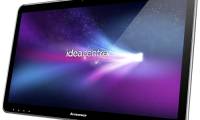
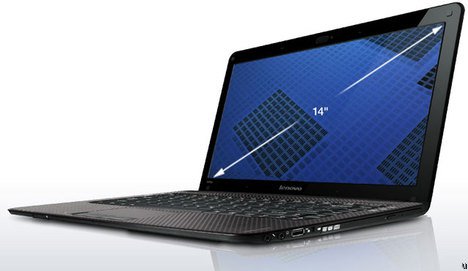 IdeaPad U450p has a slim design Photo: Ubergizmo .
The trend of thin and light laptops, using cheap processors appears more and more, most recently Dell launched the Inspiron Z, previously the Acer Timeline or MSI's X-Slim. IdeaPad U450p runs on Intel Pentium SU2700 1. 3 GHz processor or 1. 4 GHz Core 2 Solo SU3500, integrated Intel 4500MHD graphics card. It has 4 GB RAM, 320 GB hard drive and 6 cell battery and DVD burner attached. 14-inch screen of U450p equipped with LED backlight technology, better power saving, resolution of 1366 x 768 pixels, above the 1. 3 Megapixel camera. It comes with a stereo, microphone speaker, support for Dolby Home Sound Room audio systems, Wi-Fi connectivity, 3 USB ports, HDMI and VGA output. IdeaPad U450p uses Windows Vista Home Premium operating system, starting price of 799 USD.
FAQ
What should I check before following these steps?
Confirm device and software compatibility, save important data, and make sure you have the required permissions, files, and account access.
Why might the process not work?
Common causes include outdated software, missing permissions, incompatible hardware, an unstable connection, or completing a step in the wrong order.
Can I undo the changes if necessary?
That depends on the tool or setting. Use built-in restore options when available, keep a backup, and record the original configuration first.
Related Articles
 U450p - Strange Style of Laptop Lenovo Ideapad7 minutes read
 Review Lenovo Ideapad S540 Laptop: a Safe Option5 minutes read
 Laptop 4K Screen of Lenovo Is About to Be Sold3 minutes read
 Lenovo IdeaPad Laptop Series5 minutes read
 How to Open the 'Supermodel' Laptop Box Running Lenovo's Core I Chip3 minutes read
 Lenovo Launched a New Series of Laptops7 minutes read
Reader Comments 0
Sign in with email or Google to join the discussion.