Table of Contents
The new Google AI Mode isn't just an added feature, but a fundamental shift from a link lookup tool to a personal intelligent assistant.
The Google search experience has entered a new era with the introduction of AI Mode. It's not just an additional feature, but a fundamental shift from a link lookup tool to a personal intelligent assistant.
The biggest difference between this AI Mode and traditional Search is that, instead of displaying a list of links for you to click on and compile information yourself, AI Mode will directly provide you with complete and concise answers right on the screen. From information, related article links, images. If you are curious to try, the instructions below helps you do that.
How to use AI Mode on Google to find information on photos
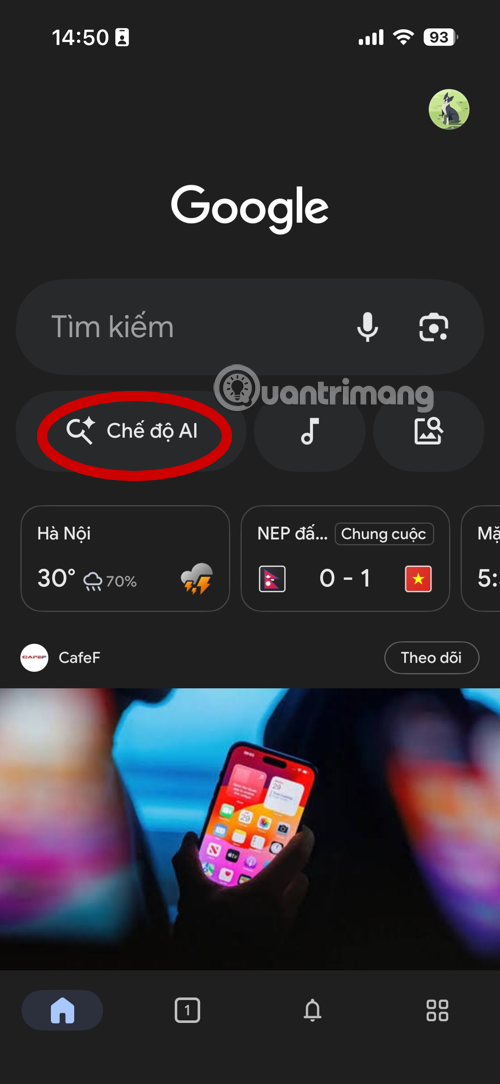
Step 1: Download the Google app, or update to the latest version of the app on your smartphone. Launch the Google app and select AI mode.
- Download Google for iOS
- Download Google for Android
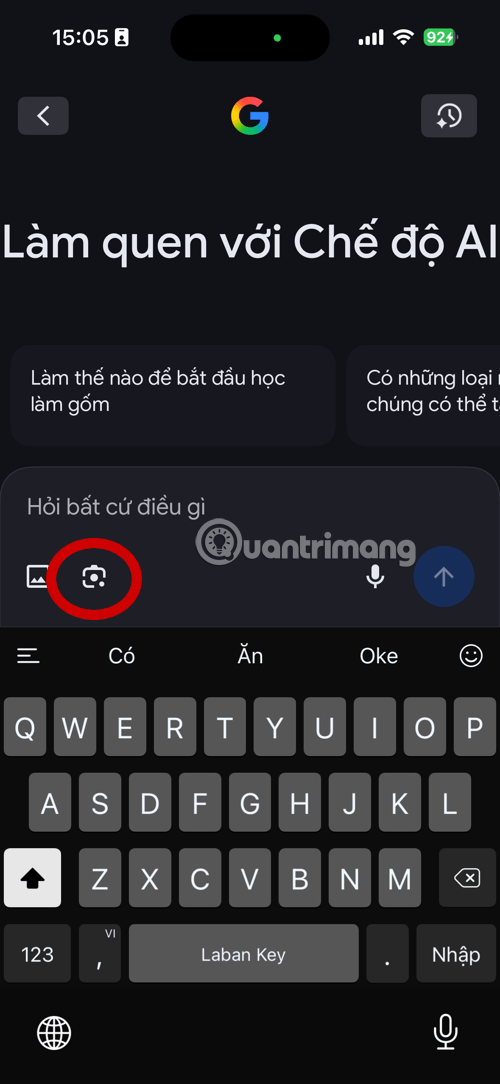
Step 2: Select the image search icon, if you have taken a photo before, select the Select photo in Album icon next to it.
Step 3: Take a picture of the information you want to find out, it can be a picture of a piece of text, a brand, a logo, an object or simply the color of the wooden floor you want to find.
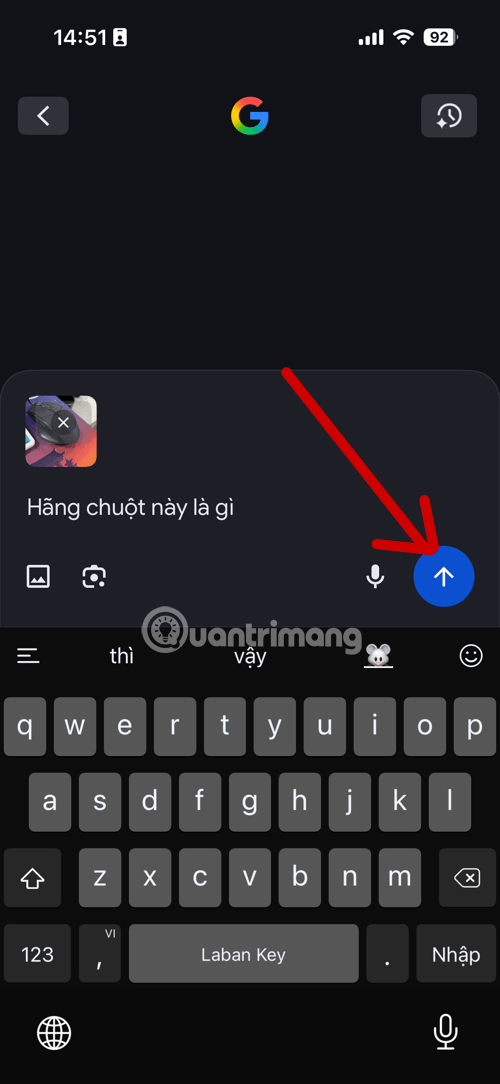
Step 4: Then you can ask to search for images with specific commands. For example, "what is this object, what color is this wooden floor.". Any request you make can help you find information quickly.

Step 5: To buy a product, you can order AI to search for reputable sales links and prices.
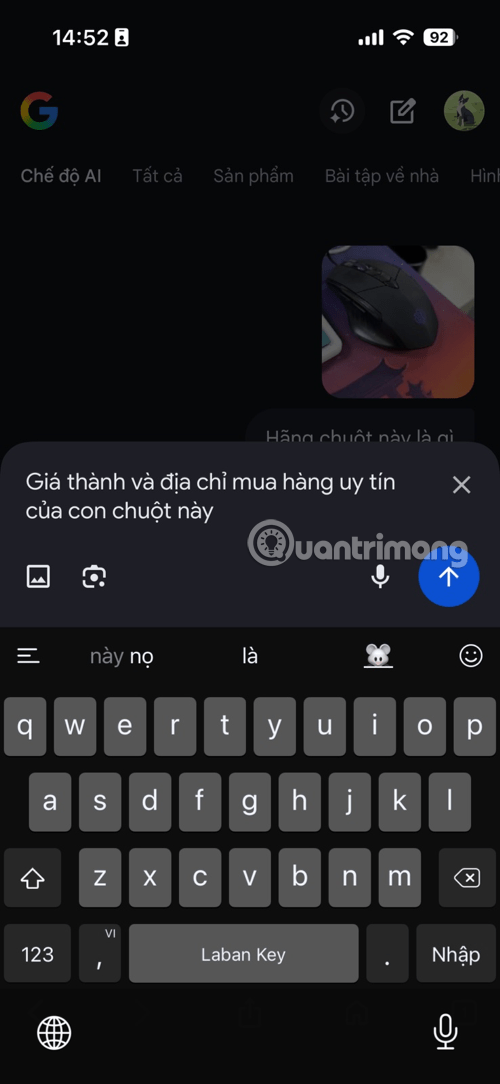
Step 6: Google's AI will suggest some addresses and purchase links for your reference.

Step 7: Please note that if you want to find complete information, You should take a clear photo of the object you want to find. Otherwise, the AI will get confused and will give you wrong information.
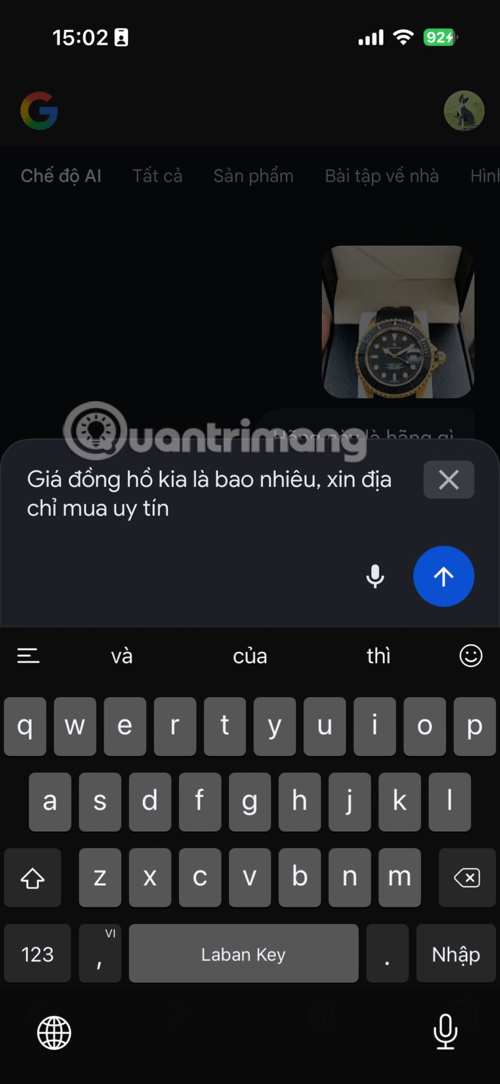
Built on the power of large language models like Gemini, AI Mode can handle incredibly complex, multi-step queries. You can ask conversational questions, using images or voice, and the system will analyze the entire context to come up with a comprehensive answer as if you were chatting with an expert.
What's more, you can continue to ask deeper questions about that topic without having to start from scratch, turning the search into a continuous and personalized information discovery. AI mode is truly redefining the way we interact with the vast amount of knowledge on the Internet.
FAQ
How do you use the new AI mode to find all information in photos: how-to guide?
In practical terms, the new Google AI Mode isn't just an added feature, but a fundamental shift from a link lookup tool to a personal intelligent assistant.
What should you check before getting started?
Review the requirements, compatible device or software version, and any warnings described in the guide before making changes.
What should you do if the steps do not work?
Repeat the steps in order, confirm that your app or system is up to date, and review the troubleshooting details provided above.
Related Articles
 How to Take Photos in Burst Mode on Iphone 11 and Iphone 11 Pro4 minutes read
 How to Post Photos to Facebook Computer 360-Degree Panorama Mode6 minutes read
 What Is Google AI Mode? How Does It Work?9 minutes read
 Some Tips and Tricks on Using Camera on iPhone (Part 2)8 minutes read
 How to Measure Phone Charging Speed5 minutes read
 What Is Portrait Mode? What Is Portrait Lighting?5 minutes read
Reader Comments 0
Sign in with email or Google to join the discussion.