Table of Contents
Learn how to use all items in boom mobile. Follow clear, step-by-step instructions, review the required setup, and use practical troubleshooting tips for common problems.
In Boom Mobile, in addition to the newly updated character skills, users will have to use items that fall around when destroying blocks, these items will complement your character and help you multiply. Your items increase the effectiveness of weapons, increase agility, reduce cooldown. Or provide players with riding items to speed up, if you don't know what equipment in Boom M has. How to use and how to use it, take a look at the list and instructions below.
- Guide to renaming characters for free in Boom M
- How to unlock characters in Boom Mobile
- Ways to receive Lucci Purple, Diamond and Gold in Boom Mobile
Use Items in Boom Mobile and How to Use It
Items Reduce Cooldown Time
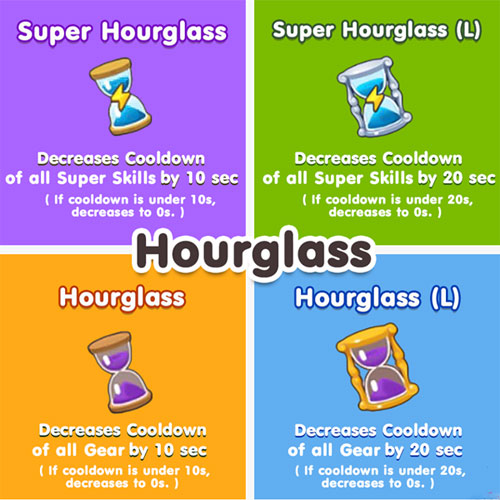
This is a new kind of item that Boom Online has on the computer, and the hourglass will help you reduce the cooldown of the skill or equipment.
- Super Hourglass - Super Hourglass: Reduces 10 seconds of cooldown for the entire super skill, if the cooldown of that skill is less than 10 seconds, you can continuously test that skill.
- Super Hourglass (L) - Super Hourglass (L): Reduces 20 seconds of cooldown of all super skills, your cooldown skill is less than 20 seconds, you will also be able to test that skill continuously.
- Hourglass - Reducing the 10-second cooldown of the entire equipment, if the cooldown of the equipment is less than 10 seconds, it will turn into 0 seconds.
- Hourglass (L) - Sand Clock (L): Reduces 20 seconds of cooldown of the entire equipment, if the cooldown of the equipment is less than 20 seconds, it will be 0 seconds.
Group of Attribute Items
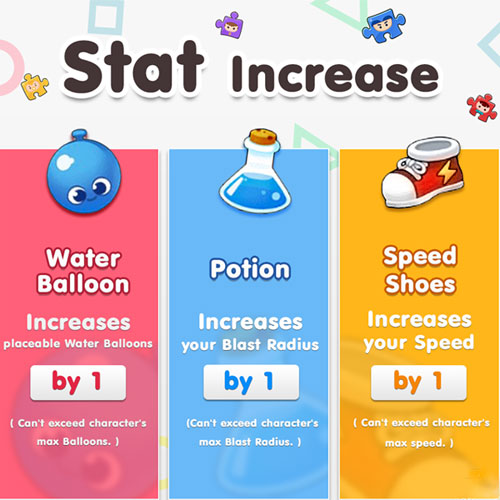
These three items are probably for those who have played through the Boom Online version on the computer, it is no longer strange to look at what they have.
- Water Balloon - Increases the number of balls placed on a ball, noting that the number of bubbles will not exceed the number of balls the character is allowed to carry.
- Potion - Potion: Increases the length of the water balloon to one cell, noting that it will not be possible to exceed the character's allowed water shadow length.
- Speed Shoes - Speeding Shoes: Increasing the character's running speed by 20%, cannot exceed the character's maximum running speed.
Animal Riding
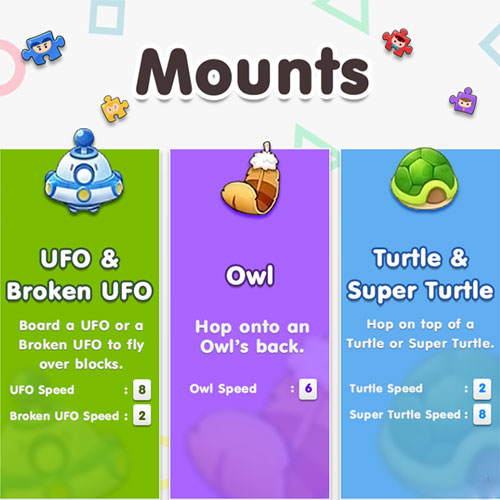
Like on Boom Online, Boom Mobile's mounts also have 3 familiar types: Turtle, Flying Disc and Cat Owl. The parameters of each item will be listed below.
- UFO - Flying Disc: Flying saucers can help you fly over obstacles, this advantage will give you an edge over your opponent. Disadvantages are very rare, movement speed 8.
- Broken UFO - Damaged Flying Disc: You can still use this flying saucer to fly over other obstacles, but the speed of the flying saucer stops only at level 2.
- Owl - Owl Cat: A cat owl, speed 6
- Turtle - Turtle: Turtle riding, speed 2
- Super Turtle - Super Turtle: The speed of super turtles will be 4 times higher than regular turtles, the disadvantages are also rare
Group of Action Items
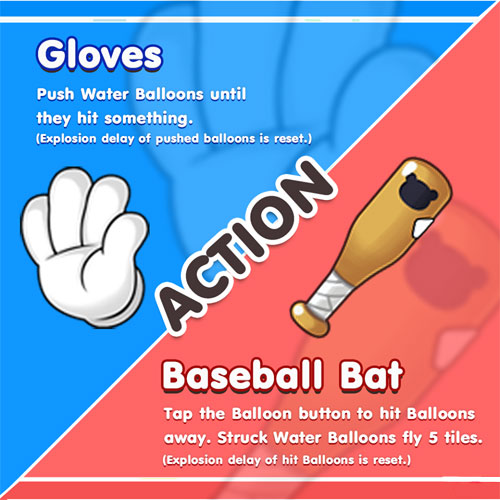
These are items that act directly on the water ball, you can use it to avoid the attack of water balloons.
- Baseball - Baseball bat: select the button to play the ball to hit the water ball somewhere else, the ball will be sent away 5 squares and the time of the ball will be reset from the beginning.
- Gloves - Using gloves to push the water ball to another location, the burst time of the water balloon will also be reset.
Equipment Has Increased Power
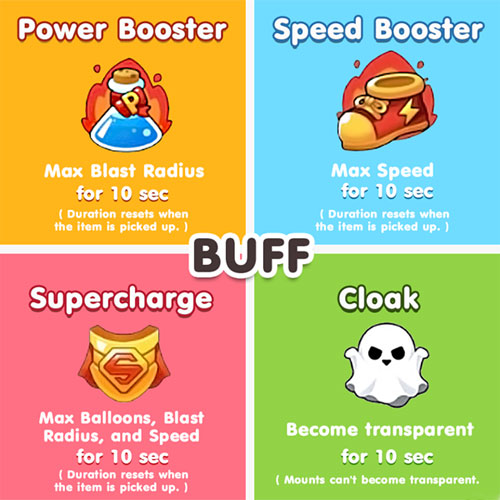
Includes items that enhance max stats for characters.
- Power Booster - Power booster: Maximize the speed of the water ball for 10 seconds, the duration will be restored when you pick up this item.
- Speed Booster - Enhanced shoes: Maximize movement speed for 10 seconds, the duration will also revert when you collect this item.
- Supercharge - Super boost: Increases the maximum number of water balloons, the length of the water ball and movement speed for 10 seconds, the duration will also revert when you collect this item.
- Cloak - Cloak: You will be invisible for 10 seconds, noting that if you jump on an animal, it will not be invisible.
With the list of items and how to use them, you can know which items are more valuable when they appear on the map and how to use them. Just grasping this information will make it easier for you to win than other players.
Version note: Menus, features, and availability can change between versions. If the interface differs, consult the current official documentation for your device or app.
FAQ
How do I use All Items in Boom Mobile?
Learn how to use all items in boom mobile. Follow clear, step-by-step instructions, review the required setup, and use practical troubleshooting tips for common problems.
What should I check before following the steps?
Confirm that your device, software version, account permissions, files, and connection meet the requirements described in the guide. Back up important data before making system-level changes.
What should I do if the process does not work?
Repeat the steps in order, verify settings and permissions, restart the app or device, and compare your screen with the provider's current documentation for your version.
Related Articles
 How to See the Probability of Spin Characters3 minutes read
 How to Unlock Characters in Boom Mobile4 minutes read
 How to Renaming Characters for Free in Boom M3 minutes read
 How to Receive Lucci Purple, Diamond and Gold in Boom Mobile5 minutes read
 Instructions to Download Boom Mobile on the Phone4 minutes read
 How to Installing and Playing Boom Mobile on Your Computer6 minutes read
Reader Comments 0
Sign in with email or Google to join the discussion.