Table of Contents
This updated guide explains how to Upgrade Your TV Sound through clear steps, practical examples, and important checks that help prevent common errors.
In this guide we'll look at the different types of home audio systems available, from soundbars to bookshelf speakers to full-blown, surround-sound speaker packages. Here's what you should be looking for to best suit your needs.
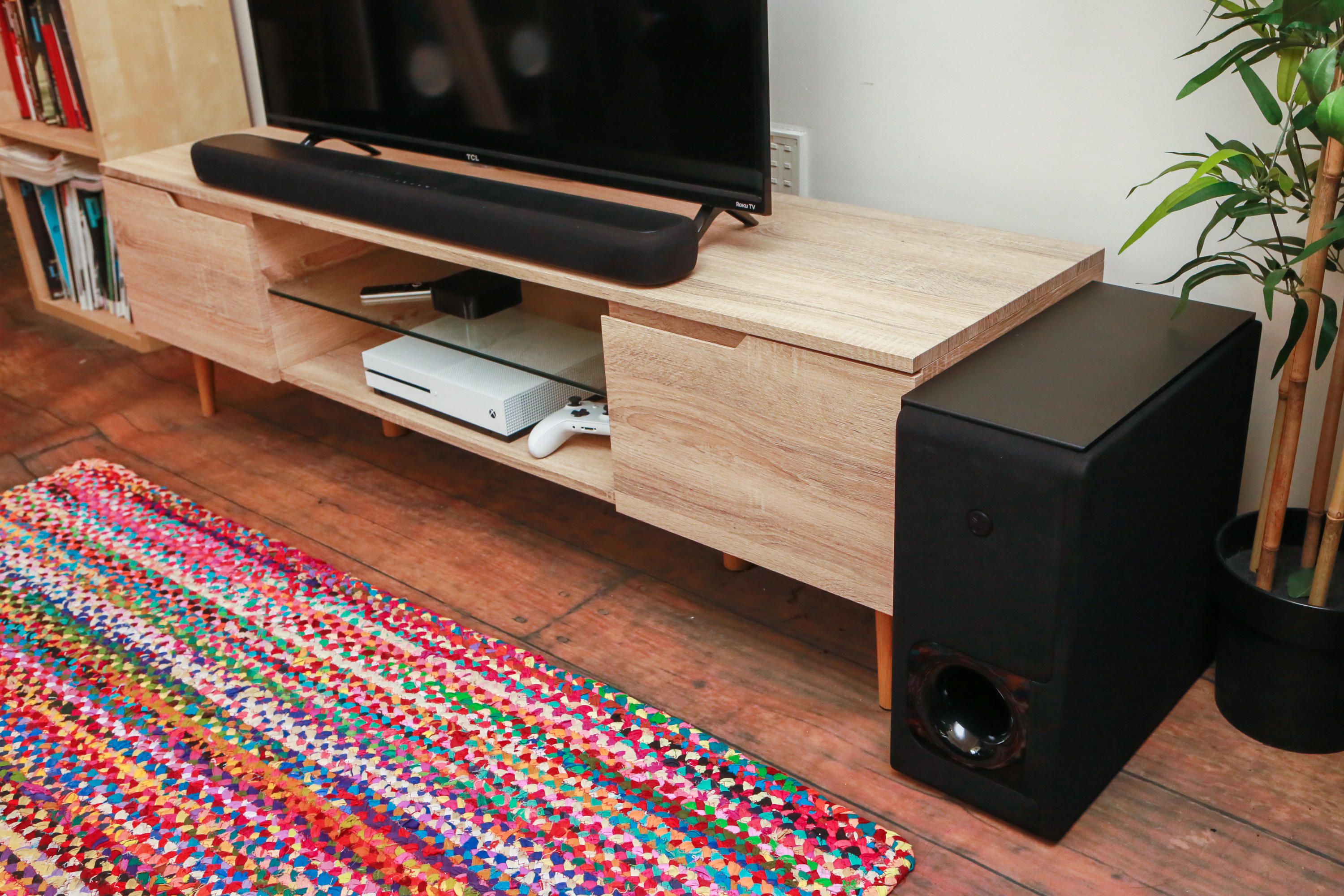
Soundbars Are a Great Place to Start
The soundbar is the most popular way to improve sound quality beyond your TV's built-in speakers. It's not only convenient -- it usually involves plugging in just a single cable -- but also affordable: decent sound can be had for under $200.
Soundbars fit into three broad types:
- Single soundbar (with or without a separate sub)
- Full surround with soundbar, wireless subwoofer and separate rear speakers
- Sound base -- designed to it flat and hold your TV on top
In general, soundbars are better for wall-mounted TVs, while sound bases are better suited for housing smaller TVs while sitting on an AV unit. Of these two, soundbars are overwhelmingly the most popular option, as sound bases can have issues with TVs that have legs at each end rather than in the middle.
Step Up to a Surround-sound System
If you're looking for something that sounds better than a soundbar, the best option is to put together your own system with an AV receiver and surround-sound speakers.
AV receivers can be complicated devices, but choosing one doesn't have to be. Our favorite is the $579 Onkyo TX-NR696 and it's equipped with the usual dizzying array of features: Dolby Atmos and seven HDMI inputs, streaming including built-in Wi-Fi, Chromecast ($40 at eBay), Bluetooth, Play-Fi and AirPlay 2. If you don't need all the extra add-ons and are looking for a more affordable option, the $400 Yamaha RX-V485 is also worth considering.
While you may be tempted to purchase a beefed-up $2,000 receiver with fancy-sounding internal components, they're not always worth the money. Unless you're buying difficult-to-drive speakers like the Elac Uni-Fi series, or you need to run speakers in multiple rooms, an AV receiver in the $500 neighborhood should be plenty.
Spend Most of Your Surround Budget on Speakers
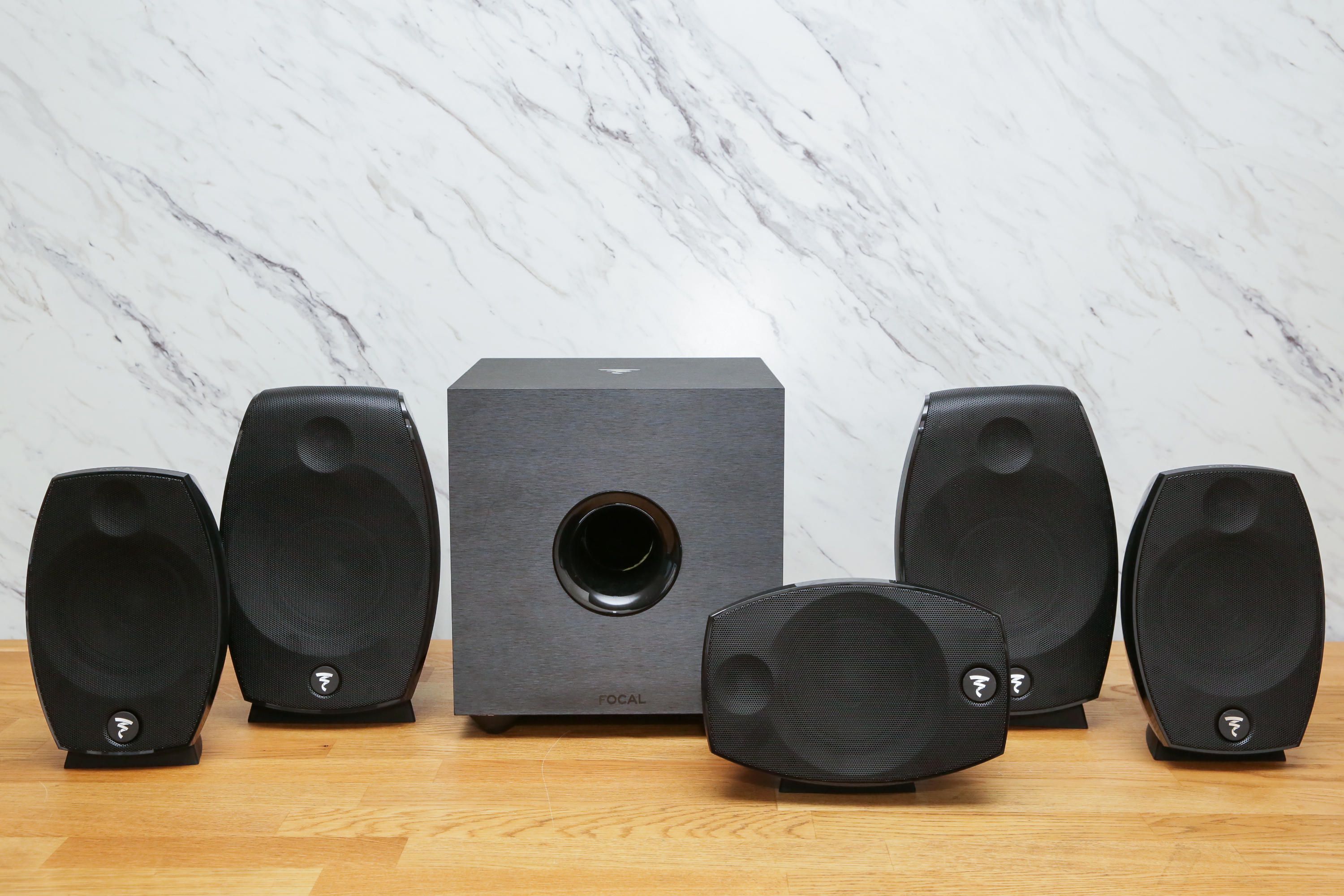
Most people have a limited budget to spend on their home audio system, so the question is: How am I going to get the biggest bang for my buck? The answer, unequivocally, is speakers.
Speakers, like soundbars, come down to sound quality and design, and it's generally a trade-off between those two factors. Small, stylish speakers like the Focal Sib Evo look great but at some small cost to sound quality, while on the other hand, Pioneer's SP-PK52FS speakers are big, burly and don't look great, but they offer outstanding sound quality for the money.
Home audio can get a reputation for being excessively expensive -- it's not uncommon for a pair of speakers to cost $2,000 or more -- but I've deliberately picked products that prove you can get great performance on a modest budget. The Onkyo TX-NR696 and Pioneer SP-PK52FS speakers cost $1,100 total, but if you add affordable streamer like the Roku Streaming Stick Plus you have a home theater system that will last a decade or more.
Whatever you do, don't spend extra money on cables. There's no difference between a $5 HDMI cable and a $500 HDMI cable. The same can be said for speaker cables, just as long as you make sure you're using an appropriate gauge for the length of your cable run (see guidelines here). Head to Monoprice or Amazon, get as much cheap speaker cable as you need, and never think twice about it. A set of banana plugs is also worth picking up to make connections easier. I personally love the Monoprice Affinity plugs -- they're affordable, look extra slick and are easy to install.
The Stereo Option

The standard home audio setup used to involve two tower speakers and a receiver, but that's fallen out of fashion with the advent of surround sound. That's too bad, since a solid two-channel system, plus a subwoofer, can be surprisingly effective with movies and music, even without the immersive elements of rear speakers (video games benefit more from true surround sound, in our opinion.)
The main benefit is a simpler system that can sound better than a more elaborate one for the same price. You don't have to worry about running wires to the back of your living room or positioning a center channel speaker, but you'll still get much better sound on music and movies than with a soundbar. And because you're only buying two speakers instead of five, you'll have two killer front speakers, rather than five average ones. The Elac Debut 2.0 B6.2 ($280) is an inexpensive place to start.
Another benefit to going stereo is you can opt for a compact integrated amplifier, rather than a full-size AV receiver. Again, if you use your TV as a switcher, an excellent amp like the NAD D 3020 V2 can easily act as the hub of your living room despite its small size.
What Else Do You Need to Know?
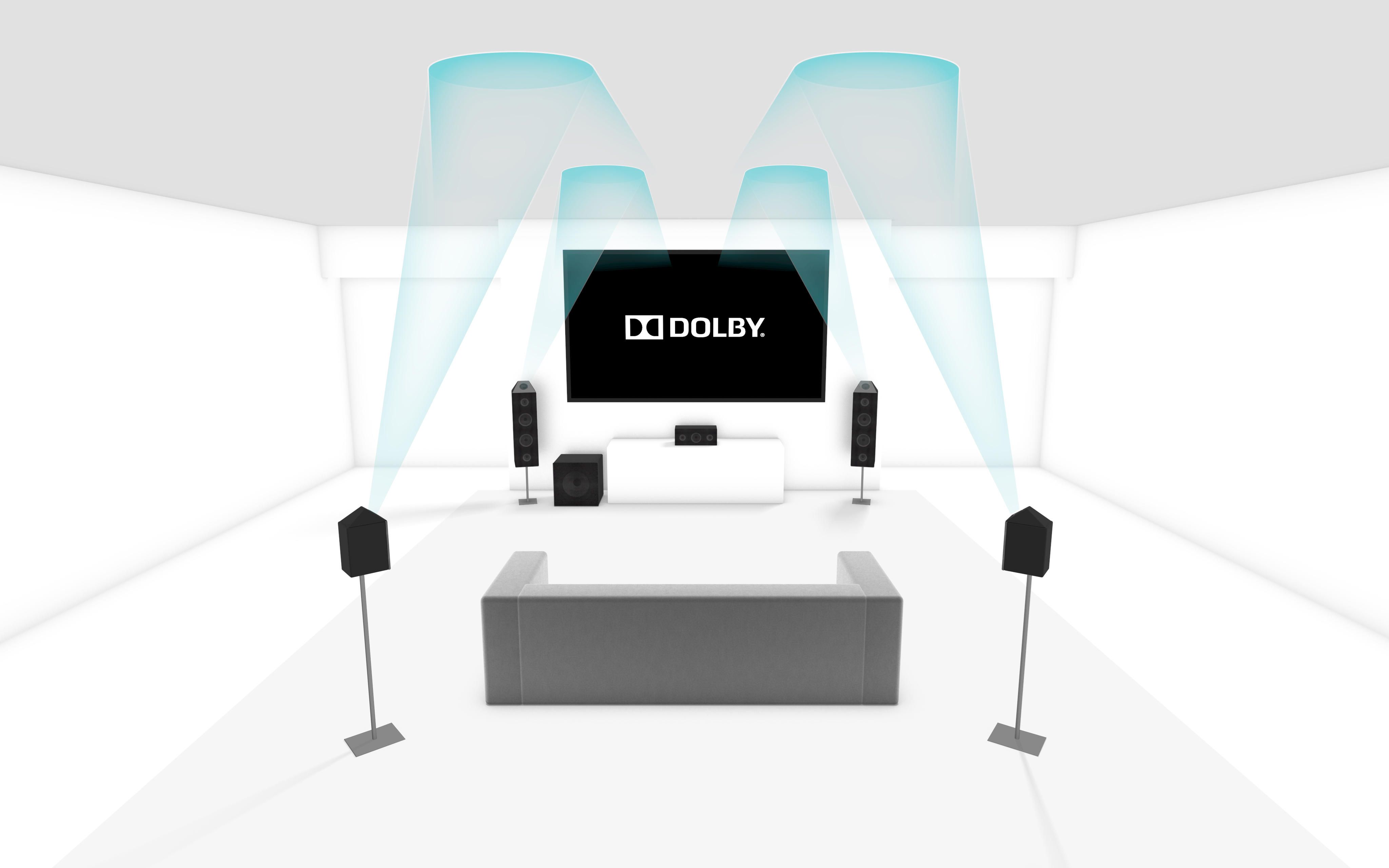
Is 7.1 or Atmos worth it? If you had to pick between Atmos or 7.1, then undoubtedly it's Atmos all the way. The number of streaming services that support Atmos is improving and the difference is palpable: height speakers really add to the sense of immersion, particularly in action movies. A soundbar like the Vizio SB36512-F6 is affordable and it works straight out of the box.
Yet, it's a classic case of diminishing returns: while 5.1 sounds a good deal more immersive than stereo, the difference between 5.1 and Atmos isn't nearly as great. If you're wondering if you need it or not, then you probably don't.
Do I need an AV receiver with built-in Bluetooth and/or Wi-Fi? Many people use Bluetooth for streaming music from their phones, and even the most basic speakers and receivers now include it. Wi-Fi sounds better than Bluetooth, but it can also be more complex as there isn't one set standard; rather, many. While systems like DTS Play-Fi, Apple AirPlay 2 and Chromecast have tried to unify different brands to work together in a whole-house way, there isn't a single victor yet. That said, if you use Spotify a lot, buying a system with Spotify Connect will seem like manna from the gods. Click "play" in Spotify, choose your speaker, and it turns it on and plays for you.
Does virtual surround really work? Many soundbars claim they can create a surround-sound experience without the need for rear speakers, but in the vast majority of cases that's not true. That's not to say the virtual surround modes are worthless -- they often do a decent job of widening the soundstage -- but they'll rarely make you feel like the sound is coming from the sides or behind you. The exception is Yamaha's pricey line of YSP Digital Sound Projectors, which can actually do a convincing job of virtual surround sound from a soundbar.
Will a soundbar block the remote sensor on my TV? This can be an issue, which is one of the reasons we like soundbars with a pedestal design, like Zvox, Bose, and Sonos offer. It all depends on where your TV's remote sensor is, the dimensions of the soundbar itself, and how you position it. Some soundbars, such as Yamaha's YAS-203, also feature an IR repeater, which passes on your remote signals using a blaster in the back, so they still reach your TV.
The Future
Will you may need to upgrade at some point? Some systems such as the Roku Smart Soundbar and Sonos Beam let you add a sub and rears later. If you're buying the system components yourself -- as opposed to a soundbar -- may offer even more flexibility. For example if a new must-have audio or video standard comes out you don't need to trash the whole lot and start again, just buy a new receiver. Planning ahead now may save you some heart- and/or wallet-ache tomorrow.
FAQ
What is the easiest way to Upgrade Your TV Sound?
Start with the requirements in this guide, then follow each step in order. Check the result after every major change so problems are easier to identify.
Can beginners follow these instructions?
Yes. The process is organized into practical steps, and you can repeat any step before moving forward.
What should I check if the method does not work?
Confirm your software or device version, permissions, settings, file format, and internet connection when the task depends on online services.
Related Articles
 How to Manage and Improve Sound Quality in Windows 1011 minutes read
 How to Record Your iPhone Screen and Audio Is Super Easy6 minutes read
 The Simplest Way to Choose Sound Boost Mode with Sound3 minutes read
 How to Update Sound Drivers: Step-by-Step Guide6 minutes read
 Upgrade Mac RAM: How to Upgrade RAM on a Mac9 minutes read
 Sound Booster - Increase PC Volume Above Maximum5 minutes read
Reader Comments 0
Sign in with email or Google to join the discussion.