Table of Contents
Overview
This guide explains how to recover lost data from HDD in clear, practical terms. It covers the key concepts, recommended steps, common limitations, and useful checks so you can make a better-informed decision.
HDD hard drive is where user data is stored to work on the computer. Although hard drives usually have a very long life, sometimes they also have unexpected problems that cause user data to disappear. Even during use, sometimes when cleaning up data, we accidentally delete - format the hard drive, losing all important data. Most users who fall into this situation are often very confused. So is there any way to recover HDD data?
How to recover lost data from HDD?
In case the hard drive fails due to technical error or product error
Due to damaged circuit board
According to the structure of the hard drive, the HDD will include a circuit board and a read-write part with a magnetic disk containing data inside. Based on your judgment, or when you plug in the power, you see that your hard drive does not work, it is very likely that the hard drive control board is damaged. In this case, replacing the new circuit board also has the hope of helping you recover the hard drive and save the data.
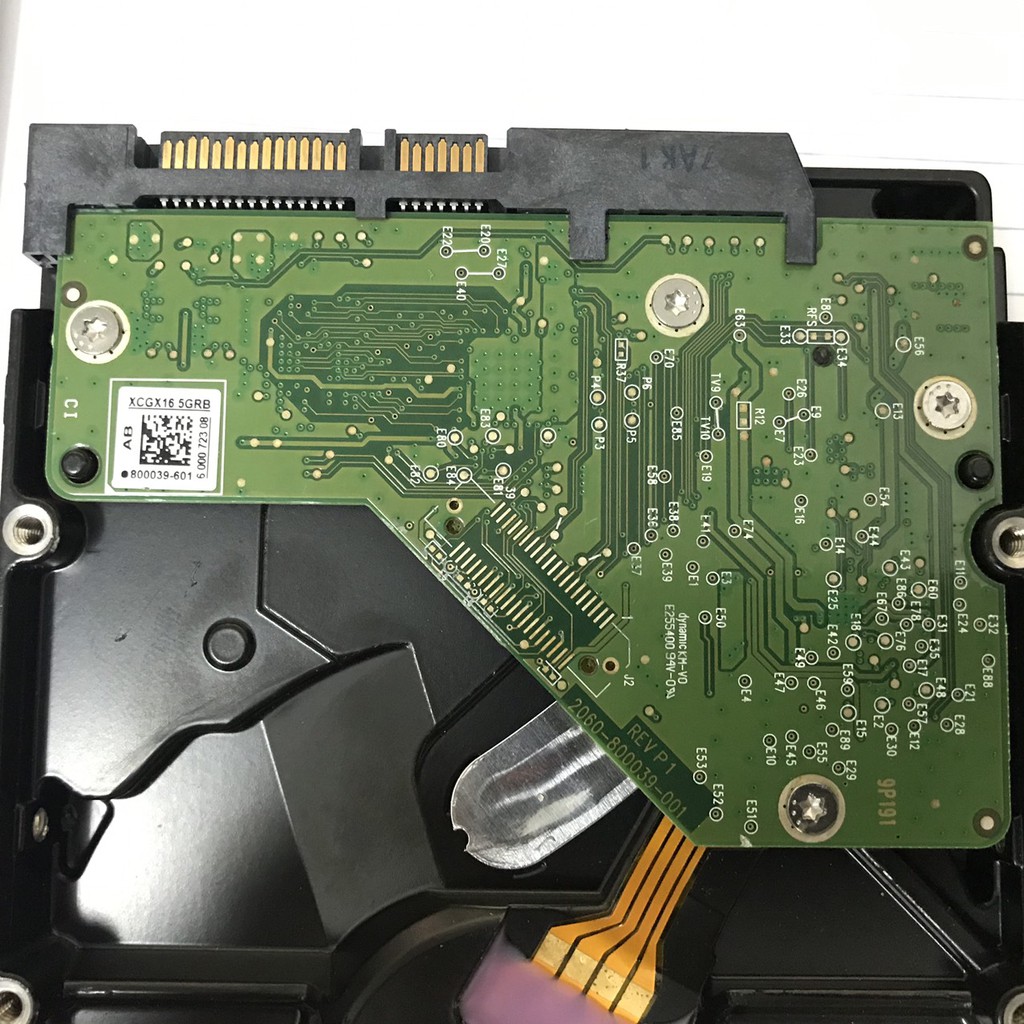
Due to internal mechanical failure
When using the hard drive, you hear clicking sounds inside, it is very likely that your hard drive has encountered a mechanical error. This case is very difficult for you to handle at home. During the production process, your hard drive is assembled in an absolutely clean vacuum environment without a single particle of dust because even a small particle of dust inside will cause your hard drive to not function normally. Therefore, to be able to replace the mechanical part of the hard drive, you must remove the hard drive in a specialized room for replacement.
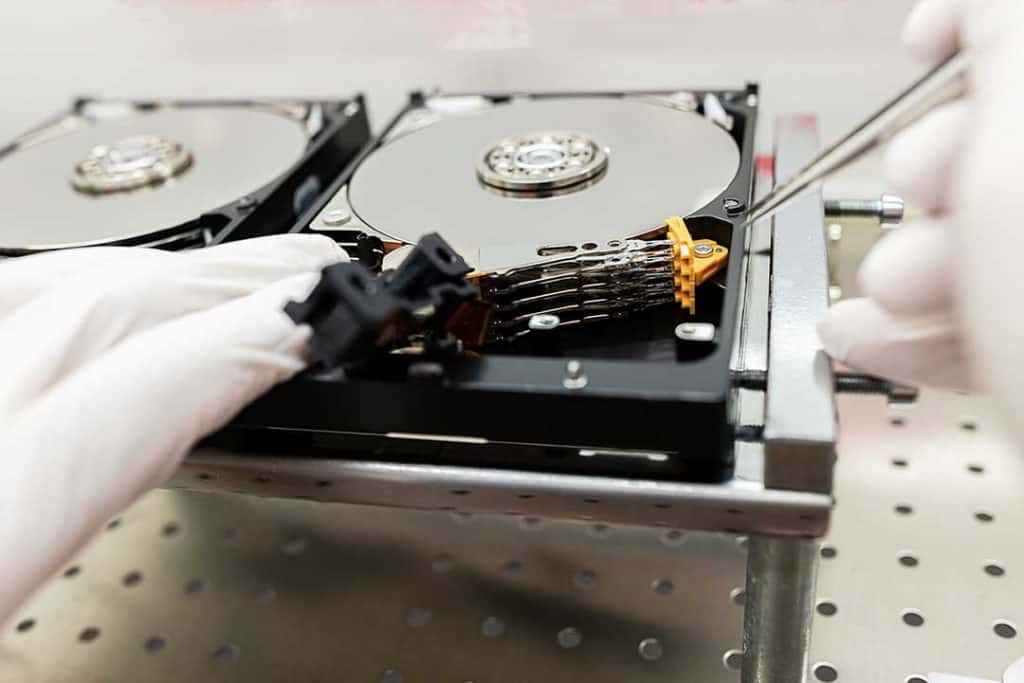
Of course, no matter how hard you try to clean your room, you can't turn it into a dedicated room at home. Instead, find a data recovery center to help you with this task.
Due to formatting the wrong hard drive
Formatting the wrong hard drive is not a rare error for users, especially for those who use large capacity hard drives and have the habit of dividing multiple hard drives. Although dividing multiple hard drives will be more convenient during use, making it easier to arrange data, but if you do not remember the exact data area when clearing the memory, you will encounter many trouble. Many customers when discovering that they have formatted the wrong hard drive were shocked to find a way to recover the hard drive.
In this case, it is also very difficult for you to recover data at home. Of course, there are some specialized software that are said to be able to recover data, but they can only save 60-80% and of course you also have to pay to use this software. Instead, you should find reputable data recovery centers to recover important data.
The absolute thing to remember is that after formatting the hard drive, you must avoid overwriting data on this hard drive. This will make things worse. And if you write too much data over that partition, even the most sacred centers will be helpless.
Addresses of reputable data recovery centers in Hanoi
1. Cuudulieuhdd. Com
- Website: the referenced website - Address: No. 20, Lane 143 Nguyen Ngoc Vu, Trung Hoa Ward, Cau Giay District, Hanoi City. - Phone number: 0989.711.388
2. cuumaytinh. com
- Website: the referenced website - Address: No. 29, Lane 40, Ta Quang Buu - Bach Khoa - Hanoi - Phone number: 1900.636.196 - Working hours: 8:30 am - 6:00 pm from Monday to Saturday
3. 247 Computer Service Rescue Center
- Address: Alley 32/48/28/22 Do Duc Duc, Nam Tu Liem, Hanoi - Phone number: 0987457206 - Website: the referenced website
4. Computer Rescue and Cyber Security 911 Group
- Address: No. 327, Van Chuong Alley, Kham Thien, Hanoi - Phone number: 0986911911 - Website: the referenced website
5. Computer Repair Center 79
- Address: No. 79, Trung Kinh Street, Cau Giay, Hanoi - Phone number: 0975393333 - 0949513333 - email: dichvu@phunggia. com. vn - Website: the referenced website
6. Phuchoidulieuhdd. Com
- Website: the referenced website - Address: P402, No. 41, Vu Pham Ham, Yen Hoa, Cau Giay, Hanoi - Phone number: 0976 758 881 - Working hours: 8am - 5:30pm from Monday to Saturday
Key Takeaways
Use the guidance above as a practical reference for recover lost data from HDD. Check compatibility, follow the steps carefully, and verify important details with official documentation when software, security, accounts, health, or purchases are involved.
FAQ
How do I recover lost data from HDD?
Follow the steps in this guide in order, confirm each setting before continuing, and save, restart, or reconnect the device when the instructions require it.
What should I check before I begin?
Confirm the correct device, account access, software version, compatibility, and a current backup whenever the process could affect files, settings, or security.
What should I do if the process does not work?
Repeat the steps carefully, check for model or version differences, install available updates, and consult the manufacturer's official support documentation.
Related Articles
 Invite Any Data Recovery - Software That Helps Recover Lost Data on4 minutes read
 Instructions to Recover Lost Data Using Recover My Files Software2 minutes read
 How to Recover Deleted Photos with EXIF Metadata8 minutes read
 Recover Lost Data Using Handy Recovery Software3 minutes read
 Tips for Recovering Selected Data for Iphone: Recover Data3 minutes read
 SSD Hard Drive: Recover Lost Data on SSD7 minutes read
Reader Comments 0
Sign in with email or Google to join the discussion.