Table of Contents
Learn how to fix there are currently no power options available Windows error with clear steps.
Method 1: Uninstall the faulty software
Some of the software you're using that locks your computer might be the reason you can't select power sources, such as LockDown Browser.
Uninstall the program from your computer and then restart your computer.
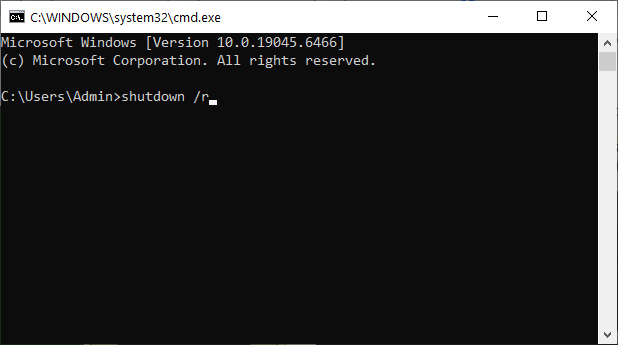
Press the Win + R key combination, type cmd and press Enter. Enter the command shutdown /r and press Enter to execute.
Method 2: Edit the Windows Registry
Step 1
Type "regedit" into the search bar and click on the result to access it. Then, navigate to the following link.
HKEY_CURRENT_USERSoftwareMicrosoftWindowsCurrentVersionPolicies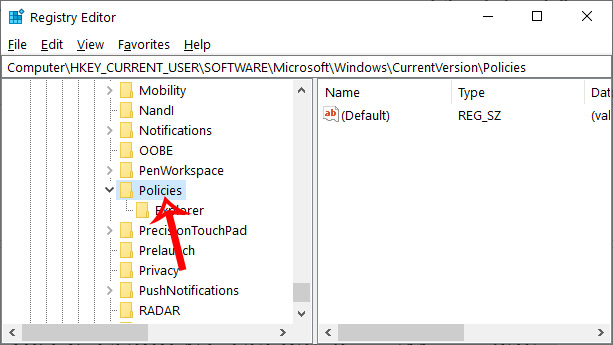
Step 2
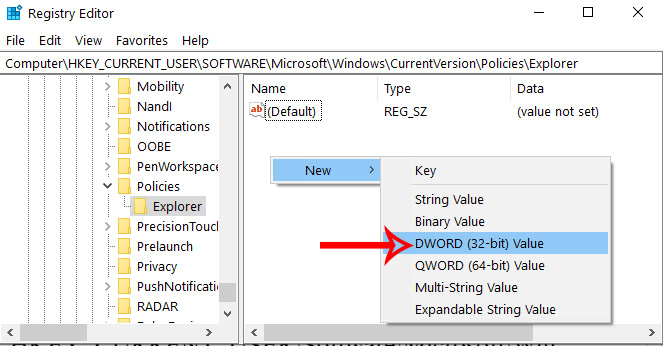
Click on the Explorer key below, then look to the right, right-click on the white area and select New > DWORD (32-bit) Value .
Name this value NoClose , and it's already set to 0 by default , so you don't need to change it.
Right-click again , select New > DWORD (32-bit) Value , and name the value NoLogOff . The default value is 0 , so you don't need to change it.
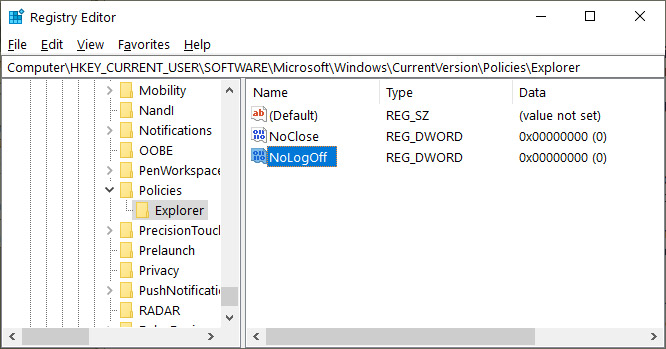
Press the Win + R key combination again, type cmd and press Enter. In the Command Prompt window, type shutdown /r and press Enter to restart the computer.
Method 3: Using the Local Group Policy Editor
Step 1
We type gpedit.msc into the search bar and press Enter to access it. Then, you can access it via the link below.
User Configuration > Administrative Templates > Start Menu and Taskbar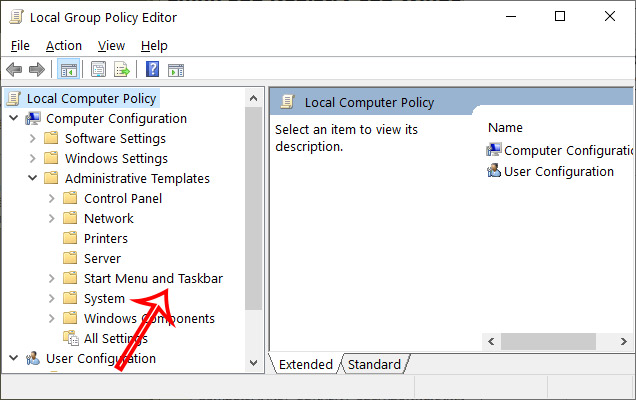
Step 2
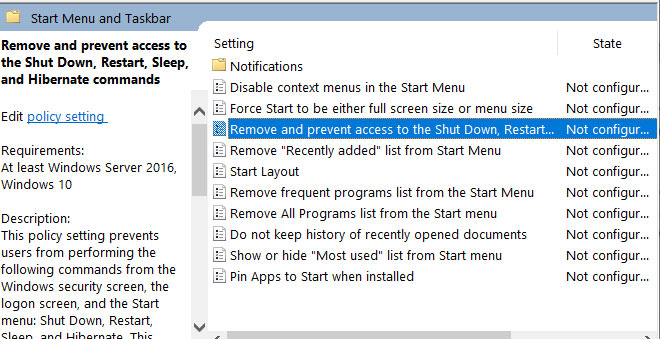
Look to the right and double-click on Remove and prevent access to the Shut Down, Restart, Sleep, and Hibernate commands .
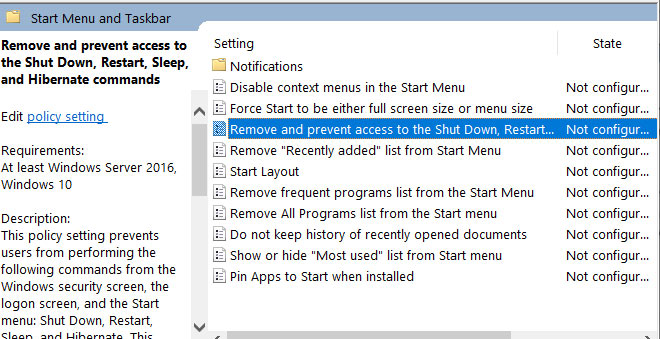
Now, check the Disabled box and click Apply . Finally, restart your computer using the command `shutdown /r`.
Method 4: Restore the power plan
You may have misconfigured your computer's power management settings, so try restoring them to default.
We search for Command Prompt and select Run as administrator . Then enter the command below.
powercfg -restoredefaultschemesMethod 5: Use the troubleshooter
You can also search for Command Prompt and select Run as administrator . Type msdt.exe -id PowerDiagnostic and press Enter.
This will launch the power troubleshooting tool for you to follow.
Final Thoughts
Use this guide as a practical checklist for how to fix there are currently no power options available windows error. Work through the steps in order, verify each result, and adjust the options to match your needs.
FAQ
What do you need before following this How to Fix There Are Currently No Power Options Available Windows Error guide?
Review the required tools, accounts, settings, or materials mentioned in the article. Learn how to fix there are currently no power options available Windows error with clear steps.
What are the main steps for how to fix there are currently no power options available windows error?
Follow the sections in order, especially Method 1: Uninstall the faulty software, Method 2: Edit the Windows Registry, Step 1. Complete each step before continuing and verify the result as you go.
What should you do if the process does not work as expected?
Recheck the prerequisites, update the relevant app or service, review the settings, and repeat the step that caused the issue. Use any troubleshooting notes included in the guide.
Related Articles
 Fix 'There Are Currently No Power Options Available' Error7 minutes read
 Steps to Fix 'There Are Currently No Power Options7 minutes read
 Set Up a Separate Power Source for Windows 7 on Laptop?4 minutes read
 Steps to Add/remove 'Link State Power Management' from Power4 minutes read
 How to Add // Remove 'Allow Wake Timers' from Power Options in4 minutes read
 How to Add or Delete Ahci Link Power Management -- Hipm // Dipm4 minutes read
Reader Comments 0
Sign in with email or Google to join the discussion.