Table of Contents
Learn how to fix duplicate task manager error with clear steps, practical tips, and troubleshooting guidance for a reliable result.
Instructions to fix Task Manager error showing duplicate items
Currently the Task Manager error has duplicate entries originating from the KB5067036 update. In addition to waiting for the manufacturer to fix the error, you can also fix it yourself with a few options.
Stop Task Manager within Task Manager itself
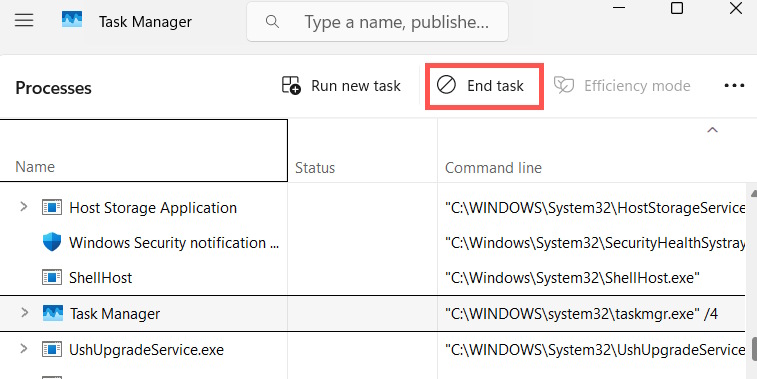
If Task Manager is having duplicate files error then stop Task Manager within this application.
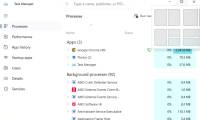
We press the key combination Ctrl + Shift + Del to open Task Manager. Then click on Processes , then find Task Manager and click End Task to stop completely.
Stop Task Manager in Command Prompt
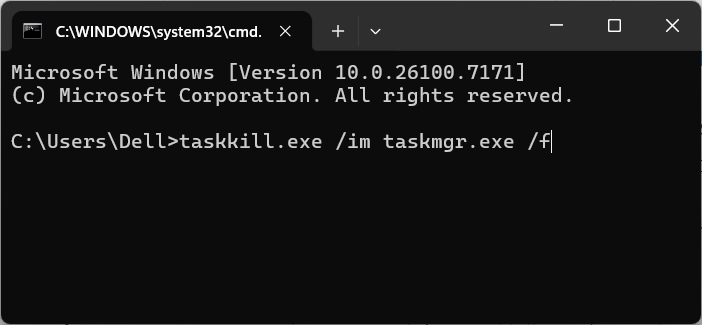
If you are using multiple task managers on Windows 11, another way to quickly close a process is to use Command Prompt.
Open the Run dialog box , type cmd, and press Enter. Next, type taskkill.exe /im taskmgr.exe /f and press Enter. All duplicate instances of Task Manager will close immediately.
Adjust the Registry file
If you want to find the best solution, you can adjust the Registry files to ensure that Task Manager is not duplicated or running in the background. But note that adjusting the Registry files will affect the system.
You can try the fix on GitHub at the link below. Once downloaded, open it in Notepad to inspect the file. Double-click the file to add it to your computer's Registry.
https://github.com/SimonMacer/CreateMediaRefresh25H2/blob/main/Other/Resolve%20Task%20Manager%20process%20might%20continue%20to%20run%20in%20background%20after%20app%20is%20closed.reg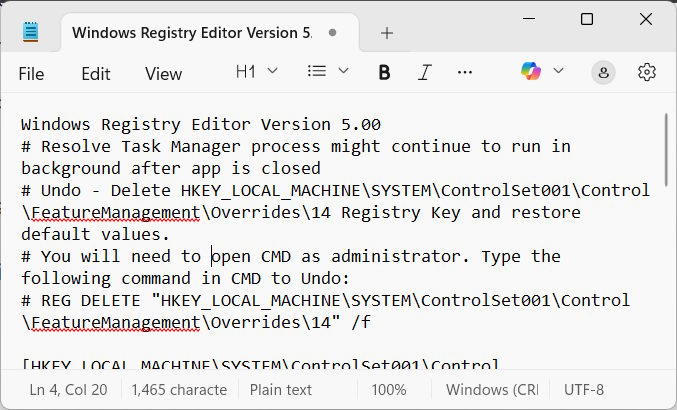
If you want to uninstall, open Command Prompt as Admin and enter the command below.
REG DELETE 'HKEY_LOCAL_MACHINESYSTEMControlSet001ControlFeatureManagementOverrides14' /f
Final Thoughts
Use this guide as a practical checklist for how to fix duplicate task manager error. Work through the steps in order, verify each result, and adjust the options to match your needs.
FAQ
What do you need before following this How to Fix Duplicate Task Manager Error guide?
Review the required tools, accounts, settings, or materials mentioned in the article. Learn how to fix duplicate task manager error with clear steps, practical tips, and troubleshooting guidance for a reliable result.
What are the main steps for how to fix duplicate task manager error?
Follow the sections in order, especially Instructions to fix Task Manager error showing duplicate items, Stop Task Manager within Task Manager itself, Stop Task Manager in Command Prompt. Complete each step before continuing and verify the result as you go.
What should you do if the process does not work as expected?
Recheck the prerequisites, update the relevant app or service, review the settings, and repeat the step that caused the issue. Use any troubleshooting notes included in the guide.
Related Articles
 Instructions to Fix Task Manager Has Been Disabled by Your4 minutes read
 All Problems About Using Task Manager6 minutes read
 Ways to Enable Task Manager in Windows 113 minutes read
 7 Simple Ways to Open Task Manager on Macbook, Windows 10,117 minutes read
 How to Unlock, Fix Task Manager Errors on Windows3 minutes read
 Useful Windows Task Manager Tricks You Need to Know: Complete Guide8 minutes read
Reader Comments 0
Sign in with email or Google to join the discussion.