Table of Contents
A physically cracked iPhone Duo display needs inspection and service. Restarting, updating or factory-resetting the phone cannot repair broken glass, a damaged folding panel or a mechanical hinge fault. Stop repeatedly folding the device and contact Apple Support to discuss the next step.
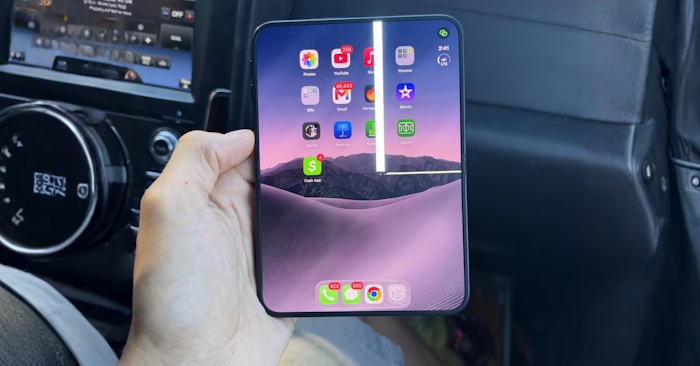
Avoid making the damage worse
Do not force a stiff or misaligned hinge, press along the crease or try to flatten a raised screen layer. Keep grit and other debris away from the hinge. If the device is unusually hot, swollen or otherwise appears unsafe, stop using and charging it and seek service advice.
Do not peel an inner display layer or apply glue, heat or pressure as a repair. A loose surface layer and a cracked panel can look similar without inspection. Let the service provider identify which part is damaged.
Photograph the physical damage
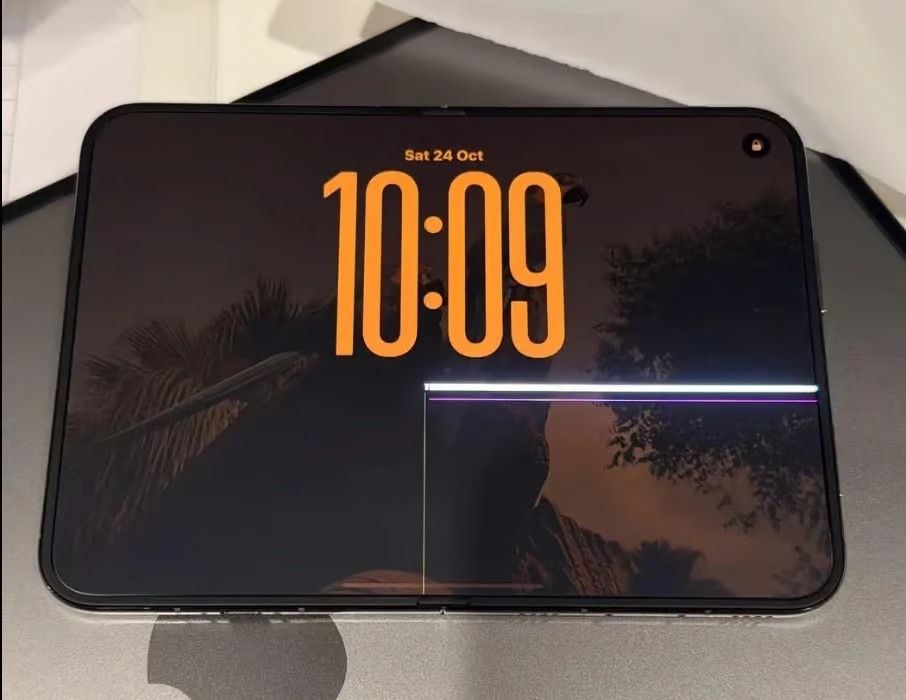
Use another camera to photograph the inner display, crease, outer display and hinge without repeatedly opening or closing the phone. Include the whole device and a closer view of the fault.
A screenshot records the image the phone renders; it may not show a physical crack, bright line or damaged panel. If flickering is intermittent, a short video from another device can be useful, provided recording it does not require stressing the hinge.
Record when the symptom appeared and whether there was a drop, pressure, liquid exposure or unusual resistance. Keep the receipt and previous service records. Describe what you observed rather than guessing the cause.
Back up only if the phone is safe and usable
If you can operate the device without worsening the damage, make an iCloud or computer backup and check that it finishes. Follow the iPhone backup steps or Apple's iCloud backup instructions.
If the screen no longer responds, tell the service provider. Do not keep bending or pressing it just to reach the backup controls, and do not erase the phone before confirming what data you can recover.
Arrange an assessment with Apple
Contact Apple Support or an Apple Authorized Service Provider. Explain whether the fault affects the inner screen, outer screen, hinge or more than one part. Ask what service options apply, what preparation is required and whether the device should be transported in a particular position.
Coverage and cost depend on the diagnosis, your location and applicable warranty, consumer-law or AppleCare terms. Do not assume every cracked screen qualifies for free replacement. Use Apple's screen-service page to begin an assessment or find the service route for your region.
Prepare for service without guessing
Keep your proof of purchase and backup details ready. Follow the service provider's instructions for Find My, accessories, SIM or eSIM handling and any erase step. Only erase after your backup is verified and the provider has explained why it is needed.
A service assessment is also the right way to distinguish an individual accident from a covered defect. Online reports and photographs of another device do not establish the cause of damage to yours.
Related Articles
 Gamers almost have to cut their fingers because they play games on a cracked smartphone
 The FBI successfully cracked an iPhone 11 Pro Max
 Don't download cracked software to avoid these 4 dangers!
 IPhone screen X: Size and special features
 More than 60% of passwords are cracked by AI in less than 60 seconds
 Why is your iPhone screen always dark and bright? How to fix?
Reader Comments 0
Sign in with email or Google to join the discussion.