Table of Contents
If your phone warns that an unknown AirTag is moving with you, open the alert, review the detection map and use the available locating tools. An alert does not by itself prove malicious tracking—it can involve a borrowed item—but take an unexplained device seriously.
If you feel unsafe, move to a safe public place and contact local law enforcement or emergency services. Do not confront a suspected tracker or spend time searching alone in an unsafe location.
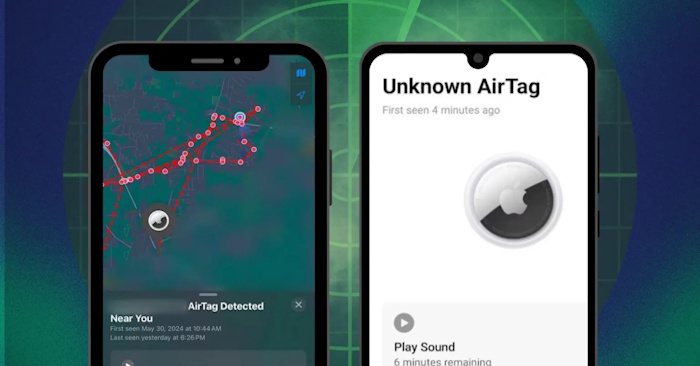
Understand what the alert means
iPhone and supported Android devices can warn about compatible trackers separated from their owners and detected moving with you over time. Alerts are not instant or guaranteed. Their absence does not establish that there is no tracking device, and finding a device in a manual scan does not prove it traveled with you.
A map shows detections, not necessarily everywhere the owner viewed your location. Save screenshots of the alert and map if you may need them later.
Check alert settings
On iPhone
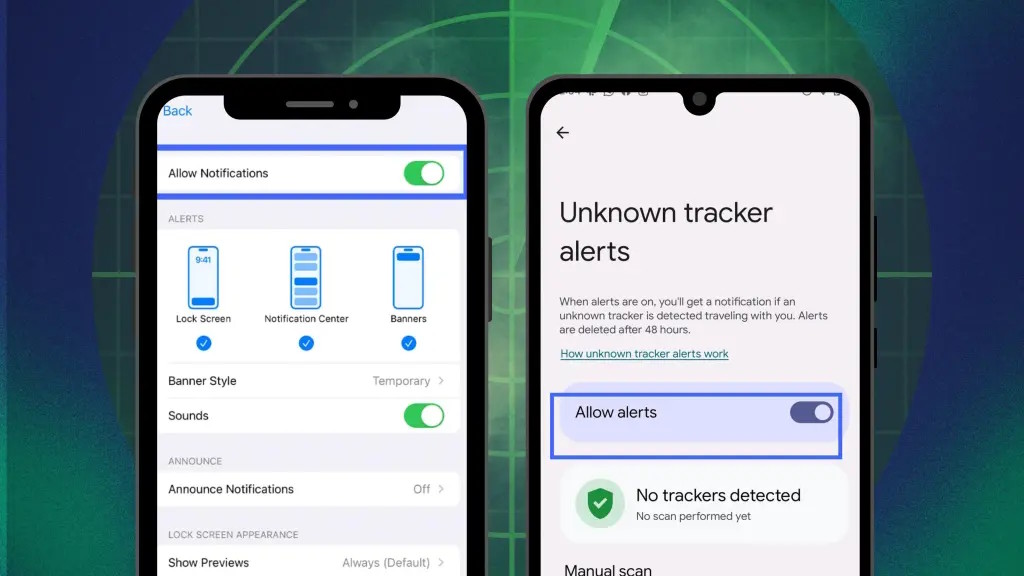
Keep iOS updated. Check Bluetooth, Location Services and the relevant Find My system service, and allow Tracking Notifications in notification settings. Turn off Airplane Mode. Menu names can vary; use Apple's unwanted-tracking instructions for your version.
You do not need to keep the screen continuously on to qualify for an alert. To revisit recent detections, open Find My > Items and look for Unknown Items Detected with You where available.
On Android
On supported phones, look for Settings > Safety & emergency > Unknown tracker alerts and enable alerts. Older Android versions may place the option under Google > Personal & device safety. Search Settings if the manufacturer uses a different path.
Keep location enabled for automatic alerts. Google's unknown-tracker guide explains supported devices and current requirements. Do not assume an old third-party scanner provides the same background protection.
Locate the device
- Open the notification and follow the prompts.
- Use Play Sound if available.
- Use Find Nearby if your phone and the detected tracker support it. Follow the on-screen direction and distance guidance.
- When safe, inspect bags, clothing and items that have traveled with you. Consider getting help with a vehicle or another difficult-to-search area.
On Android, Unknown tracker alerts > Scan now checks for supported nearby trackers separated from their owners. A scan is a snapshot, not continuous monitoring.
If sound is unavailable or inaudible, the tracker may be out of range, near its owner or otherwise unable to respond. Do not conclude from silence alone that it is gone. Use the alert's next-step guidance.
Record the AirTag information
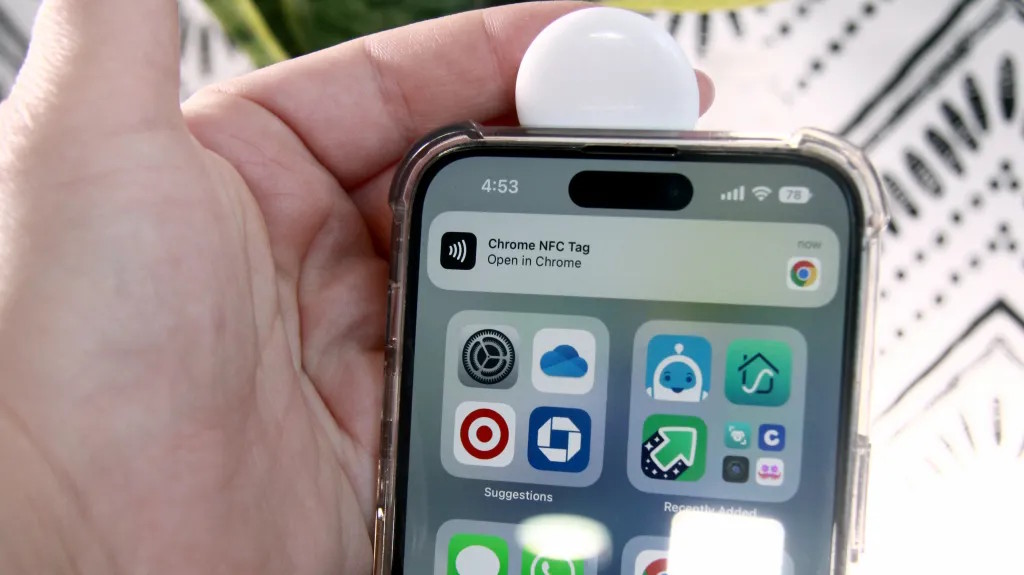
If you find an AirTag and can inspect it safely, hold the NFC reader area of an NFC-capable phone near its white side. Open the resulting notification to view the identification page.
The page can show the serial number and the last four digits of the registered owner's phone number; a lost-item message may also appear. Save screenshots privately. These details can help an investigation but do not conclusively identify who placed the item.
Disable the AirTag itself
Use Instructions to Disable in the alert and follow the steps for the identified model. For an AirTag with the removable stainless-steel cover:
- Press down on the metal battery cover.
- Rotate it counterclockwise until it stops.
- Lift off the cover and remove the battery.
Keep the AirTag, cover and coin battery away from children. Preserve the device and its identification details if law enforcement may need them. See the AirTag battery-cover instructions for the physical mechanism.
Removing the battery stops that AirTag from providing new location updates, but the owner may still see its last reported location. Turning off Bluetooth, Location Services or Find My on your own phone does not disable the AirTag: other nearby devices can still relay its location.
For another brand of tracker, follow that device's disable instructions. Disabling one item does not establish that there are no others. Continue with support or law-enforcement advice if the concern remains.
Related Articles
 Get the most out of the convenience of Apple AirTag
 Android users easily become victims of AirTag tracking without even knowing it hay
 AirTag 2nd Generation vs. the Original: What Changed?
 How do you know if AirTag is tracking you?
 How to share AirTag with others on iPhone
 Instructions on how to use AirTag
Reader Comments 0
Sign in with email or Google to join the discussion.