Table of Contents
Learn how to export microsoft access data to word with clear steps, practical tips, and troubleshooting guidance for a reliable result.
Instructions for exporting Microsoft Access data to Word
Step 1
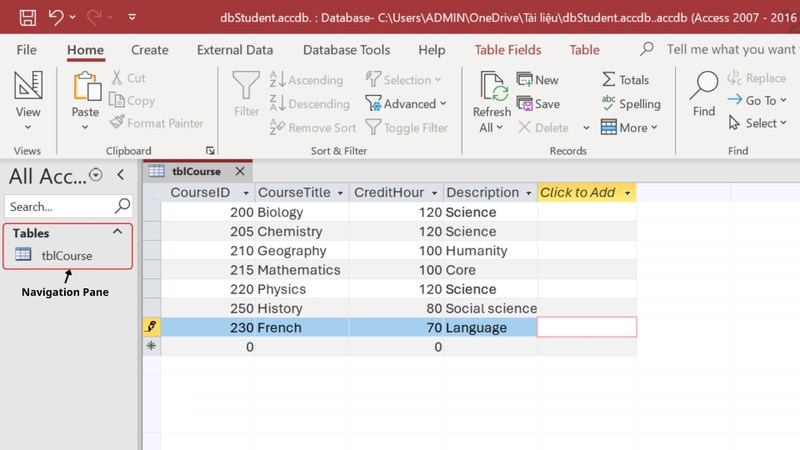
We access Microsoft Access and open the database we want to export to Word. In the Navigation Pane , click on the object .
Step 2
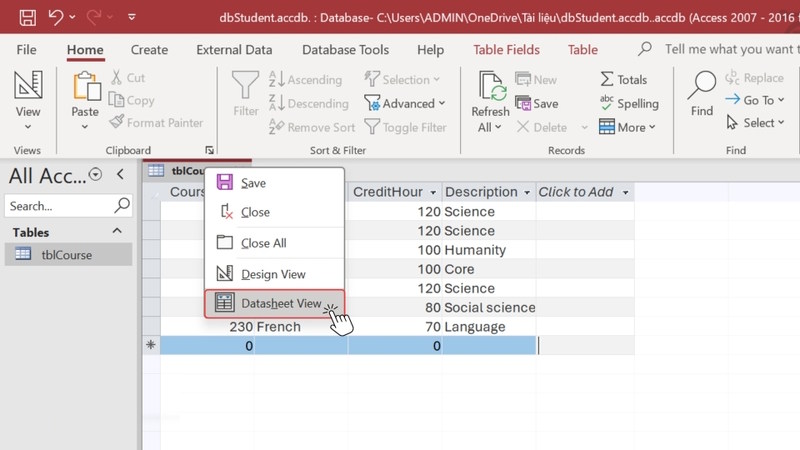
In case you only want to export part of the data , click Datasheet View and select the data you want to export . If you export all, skip this step.
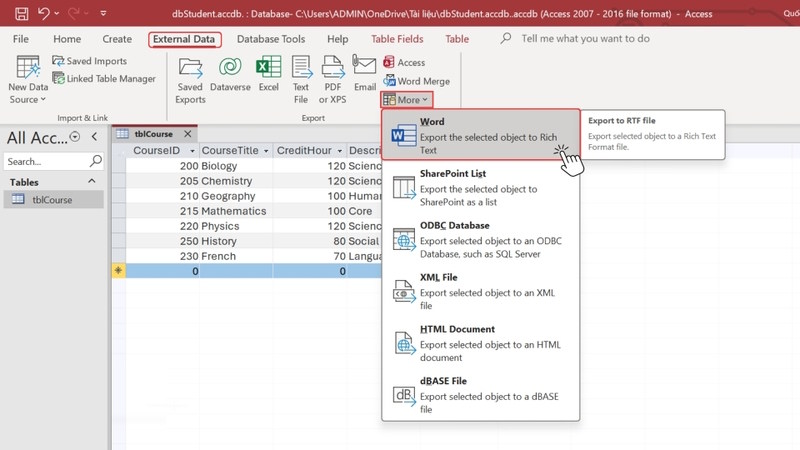
On the toolbar, we select External Data > More > Word in the displayed menu.
Step 3
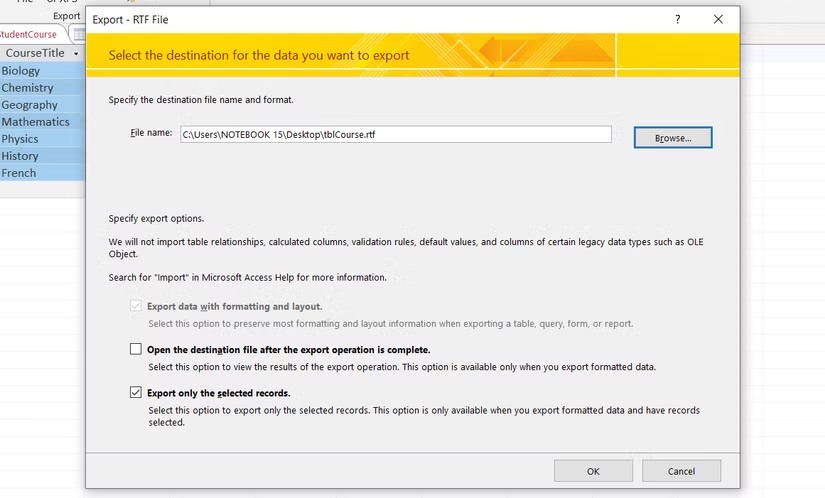
Immediately after that, you will see the Export - RTF File Wizard interface displayed. You enter the file name , select the storage folder and then adjust the export options as needed:
- Open the destination file after the export operation is complete: Opens the Word document after exporting from Microsoft Access.
- Export only the selected records: export selected records if you want to export all data then keep the default.
After selecting, click OK to proceed with exporting data from Microsoft Access to Word.
Step 5
As a result, you have an RTF format file . You just need to open the file, copy all the content, and paste it into a Word document.
Notes when exporting Microsoft Access data to Word
- To get content from Microsoft Access to Word, you need to know what content is being exported to avoid errors.
- Only tables, queries, forms, and reports can be exported. For each data type, Access exports only the records visible in the current view, excluding hidden data.
- Access can export only forms and data tables with subforms and subdata tables. To export complete data, export all subforms and subdata tables. If you export a main report, you can export multiple subforms and subreports.
- Data types such as relationships, macros, modules, images, and Microsoft Graph graphs cannot be exported to Word. Access only exports the results of expressions, not the expressions themselves.
- Cannot import data back from Word to Access.
Final Thoughts
Use this guide as a practical checklist for how to export microsoft access data to word. Work through the steps in order, verify each result, and adjust the options to match your needs.
FAQ
What do you need before following this How to Export Microsoft Access Data to Word guide?
Review the required tools, accounts, settings, or materials mentioned in the article. Learn how to export microsoft access data to word with clear steps, practical tips, and troubleshooting guidance for a reliable result.
What are the main steps for how to export microsoft access data to word?
Follow the sections in order, especially Instructions for exporting Microsoft Access data to Word, Step 1, Step 2. Complete each step before continuing and verify the result as you go.
What should you do if the process does not work as expected?
Recheck the prerequisites, update the relevant app or service, review the settings, and repeat the step that caused the issue. Use any troubleshooting notes included in the guide.
Related Articles
 Steps to Export Microsoft Access Data to Word Documents6 minutes read
 How to Share Chat on Copilot4 minutes read
 MS Access 2003 - Lesson 38: Use the Autocorrect Feature4 minutes read
 How to Convert Word Documents to PDF: Practical Guide6 minutes read
 Offer PDF Export Kit - a PDF Converter to Other Formats for $ 494 minutes read
 Convert Data from Word to Access Database11 minutes read
Reader Comments 0
Sign in with email or Google to join the discussion.