Table of Contents
On Windows 11, you can disable your laptop or tablet's touchscreen, even if the Settings app doesn't offer this option.
On Windows 11, you can disable the touchscreen of your laptop or tablet, even if the Settings app doesn't offer this option. you can do it via Device Manager, PowerShell, or the Registry with simple steps. Here's how to disable the touchscreen in Windows 11.
Disable Windows 11 Touchscreen via Device Manager
Step 1:
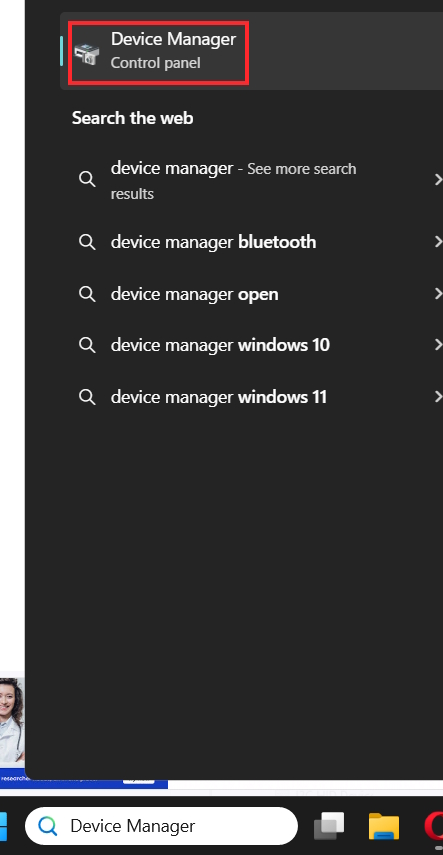
You Enter the keyword Device Manager in the search bar Then click on the result displayed below.
Step 2:
Switch to the new interface, Expand the Human Interface Devices section . Then Right-click on HID-compliant touch screen And Select Disable device In the displayed list.
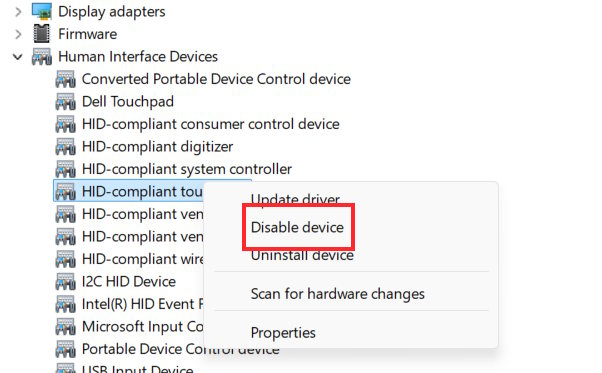
Then click Yes to execute and restart your computer to apply the changes.
In case you want to re-enable the touchscreen, just tap Enable Device to turn it on.
Turn off Windows 11 touchscreen using PowerShell
Step 1:
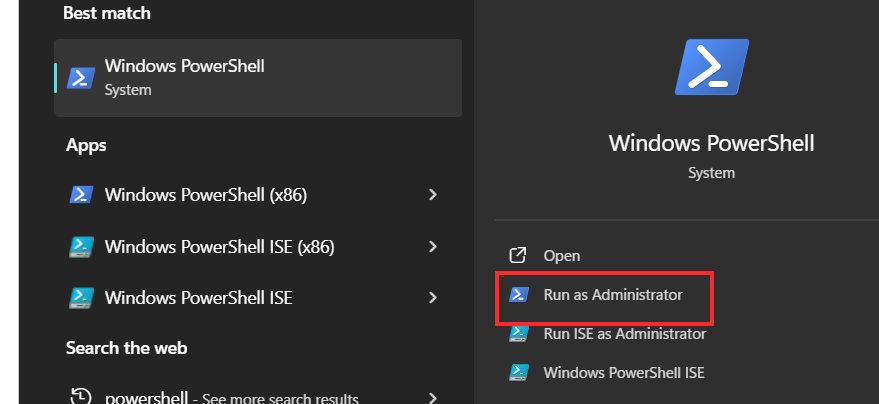
First You should Run PowerShell as Admin As shown below.
Step 2:
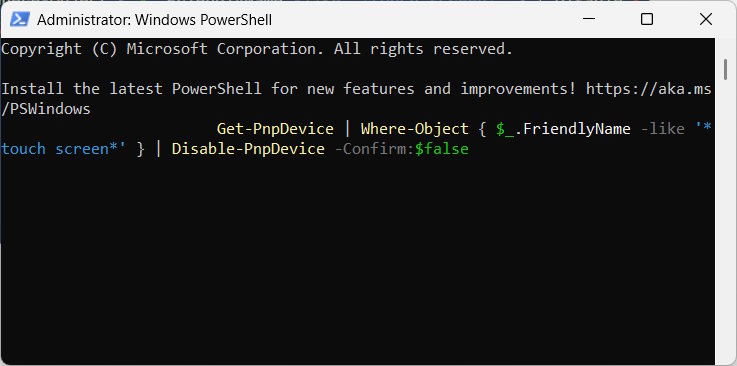
Now you just need To enter the command below To turn off the touch screen on Windows 11 and press Enter.
Get-PnpDevice | Where-Object { $_.FriendlyName -like '*touch screen*' } | Disable-PnpDevice -Confirm:$false
Once completed, the touchscreen feature will be disabled on your computer.
To turn on the computer touch screen again, enter the command below.
Get-PnpDevice | Where-Object { $_.FriendlyName -like '*touch screen*' } | Enable-PnpDevice -Confirm:$false
Disable Touchscreen on Windows 11 Using Registry
Step 1:
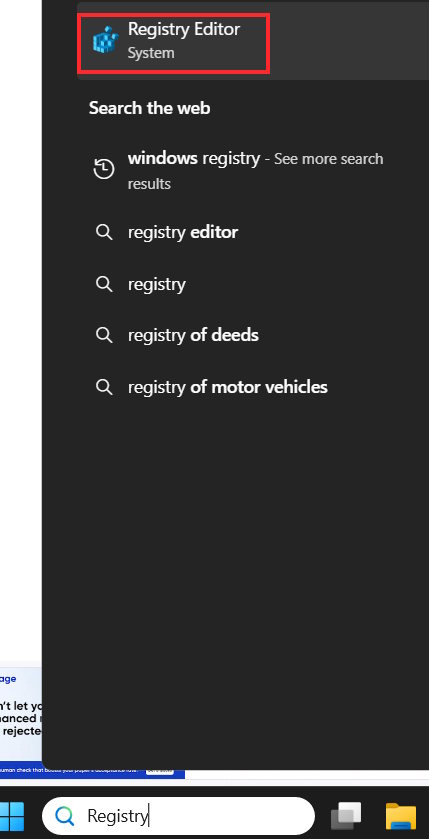
We Enter Registry into the search bar Then click on the search result to access.
Step 2:
In the display interface, users access the path below.
HKEY_CURRENT_USERSoftwareMicrosoftWispTouch
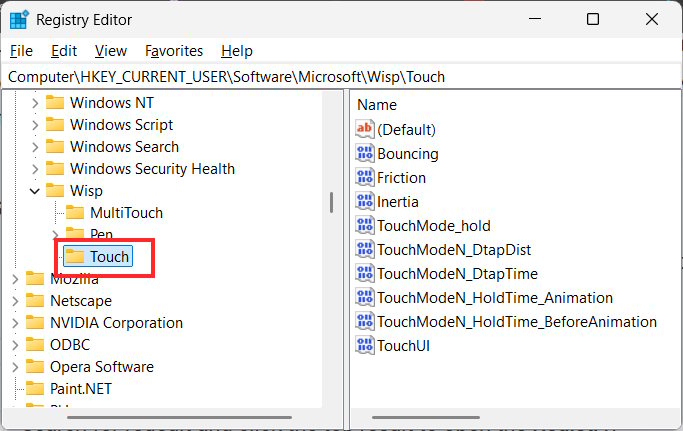
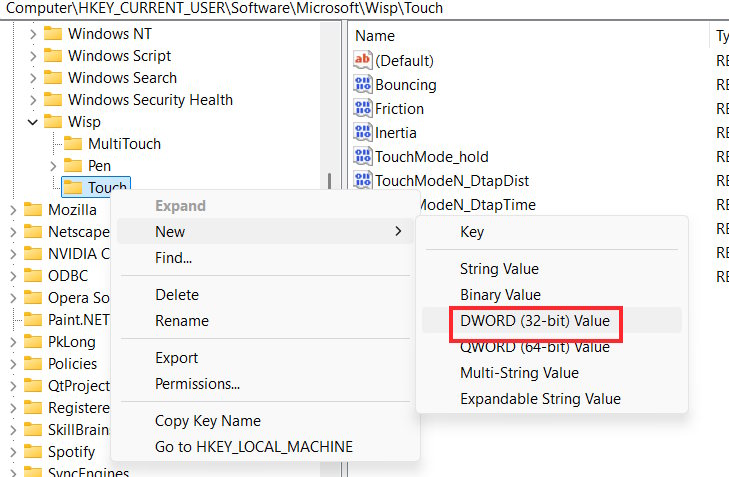
Right- click On the Touch folder, select New , then select DWORD (32-bit) Value .
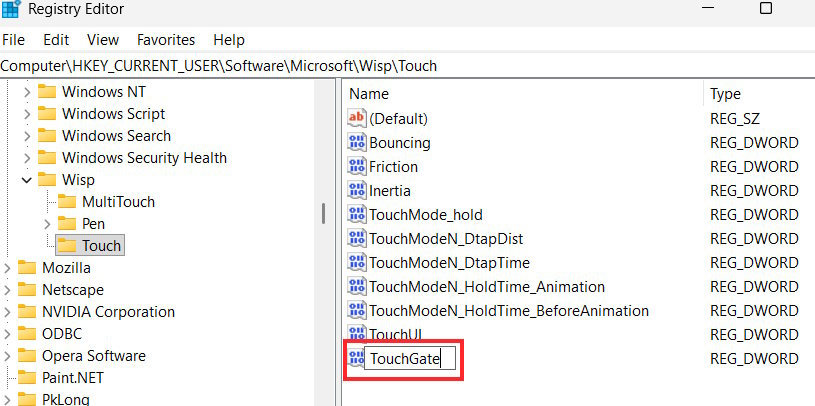
You Enter this value named TouchGate And press Enter to access.
Step 3:
Double click on this value then Enter 0 in Value data And click OK to save.
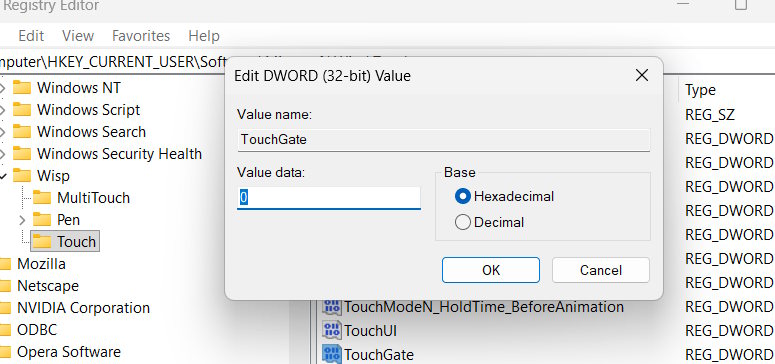
Finally you restart your computer for the changes to take effect.
FAQ
How do you disable Windows 11 touchscreen: step-by-step guide?
In practical terms, on Windows 11, you can disable your laptop or tablet's touchscreen, even if the Settings app doesn't offer this option.
What should you check before getting started?
Review the requirements, compatible device or software version, and any warnings described in the guide before making changes.
What should you do if the steps do not work?
Repeat the steps in order, confirm that your app or system is up to date, and review the troubleshooting details provided above.
Related Articles
 Disable, Remove Notification Icon Get Windows 104 minutes read
 How to Disable the Insert Key in Windows 106 minutes read
 Summary of Some Simple Ways to Disable USB Ports on Windows6 minutes read
 Disable Windows 10 Keyboard in 5 Simple Ways6 minutes read
 3 How to Disable BitLocker in Windows 103 minutes read
 On Windows 10 You Should Disable These Features9 minutes read
Reader Comments 0
Sign in with email or Google to join the discussion.