Table of Contents
Gemini's Create music tool uses Google's Lyria models to generate a track from a description. You can specify the genre, mood, instruments, topic, and whether you want vocals. A photo or video can provide additional context, but your written prompt should still explain the intended sound.
Treat the result as a draft to listen to and refine. A short prompt does not guarantee the exact melody, pronunciation, or arrangement you had in mind.
1. Open the music tool
Sign in to Gemini and open Upload & tools or the tools menu. Choose Create music.
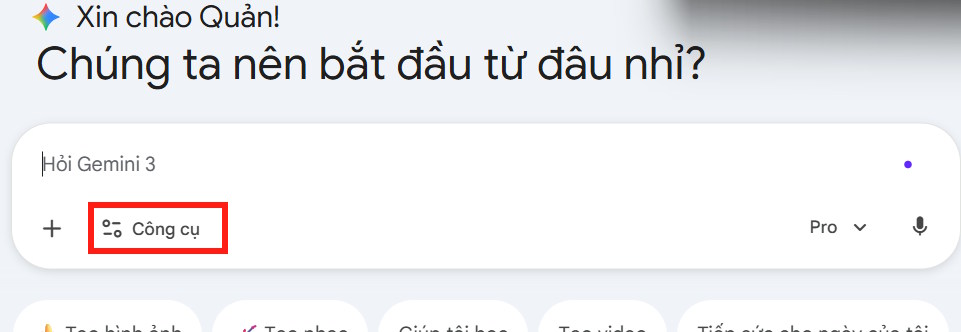
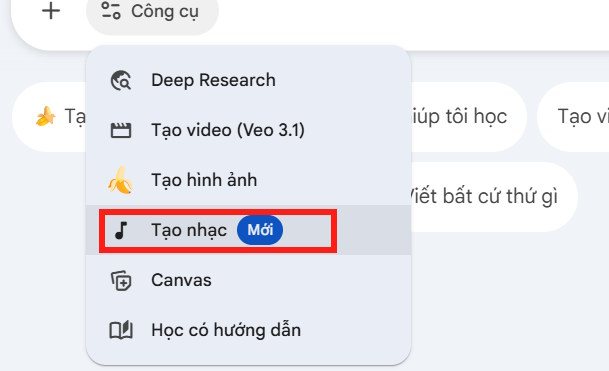
Google currently requires users to be 18 or older, to have a personal or supported work or school account, and to have Keep Activity enabled. Check Google's music generation guide if the tool is missing.
The screenshots show an earlier layout. Current track-length and model options can differ; use the choices offered to your account. Google's guide currently directs users to switch to Pro for a full track.
2. Describe a manageable musical idea
If example tracks or templates appear, use them to understand the tool's output. For your own track, begin with one clear musical direction rather than a long list of conflicting styles.
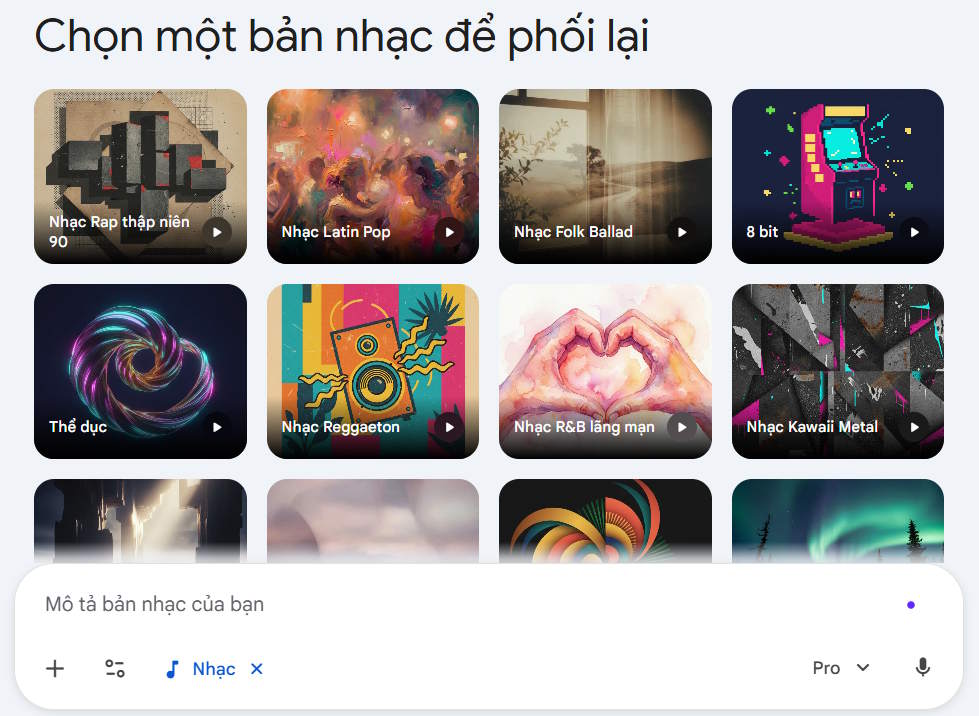
A useful prompt includes:
- Purpose: podcast opening, background track, short celebration song, or another use.
- Genre and mood: acoustic folk and relaxed, or electronic pop and energetic.
- Instruments: the main sounds you want to hear.
- Vocals: instrumental or sung, with a language and topic where relevant.
- Pacing: slow, moderate, or fast, with a desired rhythmic feel.
Create a relaxed instrumental for a cooking video. Use gentle acoustic guitar, light percussion, and warm bass. Keep the melody simple and leave space for spoken narration. Avoid vocals and dramatic changes in volume.

If you want a song, state the subject and language, then inspect the generated lyrics. Describe musical qualities rather than requesting a copy of an existing recording or someone's exact voice. See the Lyria prompt-writing tips for further examples.
3. Add a photo or video when it helps
Upload the reference through Gemini's file controls and explain what it should influence: the setting, mood, story, or pacing. A reference image does not communicate every production choice on its own.

Use this mountain photograph as the setting for a calm instrumental. Emphasize spacious piano and soft strings, a slow pulse, and a quiet ending. Do not add vocals.
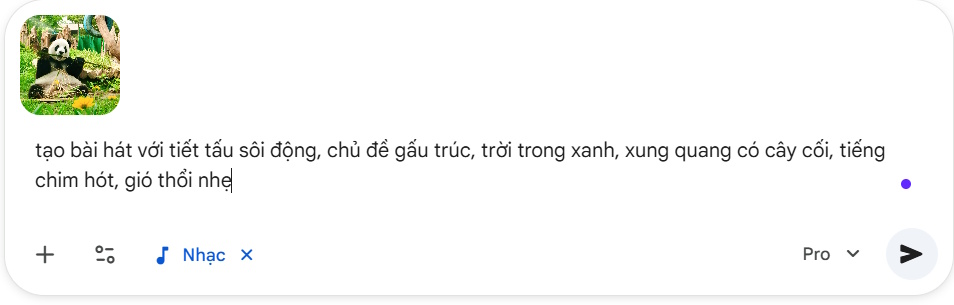
Only use reference material you are entitled to upload. Keep the visual description and musical request consistent so the tool has a clear direction.
4. Listen, refine, and download
Play the complete result before keeping it. Check the opening and ending, abrupt cuts, distorted sound, unwanted vocals, and any lyric or pronunciation errors. Request one focused change at a time, such as fewer instruments or a quieter backing arrangement.
Use the download control on the finished track. The current Gemini workflow offers MP3 for audio only or MP4 with cover art. Choose MP3 when you intend to add the music to another video and do not need the cover image.
Generation limits depend on your account and current access. Read the notification if you reach a limit rather than assuming unlimited retries.
For a different text-to-music workflow, compare Suno's creation process. Before publishing any generated track, check the applicable service terms and your intended use; do not assume that AI generation automatically settles every licensing question.
Related Articles
 6 Tips for Writing Prompts for Lyria 3 to Create AI Music in Gemini6 minutes read
 Transform Lesson Content into Catchy Songs Using Gemini: Explained4 minutes read
 Learn About Lyria 3 Pro: Google's Most Advanced AI Music Creation Tool8 minutes read
 How to Create Music Using Google Producer AI5 minutes read
 Instructions for Downloading High Quality Music on iPhone Without6 minutes read
 Instructions for Customizing Music Quality on Spotify4 minutes read
Reader Comments 0
Sign in with email or Google to join the discussion.