Table of Contents
This updated guide explores tutorial to create a fancy spiral avatar with practical details, clear explanations, and useful takeaways. If you are looking for a unique avatar to show off to your friends, or to change your daily style, you can try the spiral avatar. You just need to upload an image and choose the color for the avatar you want, with a simple color or a combination of colors and you will have a.
How to Create Spiral Avatar Online
Step 1:
First, you access the link below to open the spiral avatar creation website.
https://taoanhdep.com/tao-avatar-hieu-ung-xoan-oc/Step 2:
On the website interface, you choose the color for the spiral with single colors, or colors with additional color elements.
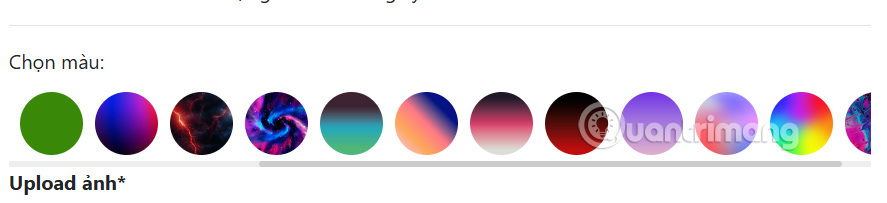
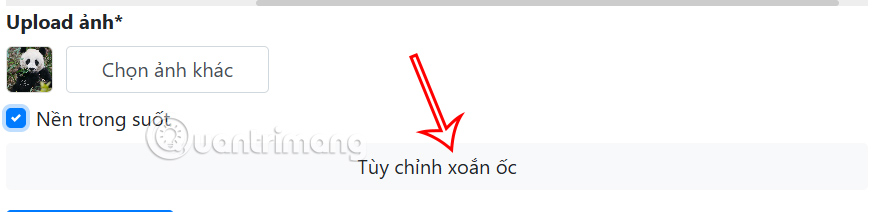
After choosing the color for the spiral, we select the Select photo button to upload our personal photo and then check Transparent background to create a more beautiful avatar, leaving only the subject. select Customize spiral to preview what the spiral avatar looks like.
Step 3:
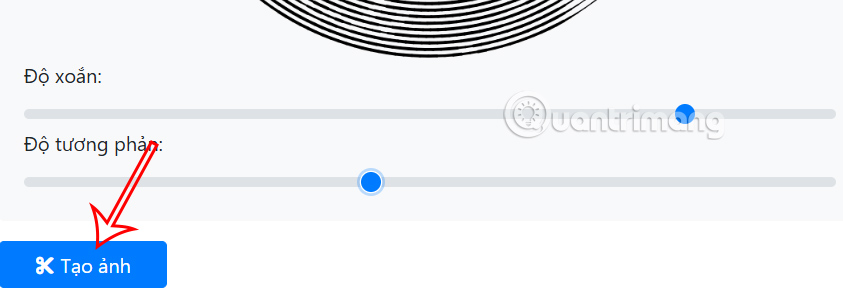
Preview how the spiral image will look like and then adjust the desired twist and contrast for the avatar. Once done, choose the Create Image button below.
Step 4:
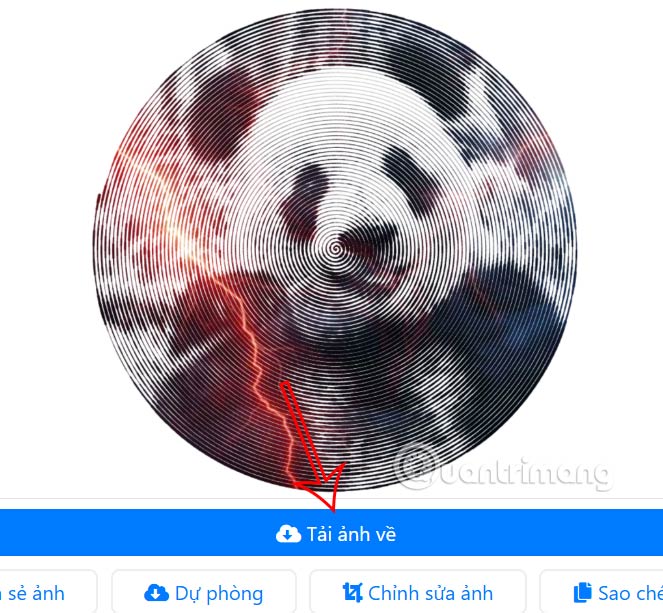
Immediately after that, you will have a spiral avatar as shown below. If you are not satisfied, you can change the color and adjust the spiral style. Finally, choose the Create image button to download the image.
FAQ
What is the main takeaway about Tutorial to Create a Fancy Spiral Avatar?
The key is to understand the core idea, compare the available options, and apply the practical guidance that matches your situation.
What should beginners know about Tutorial to Create a Fancy Spiral Avatar?
Start with the essential steps and terminology. Avoid changing advanced settings until you understand how they affect performance, privacy, cost, or compatibility.
How can I use this information in practice?
Follow the relevant section in order, test one change at a time, and confirm the result before moving to the next step or recommendation.
Related Articles
 Instructions for Creating Avatars on Whatsapp4 minutes read
 Create Style for Facebook Avatar with Two Attractive Features6 minutes read
 Create the Avatar 'Run Now' in the Poster Style of Son Tung M-TP4 minutes read
 Instructions to Create a Heart Avatar with a Name Around3 minutes read
 Manually Create a Facebook Avatar Image with 5 Online Applications5 minutes read
 Unique and Interesting Way to Design Facebook Avatars5 minutes read
Reader Comments 0
Sign in with email or Google to join the discussion.