Table of Contents
This practical guide explains how to Create a 2024 Collage on Instagram through clear, ordered steps. It also covers useful settings, common mistakes, and checks that can improve the final result.
Instagram now lets you showcase your favorite moments from 2024 by adding a collage to your Story. We proceed to select special images that contain many memories and Instagram proceeds to collage the 2024 photos. You can completely adjust the display position for each photo, the size of the photo if needed. Here is a guide to creating a 2024 collage on Instagram
How to Make a 2024 Collage on Instagram
Step 1:
On the Instagram app interface, click on The plus icon Below. Next, click on The Story section To start recording Instagram Story.


Step 2:
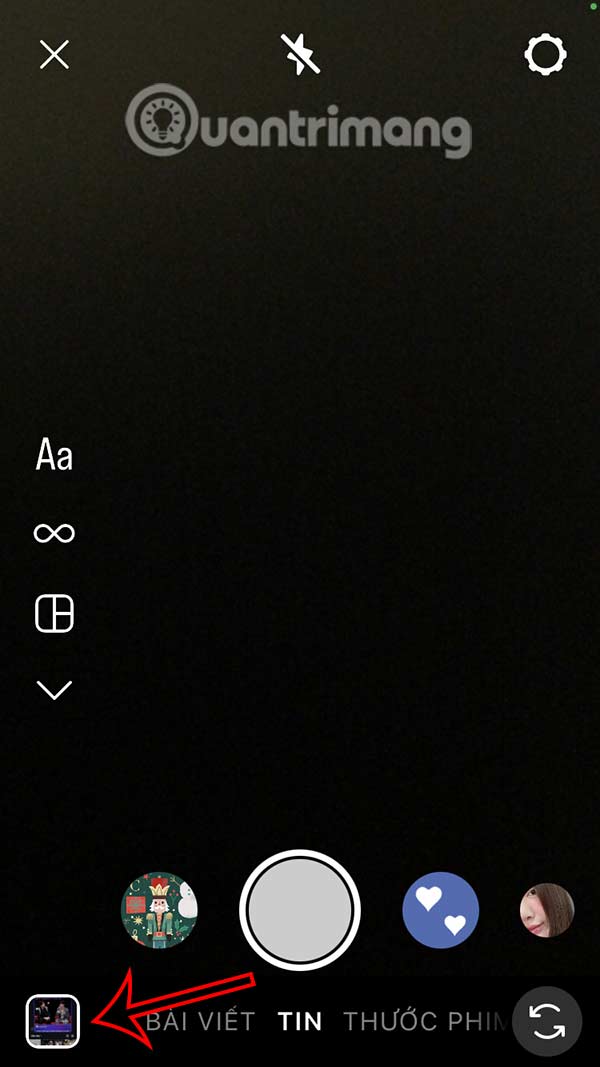
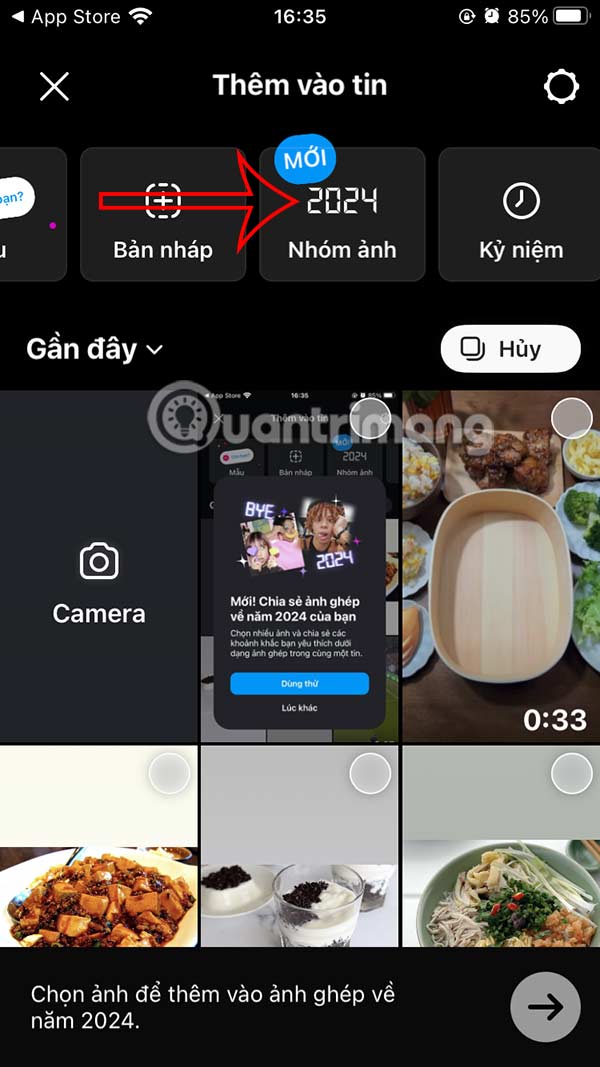
In the Story recording section, click on The photo frame icon At the bottom left of the interface. Now you will see The 2024 collage template To select and use. We are introduced to the 2024 collage creation feature on Instagram as shown, Click Try it To do it.

Step 3:
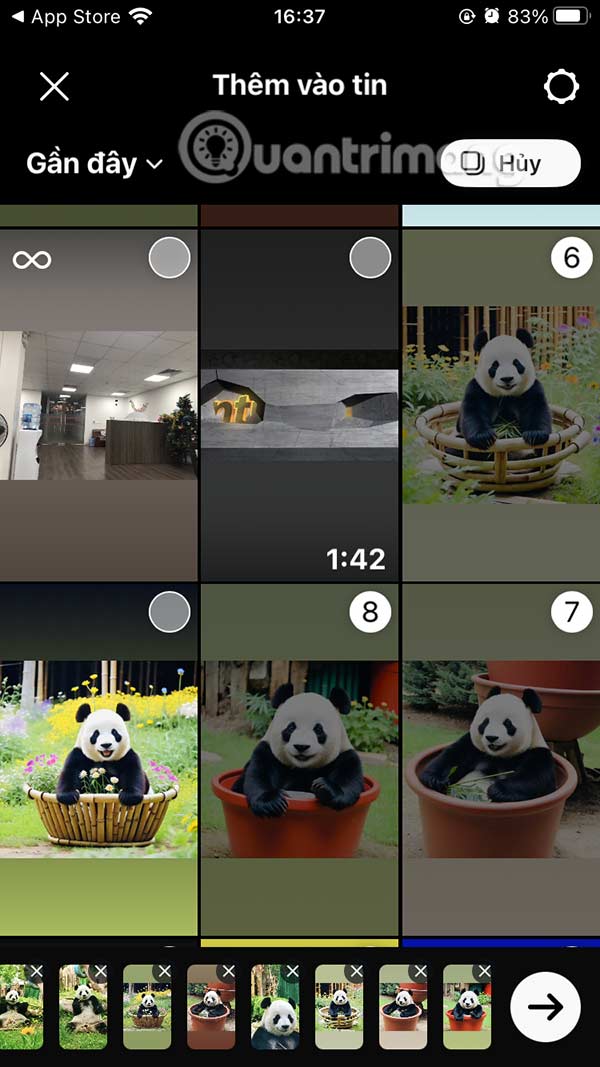
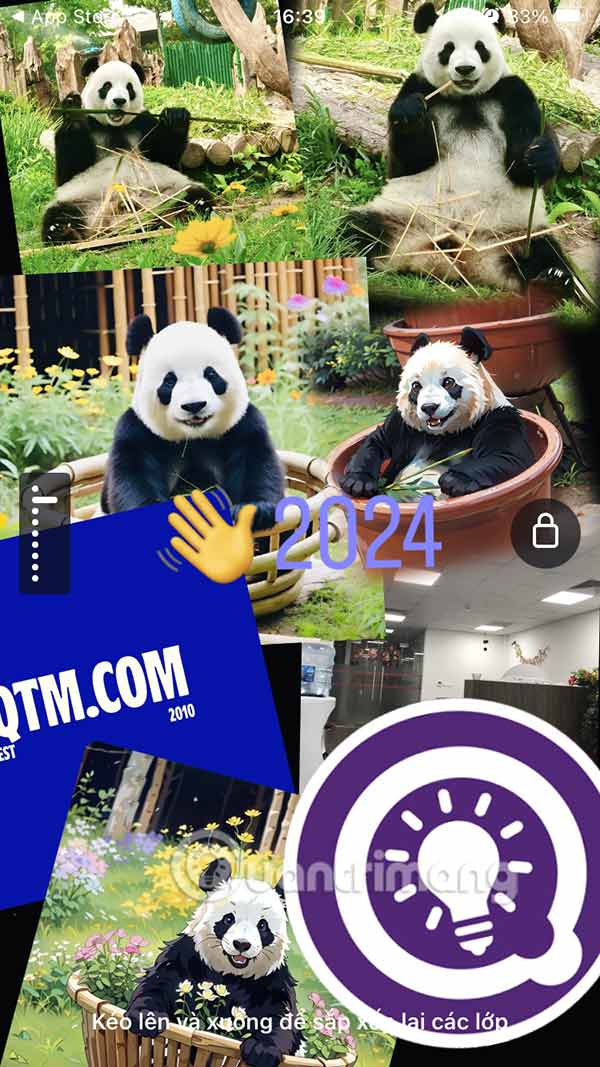
Now we Select the images we want to combine Into one photo. The selected photos are displayed below, if you want to delete them, click the x to delete the photo. After selecting the photo, click The arrow icon . The 2024 collage interface on Instagram is displayed as shown, we Click on the photo to move the Display position as well as adjust the size as we want.

Step 4:
When you create a 2024 collage Story, there will be various 2024 goodbyes and users can completely change this goodbye, or change the emoji displayed in the goodbye line.
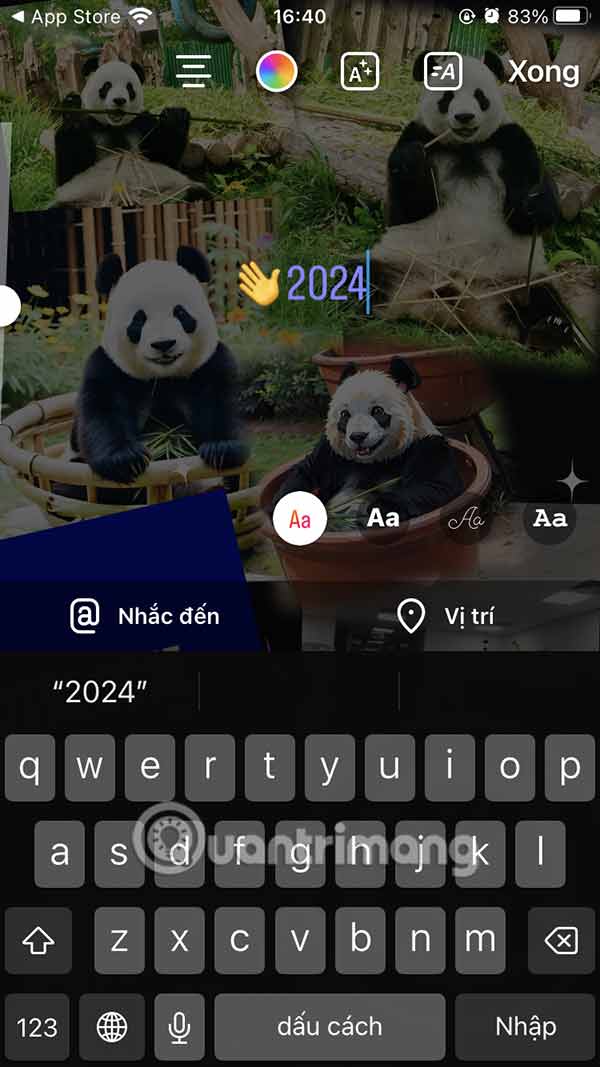

Step 5:
Finally, if you are satisfied, click The arrow icon to post . Or you can create another 2024 collage if you want.



FAQ
How do I Create a 2024 Collage on Instagram?
Follow the steps in this guide in order, verify each setting before continuing, and check the result after every major change.
What should I prepare before I Create a 2024 Collage on Instagram?
Confirm compatibility, install current updates, save important work, and back up data before changing system or application settings.
What can I do if create a 2024 Collage on Instagram does not work?
Review permissions and requirements, restart the relevant device or app, repeat the steps carefully, and use official support resources when the issue continues.
Related Articles
 How to Create a Collage Video on Capcut3 minutes read
 12 Tips to Make It Easier for You to Master Instagram8 minutes read
 Top Best Photo Collage Apps for iPhone5 minutes read
 Instructions to Create a Heart Collage Online3 minutes read
 How to Create Symmetrical Squares Creating Hot Trend3 minutes read
 Guide to Creating a Survey in Instagram Stories5 minutes read
Reader Comments 0
Sign in with email or Google to join the discussion.