Table of Contents
This practical guide walks through how to choose a Laptop for Graphic Designers and Technicians. It organizes the required steps, settings, and checks so you can complete the task with fewer mistakes.
Overview
Graphic designers and technicians often have to install and use quite heavy applications, such as Photoshop Or 3d Studio Max. If you choose to buy low-configuration laptops, it will definitely cause a series of problems. Continue reading this guide to learn How to choose a laptop for graphic designers and technicians .
1. High-end CPU and large RAM Graphic designers and technicians often have to work on specialized graphic software and applications such as CAD or Photoshop,.. The common characteristic of these applications is that they are very heavy and take up a lot of system resources.
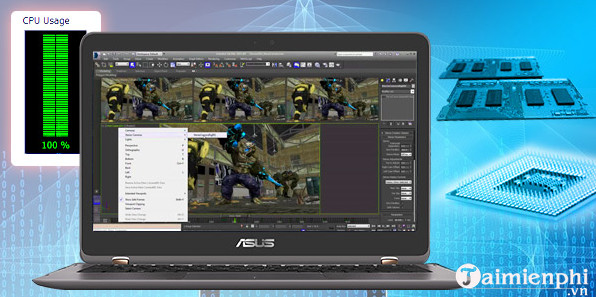
Ideally, you should choose to buy laptops equipped with powerful CPUs , From Core i5 or higher . If choosing a laptop using AMD processors, the A8 or A10 series are the ideal choice. 8GB RAM is enough, but if possible, you can select to buy laptops equipped with larger RAM memory.
2. Graphics card If you mainly design and render 2D, just choosing a "mid-range" graphics card such as NVIDIA GeForce GTX1050 Or AMD's Radeon R7 ,. is enough.
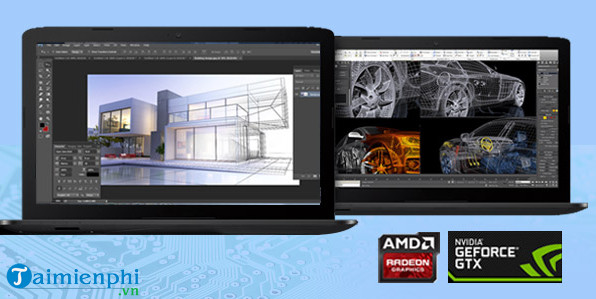
But if 3D design requires choosing a higher-end graphics card. NVIDIA's latest GeForce 10 series of GPUs including The GTX 1060, GTX 1070 Or GTX 1080 Are ideal choices.
3. Screen resolution There is a general rule that the higher the resolution, the more suitable it is for designers. Most laptop screens have a resolution of 1366 x 768. However, for people specializing in graphic design and engineering, TipsMake recommends that you choose to buy a laptop with a resolution of 1600 x 900 or 1920 x 1080 . Screen size 15 inches Or more, the larger the screen size the better.
4. Hard drives Laptops are usually equipped with 2 types of hard drives: HDD hard drives and SSD hard drives. HDD hard drives are affordable but operate slower than SSDs.
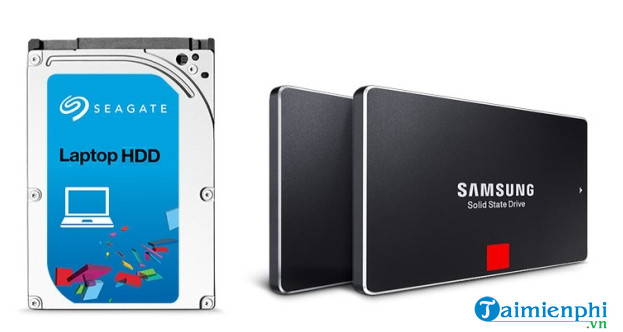
If you are working with large projects or 3D projects,. you should consider choosing a large capacity hard drive. TipsMake recommends that you choose a laptop with a 1TB hard drive, enough to install all design software and store completed projects. In addition, you should choose to use An SSD hard drive To ensure faster rendering speed and loading of projects.
The above article TipsMake has just guided you how to choose a laptop for graphic designers and technicians. In addition, if you have any questions or concerns such as How to choose to buy a gaming laptop , readers can leave their comments in the comments section below the article.
FAQ
What do I need before I choose a Laptop for Graphic Designers and Technicians?
Prepare the required device, software, account access, and any files mentioned in the steps. Back up important data before changing system settings.
Why does the process look different on my device?
Menus and options can vary by operating system, app version, device model, or region. Use the closest matching setting and check the official documentation when needed.
What should I do if a step does not work?
Restart the app or device, confirm permissions and connectivity, update the software, and repeat the step carefully. Avoid unofficial downloads or tools.
Related Articles
 32 Instagram Graphic Designers You Should Follow to Get Creative14 minutes read
 Summary of Good Graphics Laptops Under 15 Million for Designers18 minutes read
 Top 10 Top Graphic Mice of 2023 That Designers Need to Know: Expert Selection17 minutes read
 9 Tools to Master to Become a Graphic Designer8 minutes read
 What Is Creative Fabrica? Is It Worth It for Graphic Designers to Use?6 minutes read
 16 Graphic Products Lead the Trend and Inspire for 20168 minutes read
Reader Comments 0
Sign in with email or Google to join the discussion.