Table of Contents
Buying on Taobao involves more than adding an item to the cart. Before paying, confirm the product variant, seller, delivery route, return conditions, and the full cost. International buyers may also need a supported cross-border shipping option or a forwarding warehouse.
The screenshots below show one version of the Taobao mobile interface. Button positions and payment options can differ by app version, account, and destination, so use the product names and order stages—not button colors alone—to identify the next action.
Before placing an order
- Check the delivery address: confirm whether the seller can ship directly to it or whether you are using an official consolidation service or a forwarding warehouse.
- Review the seller: read recent product-specific reviews, look at customer photos, and check the seller’s transaction and service history.
- Translate critical details: verify size, material, color, included accessories, voltage, warranty, and return terms. Do not rely on the product photo alone.
- Estimate the total cost: include item price, domestic shipping, international shipping or forwarding fees, currency conversion, payment charges, insurance, and any applicable import taxes or duties.
- Confirm restrictions: batteries, liquids, food, branded goods, and oversized products may face carrier or customs limits.
How to order from Taobao
1. Choose the product variant
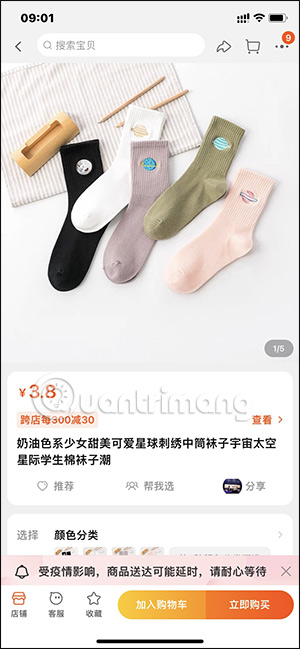
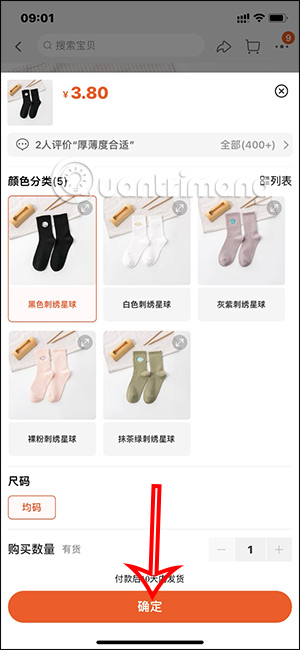
Sign in and open the product listing. Select the exact color, size, model, bundle, and quantity. Watch for listings where the displayed starting price applies only to a small accessory or the least expensive variant.
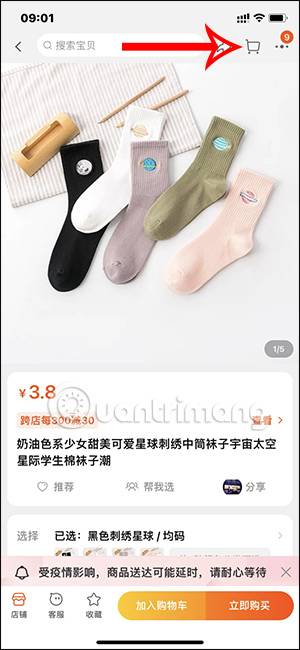
When the selection is correct, add it to the cart. The orange control shown in the screenshots is the cart action in this interface.
2. Select items in the cart
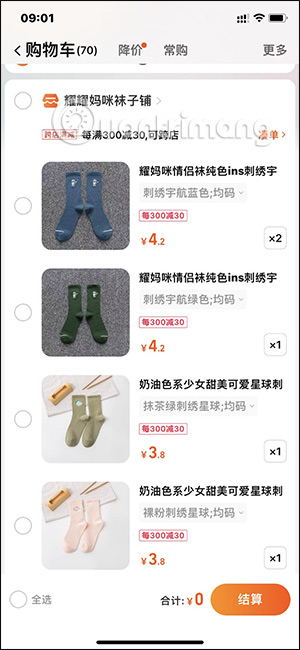
Open the shopping cart and select only the products you want to purchase now. Recheck the variant, quantity, unit price, any seller coupon, and domestic delivery charge. Items from different sellers may become separate orders even when you check out together.
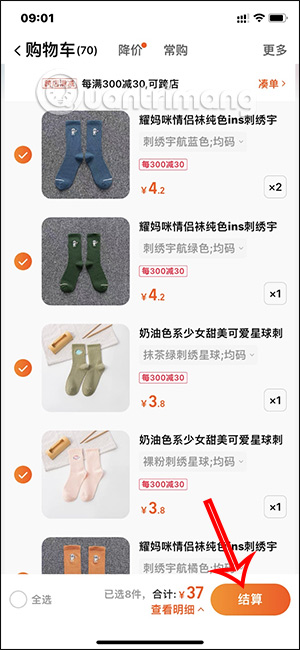
3. Review the address, shipping route, and payment method
On the order-confirmation screen, verify the recipient name, phone number, full address, postal code, and region. If you use a forwarding warehouse, copy its required customer or package identifier exactly; an omitted identifier can make the parcel difficult to match.
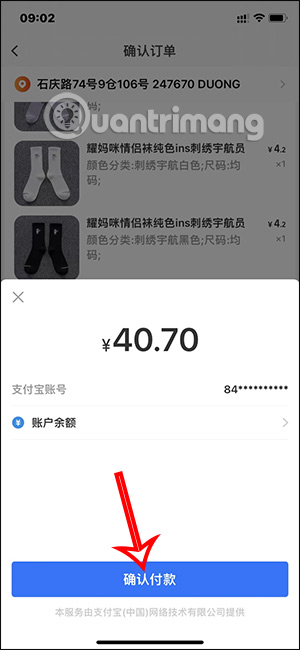
Open the payment section and choose one of the methods offered to your account. Taobao or Alipay may show cards, an Alipay balance, or other region-specific options. Availability, verification requirements, currency conversion, and fees can change, so check the amount displayed in the payment screen before authorizing it.
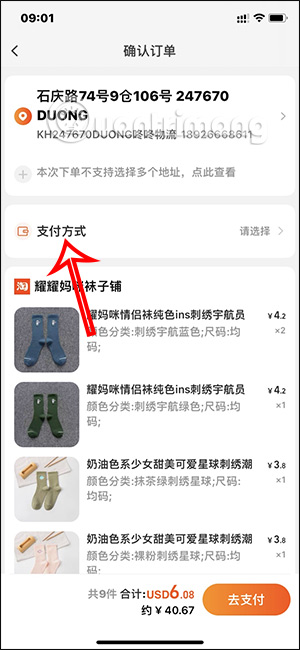
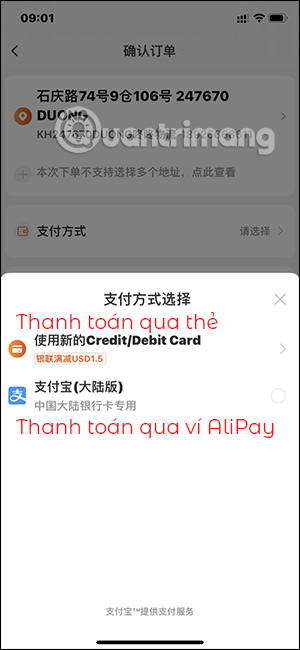
4. Confirm the final order amount
Read the order summary before tapping the payment control. Confirm the products, quantities, shipping address, delivery option, discounts, and total charged now. Do not assume that this is the final delivered cost: consolidated international shipping may be calculated and paid after the seller’s parcel reaches a warehouse.
Authorize the payment only when every field is correct. Save the confirmation and order number instead of relying solely on a payment notification.
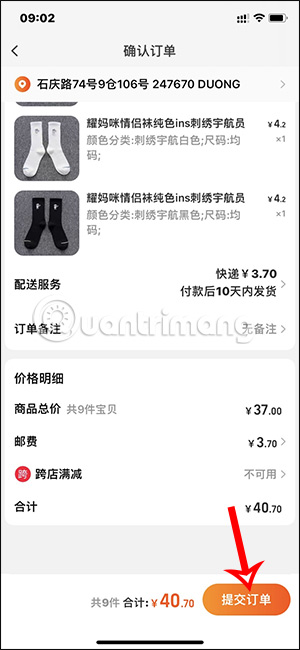
5. Open the order record and track delivery
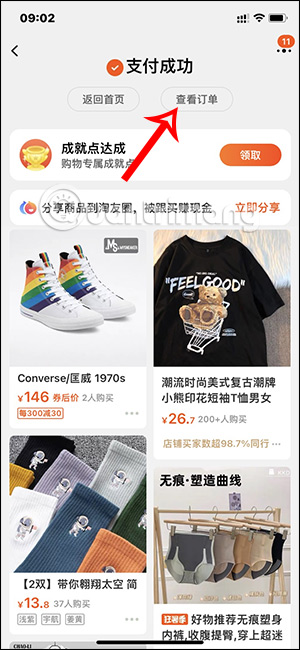
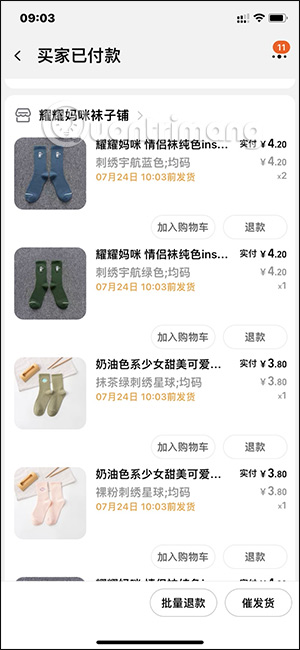
After payment, open the order area shown in the app. Confirm that the order status reflects successful payment and that each seller has an order record. The tracking section will update after the seller dispatches the parcel.
International and consolidated shipping
When an order uses a consolidation warehouse, the process commonly has two stages: the seller ships domestically to the warehouse, then eligible parcels are combined or selected for international delivery. Wait for the warehouse to receive and register each package, check the recorded weight and restrictions, choose an available route, and pay the international shipping charge shown.
Do not let a parcel sit indefinitely. Warehouses can apply storage limits or fees, and prohibited items may require return or disposal under the service’s rules.
If something goes wrong
- Seller has not shipped: check the promised dispatch period and message the seller through the order.
- Wrong variant in the order: contact the seller immediately; changes may be impossible after dispatch.
- Warehouse cannot identify the parcel: provide the domestic tracking number, warehouse recipient details, and order record.
- Item differs from the listing: photograph the package label, unboxing, product, and defect before opening a return or dispute.
- Refund requested: keep the order, chat, tracking, and payment records until the refund reaches the original payment method.
Taobao’s overseas terms and payment arrangements can change. Review the rules displayed in your account and destination at checkout, including the current Taobao overseas platform agreement, before making a high-value purchase.
Related Articles
 Instructions for Ordering Online on Taobao7 minutes read
 Not Getting into Taobao, 1688, Taobao.com Is Faulty, This Is the Easiest Way to Get to Taobao4 minutes read
 Top US Order Receiving Websites: Complete Guide4 minutes read
 A Few Reviews of Japanese Goods 2 Old Japanese Goods, Japanese Goods8 minutes read
 China Builds Rockets That Deliver Goods to Anywhere on Earth Within 1 Hour4 minutes read
 Distinguish Old Technology Items, Phones Like New, Build Goods9 minutes read
Reader Comments 0
Sign in with email or Google to join the discussion.