Table of Contents
This practical guide explains how to Adjust Full and Minimize League of Legends Screen through clear, ordered steps. It also covers useful settings, common mistakes, and checks that can improve the final result.
League of Legends is a game that requires a lot of concentration, and full screen or minimization can have a big impact on your performance. Not only does it improve your gaming experience, but it also makes it easier to see and control your character.
Instructions for Zooming in and Out of the League of Legends Screen
To adjust the screen in League of Legends, you need to enter the match to be able to set it up appropriately. To be sure, you should set up a practice room to be able to adjust the screen in the most comfortable way without fear of affecting the match.
Step 1: Press Esc on the keyboard to open the Options Window.
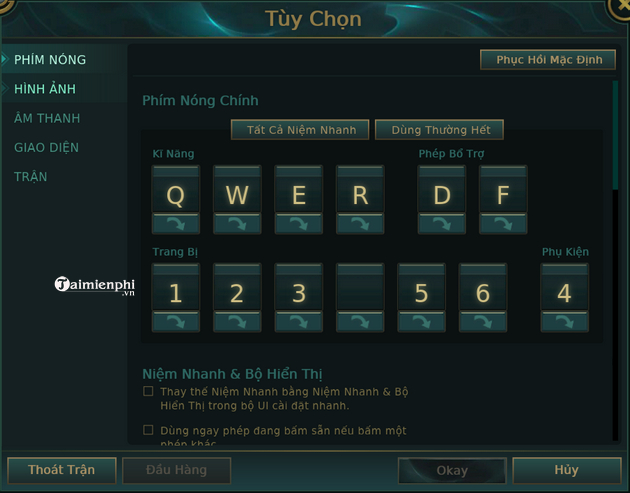
Step 2: Select Image .
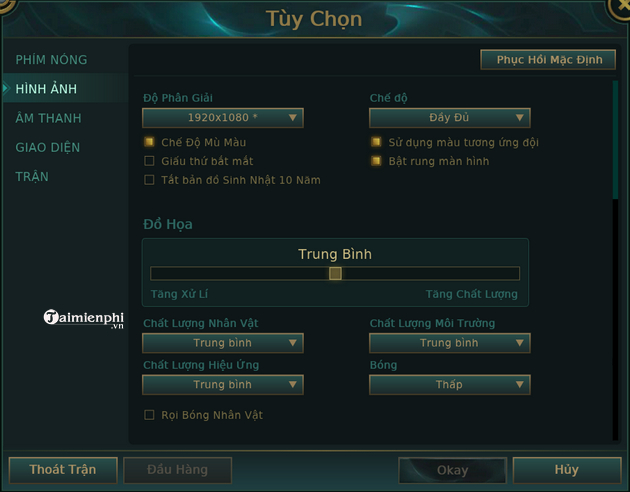
Step 3: Choose the Resolution that suits your computer and monitor.
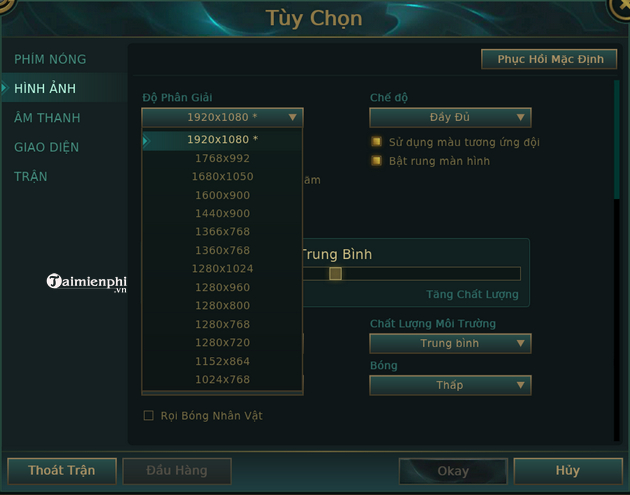
Step 4: Choose the screen mode you want, Full is the default mode, Window is the mode that helps you move the League of Legends screen more with minimal effort and Borderless means you won't have borders around the game screen.
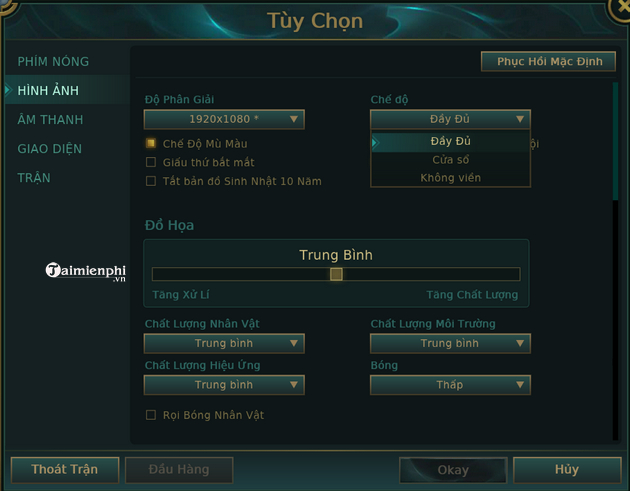
Above are the steps for you to edit the zoom in or out of the League of Legends screen according to your preferences so you can play most comfortably. In addition, if you want to exit full screen mode, you can refer to how to Exit full screen mode League of Legends Here.
Currently, the Truth Arena game mode is being opened by Riot for testing on the test server, you can play the PBE DTCL trial version right after registering an account.==> Refer to How to play the PBE Truth Arena trial version Here
FAQ
How do I Adjust Full and Minimize League of Legends Screen?
Follow the steps in this guide in order, verify each setting before continuing, and check the result after every major change.
What should I prepare before I Adjust Full and Minimize League of Legends Screen?
Confirm compatibility, install current updates, save important work, and back up data before changing system or application settings.
What can I do if adjust Full and Minimize League of Legends Screen does not work?
Review permissions and requirements, restart the relevant device or app, repeat the steps carefully, and use official support resources when the issue continues.
Related Articles
 League of Legends Server Maintenance Period for Version 25.207 minutes read
 League of Legends: Top 4 Useful but Neglected Equipment in the Game7 minutes read
 Want to Improve Your MMR in League of Legends? Here's How7 minutes read
 Instruction to Register to Download League of Legends: Toc Chien3 minutes read
 Top 5 Strongest Generals of the Upper Road in League of Legends 9. 66 minutes read
 League of Legends: 4 Generals Who Gained the Most Power in Version 9. 56 minutes read
Reader Comments 0
Sign in with email or Google to join the discussion.