Table of Contents
Learn how to acquiring pets in gta online mansion update with clear steps, practical tips, and troubleshooting guidance for a reliable result.
How to buy pets in GTA Online
To acquire a pet, players must first own a mansion. Los Santos currently has three high-end mansions , each with its own price and design. You can choose the one that suits you best before you start 'acquiring pets'.
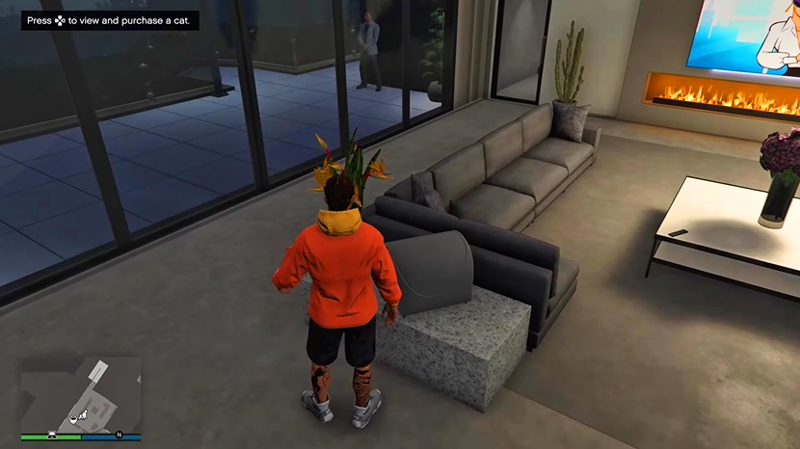
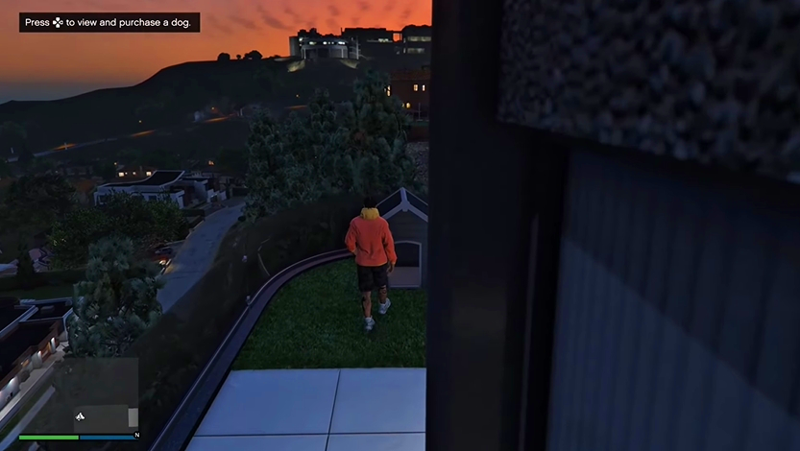
After owning a mansion:
1. Buy a cat
- Enter the Living Room.
- There will be a cat bed on the table.
- Interact to open the menu for purchasing cats.
2. Buying a dog
- Go to the backyard.
- There will be a doghouse in all three mansions.
- Interact to buy a dog.
Both cats and dogs can be given custom names. Players can also choose the breed and coat color, all at a fixed price of $15,000.
List of pets in GTA Online
Currently, GTA Online has two types of pets: Cats and Dogs . Although the number isn't large, the system offers a wide variety of colors and breeds.
Cat List
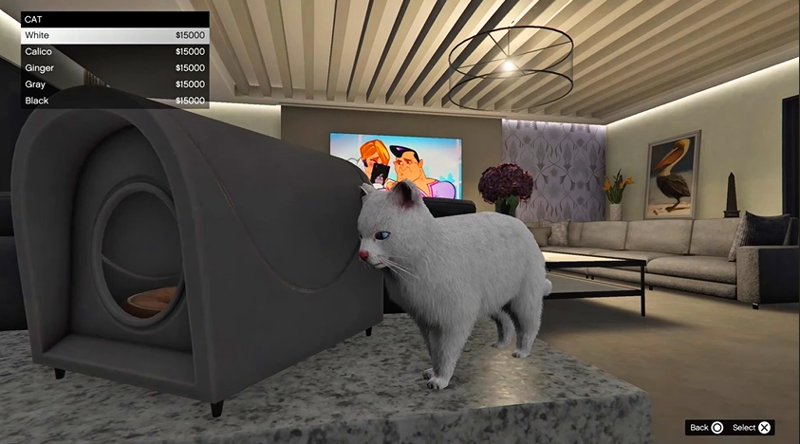
Each cat breed has only one fixed color according to Rockstar's design:
- White
- Calico (Tribody)
- Ginger (Orange)
- Gray
- Black
Dog List
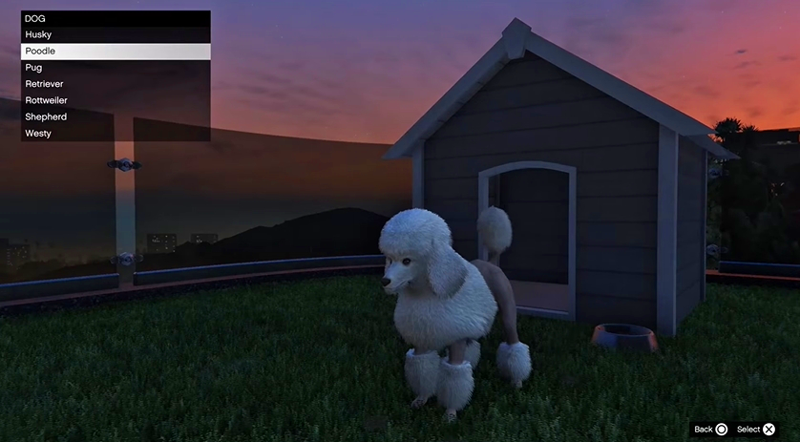
Dog breeds are much more diverse, and most come in a wide range of colors. The list includes:
- Husky
- Poodle
- Pug
- Holder
- Rottweiler
- Shepherd
- Laly
All dog breeds are priced the same regardless of color.
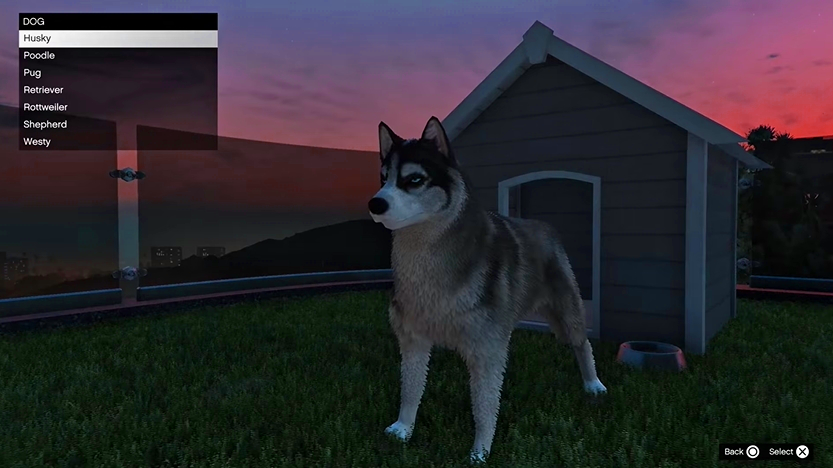
Is it possible to pet pets in GTA Online?
Yes, players can absolutely pet cats and dogs in the safehouse. Simply approach the pet and press the right button on the D-Pad, and the character will perform an adorable petting animation.
This is one of the small details that brings a lively feel to the villa, making the experience more enjoyable and authentic.
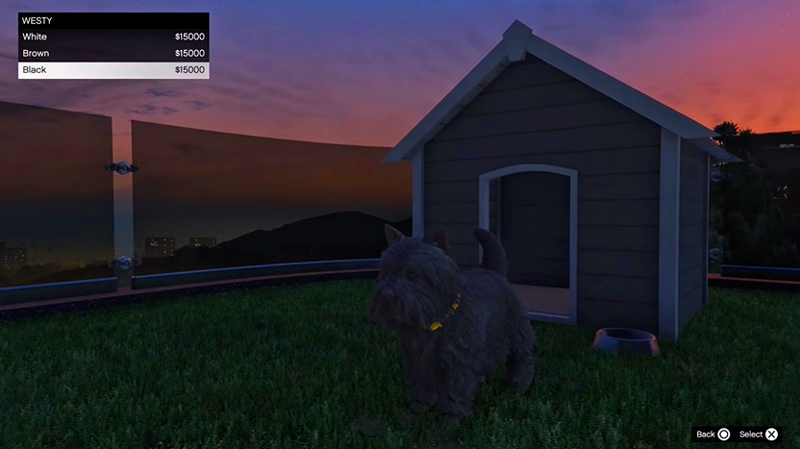
With the Mansions update, Rockstar brought an incredibly adorable feature to GTA Online – allowing gamers to create more realistic living spaces with their four-legged friends. For just $15,000, you can own a cat or a dog, name it, choose its breed and color as you like.
Which companion would you choose? A loyal Husky or a playful Ginger cat?
Final Thoughts
Use this guide as a practical checklist for how to acquiring pets in gta online mansion update. Work through the steps in order, verify each result, and adjust the options to match your needs.
FAQ
What do you need before following this How to Acquiring Pets in GTA Online Mansion Update guide?
Review the required tools, accounts, settings, or materials mentioned in the article. Learn how to acquiring pets in gta online mansion update with clear steps, practical tips, and troubleshooting guidance for a reliable result.
What are the main steps for how to acquiring pets in gta online mansion update?
Follow the sections in order, especially How to buy pets in GTA Online, 1. Buy a cat, 2. Buying a dog. Complete each step before continuing and verify the result as you go.
What should you do if the process does not work as expected?
Recheck the prerequisites, update the relevant app or service, review the settings, and repeat the step that caused the issue. Use any troubleshooting notes included in the guide.
Related Articles
 Grow A Garden 2: All the pets and their uses4 minutes read
 Tips for Playing Suspects: Mystery Mansion4 minutes read
 Latest Pets Go Roblox Codes: Redeem Pets Go Code5 minutes read
 Pets Trading Value Ranking in Grow a Garden: Complete Guide8 minutes read
 Review Luigi's Mansion 3 – Horror in a Funny Way9 minutes read
 All the New Pets Grow a Garden Eggs and How to Get Them: Explained6 minutes read
Reader Comments 0
Sign in with email or Google to join the discussion.