Table of Contents
Minecraft 26.1 Snapshot 5 introduced the Golden Dandelion, redesigned five aquatic baby mobs, and gave baby chickens their own sounds. It is a Java Edition testing build, so its features and technical behavior were subject to change before the stable release.
The most useful correction to know is that the Golden Dandelion does not lock a baby mob permanently. Use the flower once to stop aging and use another Golden Dandelion on the same mob to let it grow again.
What changed in Snapshot 5
- New models and textures for baby dolphins, squids, glow squids, turtles, and axolotls.
- A new Golden Dandelion item that can stop or resume a baby mob's aging.
- Separate ambient, hurt, and death sounds for baby chickens.
- Improved game-rule search plus data-pack, resource-pack, recipe, tag, and rendering changes.
- Fixes for selected spawning, recipe, interface, bee, particle, and turtle-egg bugs.
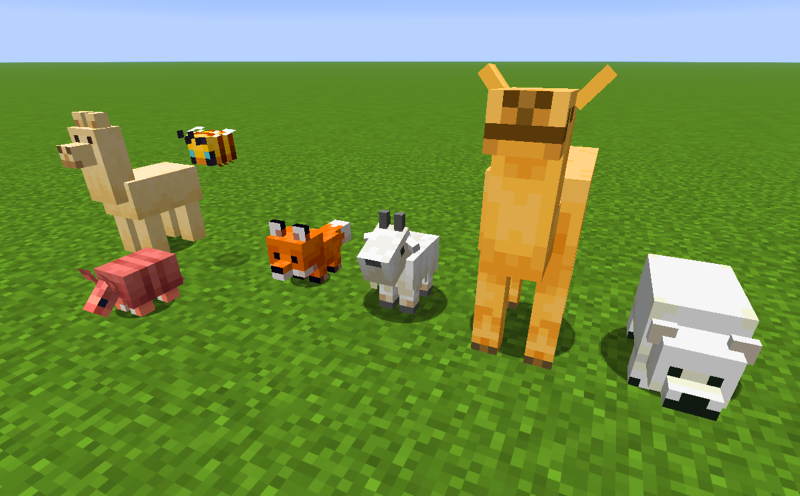
Redesigned aquatic baby mobs
The snapshot updates the models and textures of five young aquatic mobs:
- Dolphin
- Squid
- Glow squid
- Turtle
- Axolotl
The baby forms have proportions and details that distinguish them more clearly from adults. Mojang also increased the collision boxes of baby squids, glow squids, and axolotls to fit their new models. The patch notes do not state that every baby mob received a collision-box change.
How to craft a Golden Dandelion

Place one regular Dandelion in the center of a crafting table and surround it with eight Gold Nuggets. The arrangement uses all nine crafting-grid slots:
| Gold Nugget | Gold Nugget | Gold Nugget |
| Gold Nugget | Dandelion | Gold Nugget |
| Gold Nugget | Gold Nugget | Gold Nugget |
Stop and restart a baby mob's aging
- Hold the Golden Dandelion.
- Interact with an eligible baby mob to stop its aging.
- Interact with the age-locked mob while holding another Golden Dandelion to resume aging.
The item cannot be used on hostile baby mobs or villagers. Because the second interaction reverses the effect, you can preserve a young animal for a build or collection and still allow it to mature later.
Other player-facing changes
Baby chicken sounds
Baby chickens now use dedicated ambient, hurt, and death sound events instead of sharing all of their audio with adults. This is a presentation change rather than a new breeding or combat mechanic.
Game-rule search
The search field for game rules can match a rule's description and category as well as its name and namespaced ID. That makes less familiar rules easier to find without knowing their exact identifier.
Technical changes for creators
Snapshot 5 raises the data-pack version to 98 and the resource-pack version to 79. It also adds the minecraft:dye data component, introduces item and entity tags related to dyes and age locking, and changes several custom-recipe fields. Pack authors should test against the snapshot rather than assume older packs will load unchanged.
Among the listed fixes, moving blocks can no longer be used as unintended mob-spawn surfaces, bees no longer remain angry indefinitely, and turtle eggs once again avoid hatching in the Nether and the End. The full authoritative list is in Mojang's Snapshot 5 release notes.
How to test the snapshot safely
- Open the Minecraft Launcher and select Installations.
- Enable the Snapshots option.
- Create or select a Snapshot installation, then launch it.
- Use a new test world or a separate game directory.
For the launcher workflow, see how to download and play Minecraft snapshots. Mojang warns that testing versions can corrupt worlds, so back up any world before opening it in a snapshot. If you need to locate a Java world folder, the storage steps in this Minecraft map installation guide can help you identify the .minecraft/saves directory.
Snapshot 5 is for Java Edition testing. Bedrock previews use a different release channel, and a feature shown in a snapshot is not guaranteed to reach every edition in exactly the same form.
Related Articles
 Beautiful Dandelion Flower Wallpaper for Phones3 minutes read
 What Do You Know About Golden Ratios (Golden Ratio) in Design?12 minutes read
 Baby Three Wallpaper, Baby Three Wallpaper6 minutes read
 How to Download and Play Snapshots in Minecraft5 minutes read
 Signs That Help You Understand Babies Better5 minutes read
 Top Most Worthwhile Buildings to Construct in Minecraft11 minutes read
Reader Comments 0
Sign in with email or Google to join the discussion.