Table of Contents
This guide covers Google revealed project vault: small computers like microsd cards with practical context and easy-to-follow details. Use it to understand the subject and apply the information confidently.
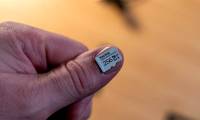
Just last year, Intel's Edison computer seemed to be the world's best with the size of an SD memory card.Yet at the recent Google I / O event, Google revealed information about Project Vault, a super-compact computer project of the size of a microSD memory card, the type of memory card still used to expand capacity for most smartphones today.
Jump: Virtual Reality Video Camera from Google and GoPro
Designed by Google's ATAP ( Advanced Technology and Projects, Google), Project Vault is basically a computer, but the main task is for communication purposes. And confirm your account with high security, without using a password.
In the introduction, Google demonstrated how two users can chat with each other via two smartphones with Vault " Memory card " attached. The chat data will be exchanged via Vault's encryption channel instead of smartphone wireless connections, so security will be ensured when even network operators cannot intervene.
With Project Vault, instead of typing in password strings that can be easily broken, users can be identified through other forms such as using patterns or other habits on the device. According to ATAP, this security method is 10 times more reliable than using a traditional password. Accordingly, if users regularly use Chrome And YouTube On smartphones, when another user uses the Vault can identify the device being compromised and can give a warning.
FAQ
What should I check before following these steps?
Confirm device and software compatibility, save important data, and make sure you have the required permissions, files, and account access.
Why might the process not work?
Common causes include outdated software, missing permissions, incompatible hardware, an unstable connection, or completing a step in the wrong order.
Can I undo the changes if necessary?
That depends on the tool or setting. Use built-in restore options when available, keep a backup, and record the original configuration first.
Related Articles
 7 Ways to Fix Problems with Microsd Cards11 minutes read
 How to Detect Fake Microsd Card9 minutes read
 Wikileaks Revealed Malware of CIA Hacks and Spies on Linux Computers5 minutes read
 How to Choose to Purchase Microsd Card to Upgrade Android Memory7 minutes read
 What Is MicroSD Express? a Memory Card as Small as a Fingernail but as Powerful as an NVMe SSD6 minutes read
 Mistakes or Mistakes When Buying MicroSD Cards10 minutes read
Reader Comments 0
Sign in with email or Google to join the discussion.