Table of Contents
This guide provides a practical overview of Google artificial intelligence will redraw your image in a new with clear explanations and useful details. It focuses on the information users are most likely to need.
In addition to Google AutoDraw, a tool that uses artificial intelligence to be able to automatically draw other details according to the theme that users originally drew, Google also has another equally interesting drawing tool: Cartoonify. This guide provides a practical overview of Google artificial intelligence will redraw your image in a new with clear explanations and useful details. It focuses on the information users are most likely to need.
How Google Artificial Intelligence Will Redraw Your Image in a New Works
Using Cartoonify is extremely easy, including the following steps:
Step 1: Access Cartoonify using the link below.
- Cartoonify
Step 2: Select the image you want to redraw, then click Upload Or you can copy the image URL and paste it into the box next to it.
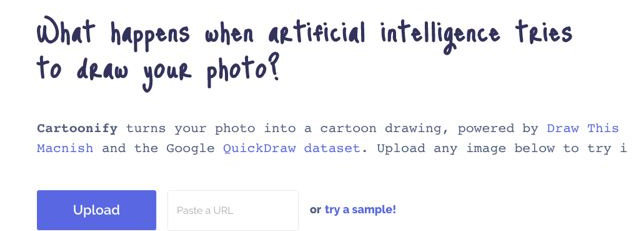
Step 3: After uploading, artificial intelligence will need a few seconds to process the image.

Finally, you will get a picture drawn as a funny and interesting children's drawing.


- 10 painting apps on Android help you become a true painter
- Watching pictures painted by artificial intelligence, everyone thinks that is the work of a true artist
- Take photos that are closed with your eyes closed, don't worry about Facebook's new AI technology that will help you 'open your eyes'
FAQ
What is the main benefit of Google artificial intelligence will redraw your image in a new?
The main benefit is a clearer understanding of the topic and a practical way to apply the information covered in this guide.
What should I check before using Google artificial intelligence will redraw your image in a new?
Confirm compatibility, review the required settings, protect important data, and use the latest supported version whenever possible.
What should I do if the result is different?
Repeat the steps carefully, verify permissions and version differences, and consult the product's official support documentation for changes not shown in the article.
Related Articles
 What Happens If Aliens Are Artificial Intelligence?9 minutes read
 Artificial Intelligence Learns to Create Another Artificial Intelligence7 minutes read
 6 Photo Editing Software Using Artificial Intelligence to 'Elevate' Your Image7 minutes read
 Learn About Artificial Intelligence (AI): What to Know10 minutes read
 Watching Pictures Painted by Artificial Intelligence3 minutes read
 6 Steps to Start Learning Artificial Intelligence Programming (AI)7 minutes read
Reader Comments 0
Sign in with email or Google to join the discussion.