Table of Contents
This guide provides a clearer, better-organized overview of CyberLink PowerDirector 15. It focuses on the essential facts, practical steps, and common questions readers are most likely to have. Because the original information is time-sensitive, confirm current availability or requirements with the official provider.
Important: This article covers time-sensitive or archived information. Verify current availability, pricing, codes, eligibility, and download sources with the official provider.
CyberLink PowerDirector 15 Powerful video editing and management software that includes practical video editing tools for users. Not only does it have professional features, but the software lets you edit at fast and stable speeds. Just like Proshow Gold, everyone probably knows the video editing software from photos and other small clips. Proshow Gold is always the name you look for first.

(Giveaway) activate the license for CyberLink PowerDirector 15 professional video editing software
CyberLink PowerDirector offers the first Video editing feature supported for comprehensive editing of UltraHD (4K) Videos. If you used Proshow Gold for free and used it to create simple clips to give to friends, then when you come to the CyberLink PowerDirector 15 software license, you will see the professionalism in editing capabilities and effects compared to previous versions.
To get a regular CyberLink PowerDirector 15 license, you need to spend $49.99 . register from May 30, 2018 To June 19, 2018 , you will receive a free CyberLink PowerDirector 15 license at no cost.
How to Register CyberLink PowerDirector 15 License
Step 1: Download and install CyberLink PowerDirector Giveaway software
- Then visit the address The official source To register to receive a free license key for CyberLink PowerDirector 15
Step 2: Install and activate CyberLink PowerDirector 15 license.
- When installation finishes, select Full Editor To start.

- Next, enter the code you receive as shown in the picture.
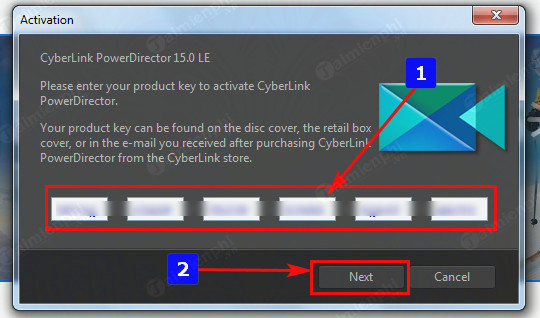
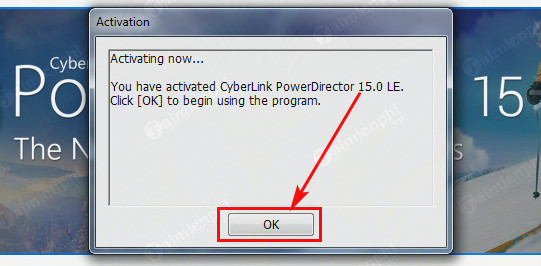
- A successful notification window appears, congratulations you have completed activation.
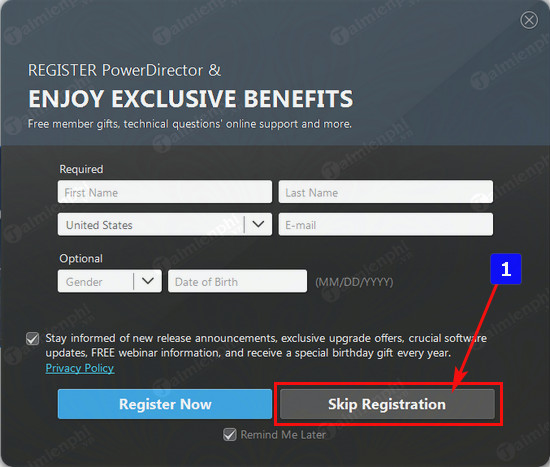
- The software requires you to register an account, you can skip this step by clicking Skip Registration
- Finally, edit cool, unique videos with thousands of different effects with PowerDirector 15.
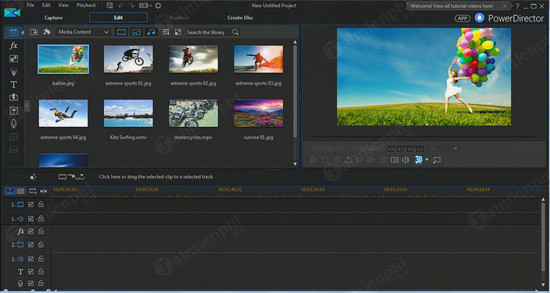
In this article TipsMake has sent you a free license of CyberLink PowerDirector 15. With this software you can edit and edit videos more professionally with many beautiful effects.
In addition to CyberLink PowerDirector 15 or Proshow Gold, you can also experience Proshow Producer. Proshow Producer photo video making software helps you create videos from many images with many unique and professional effects in each of your photo slides.
FAQ
What is the main point of CyberLink PowerDirector 15?
CyberLink PowerDirector 15 powerful video editing and management software that includes practical video editing tools for users.
Why might the details change over time?
Software versions, prices, policies, services, and product availability can change. Check the official source before making a purchase or changing important settings.
How can I use this information safely?
The original information may no longer be current. Verify availability, eligibility, prices, codes, and download sources with the official provider.
Related Articles
 Download Cyberlink Powerdirector 15, a Professional Video Editing5 minutes read
 Download Cyberlink Colordirector 5, a Professional Video Color4 minutes read
 Free Download Cyberlink Photodirector 8 Deluxe, Professional Photo4 minutes read
 The Best Video Editing Apps for iOS and Android8 minutes read
 (Giveaway) Register GiliSoft Video Editor Copyright, Edit Videos3 minutes read
 (Giveaway) Kryptel Free Copyright, Data Information Security4 minutes read
Reader Comments 0
Sign in with email or Google to join the discussion.